

- Switching to a lower tier.
- Switching to a shorter commitment.
- Reducing the unit quantity (e.g. reducing seats).
- Removing an add-on.
- Reducing the quantity of a specific add-on.
- Downgrade immediately and grant a prorated amount of credits for the remaining time of the billing period, like Slack, or Notion.
- Schedule a downgrade to take place at the end of the current billing period, like Zoom, Trello, or GitHub.
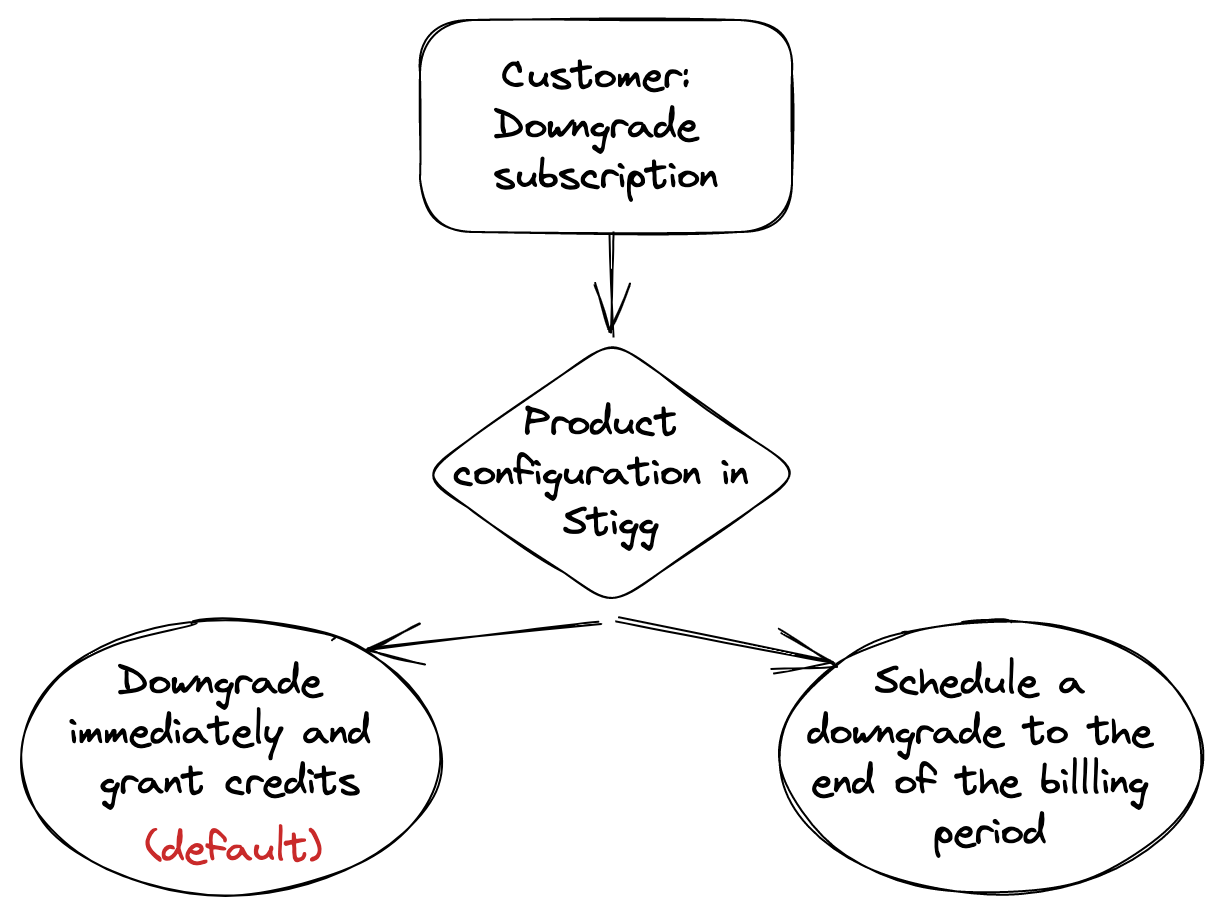
How plan downgrades are determined
When a customer switches from one plan to another, Stigg determines whether the transition is a downgrade using the following priority order:- Plan inheritance - If the customer’s current plan inherits from the target plan, the transition is a downgrade.
- Price comparison - If there’s no inheritance relationship between the plans:
- Both paid plans: the transition is a downgrade if the target plan has a lower starting price.
- Both custom-priced plans: the downgrade direction is determined by the order of plans in the pricing table.
- Both free plans: the transition is considered neither an upgrade nor a downgrade.
- The
isUpgradeandisDowngradefields in webhooks such assubscription.createdandsubscription.updated - The
SubscribeIntentionType.UPGRADE_PLANandSubscribeIntentionType.DOWNGRADE_PLANintent types in the pricing table widget - Whether a plan change follows the immediate or scheduled downgrade behavior configured for the product