

Overview
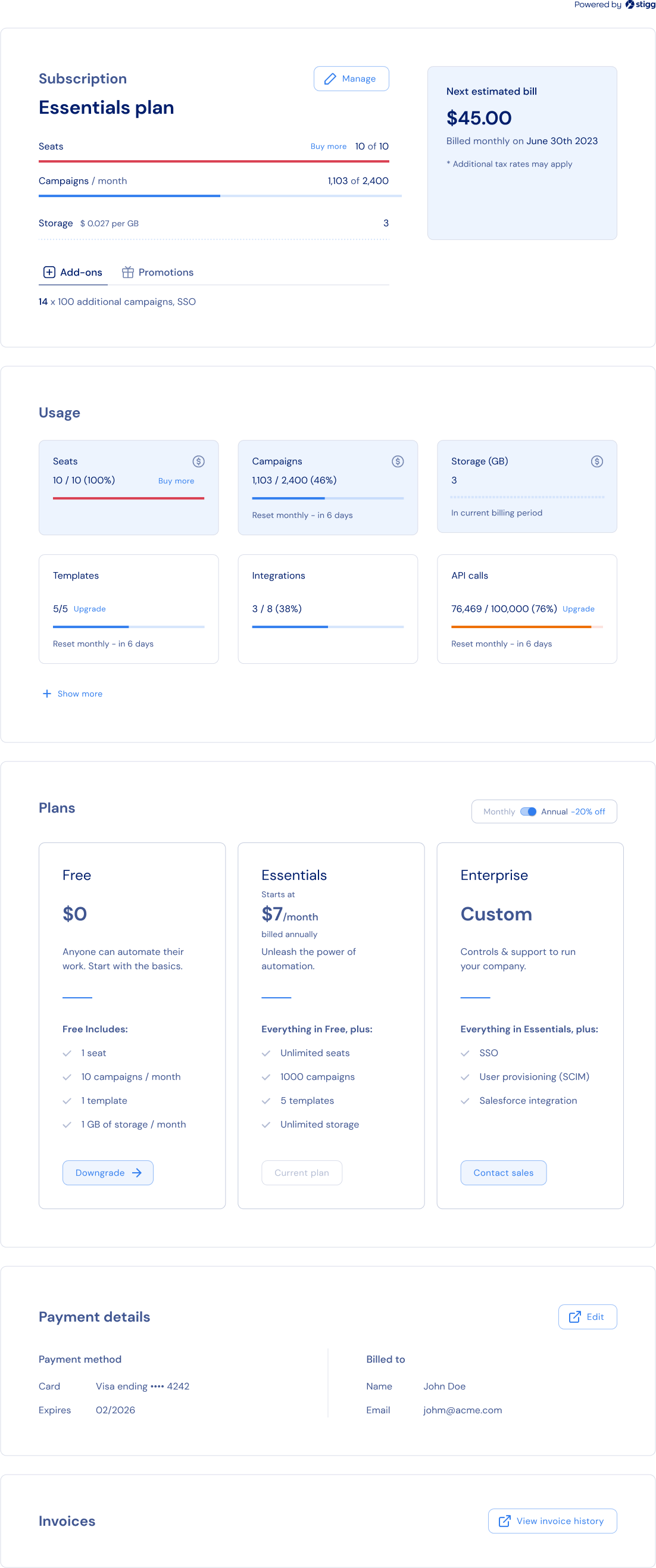
Stigg’s customer portal widget allows you to introduce self-service and drive in-app expansions using only a few lines of codes. The customer portal:- Provides customers with visibility to their current subscription details - subscribed plan, purchased add-ons, granted promotional entitlements.
- Provides customers with visibility to the usage of their subscription’s features.
- Allows customers to upgrade and downgrade their subscription in a self-served manner - when you update your pricing model in Stigg, customers will auto-magically be able to upgrade or downgrade their subscription according to the updated pricing model 😎.
- Allows customers to view their billing and payment information - when Stigg is integrated with a billing solution (such as Stripe), customers can also update this information and view previous invoices directly from the billing solution’s billing portal.
Customer portal sections
Stigg’s customer portal widget is composed of the following sections.Subscription overview
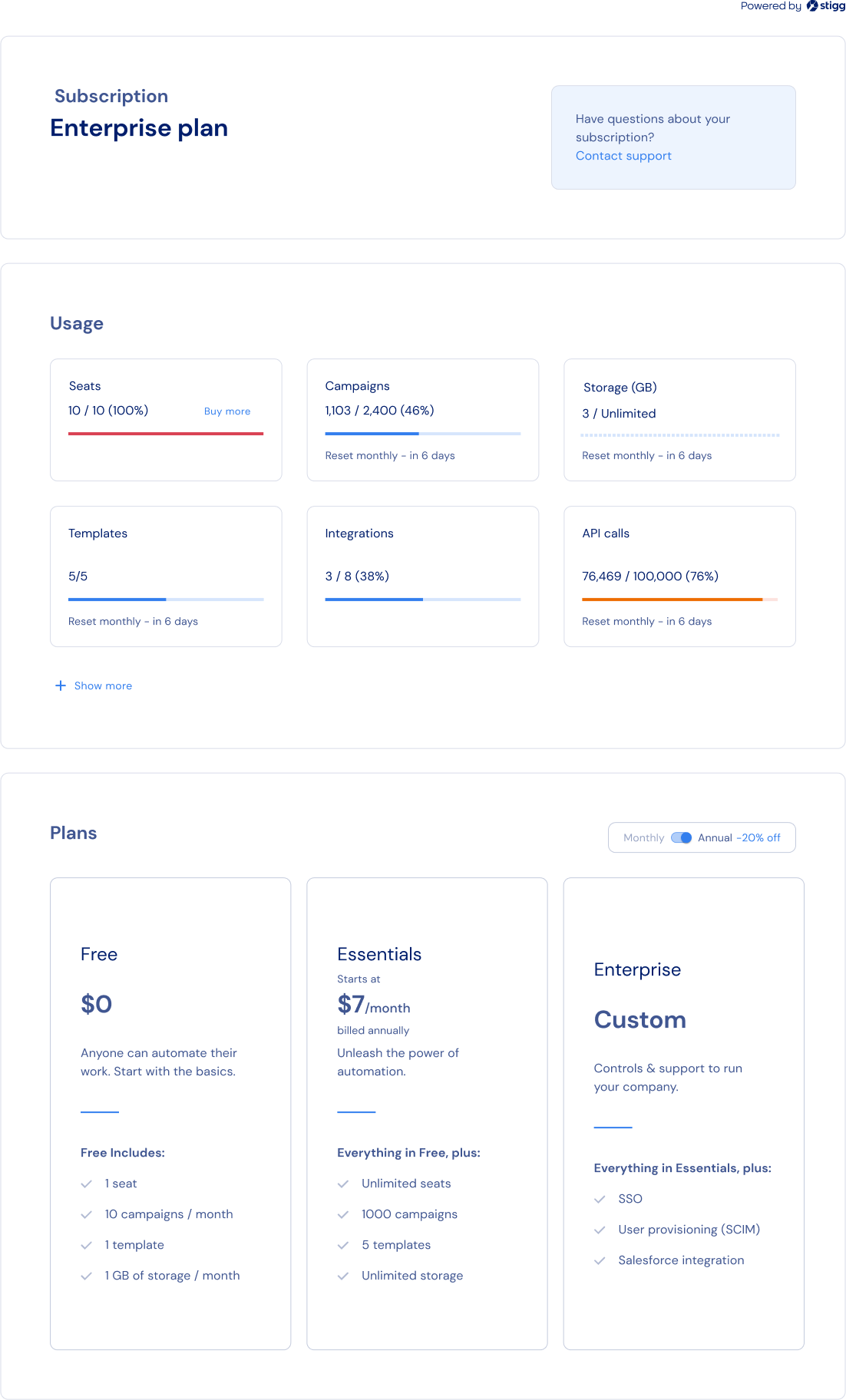
The Subscription Overview section provides customers with visibility to their current subscription details - subscribed plan, purchased add-ons, granted promotional entitlements.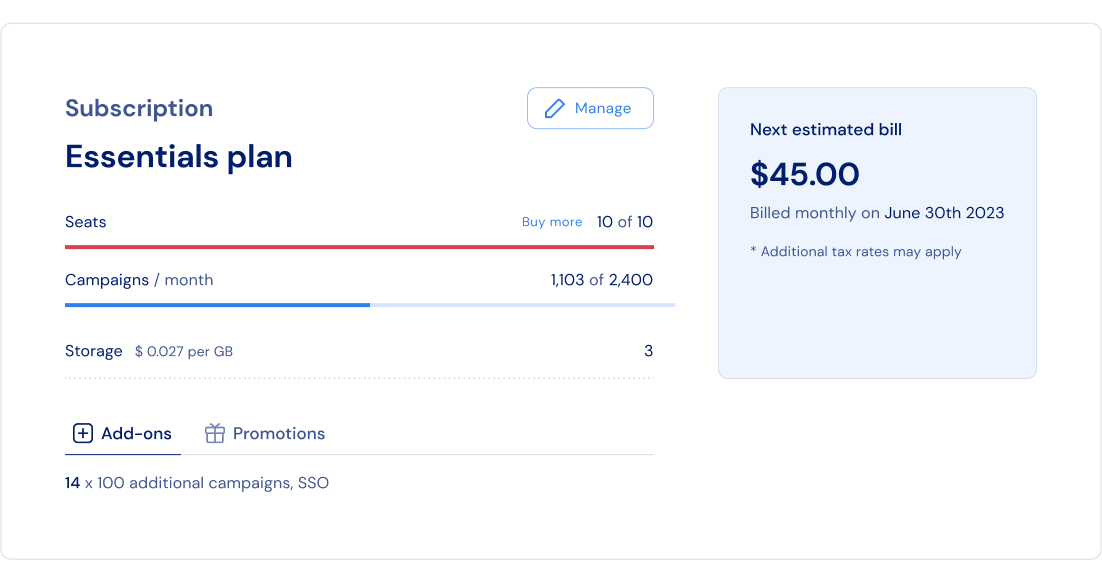
Usage
The Usage section provides customers with visibility to the usage of their subscription’s features.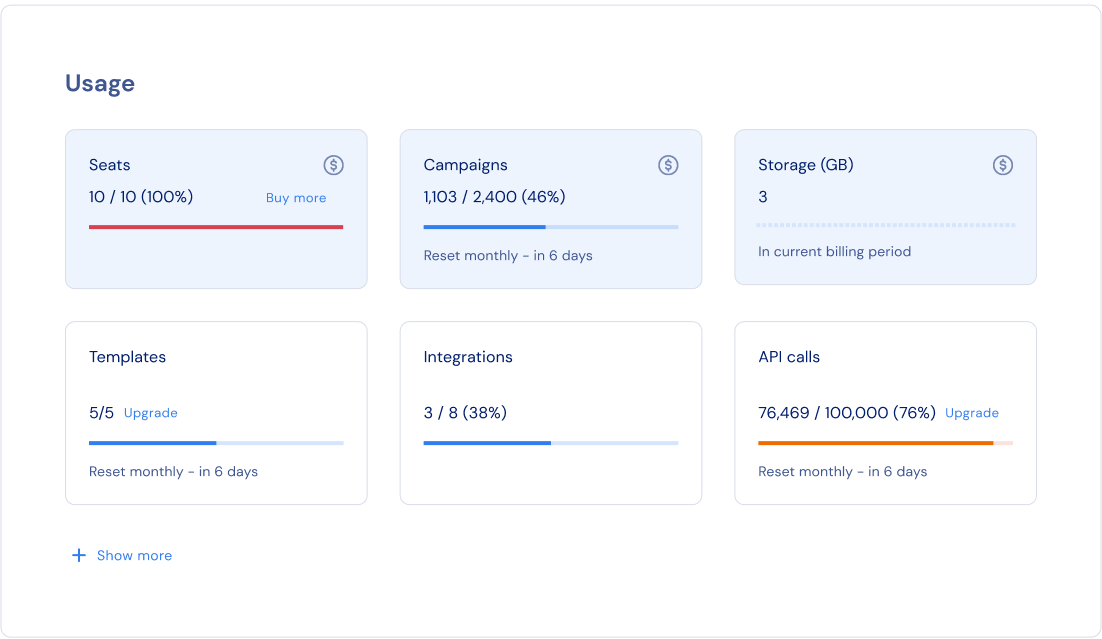
Plan picker
The Plan Picker section allows customers to upgrade and downgrade their subscription in a self-served manner. When you update your pricing model in Stigg, customers will auto-magically be able to upgrade or downgrade their subscription according to the updated pricing model 😎. Behind the scenes, this section uses the Stigg Pricing Table widget.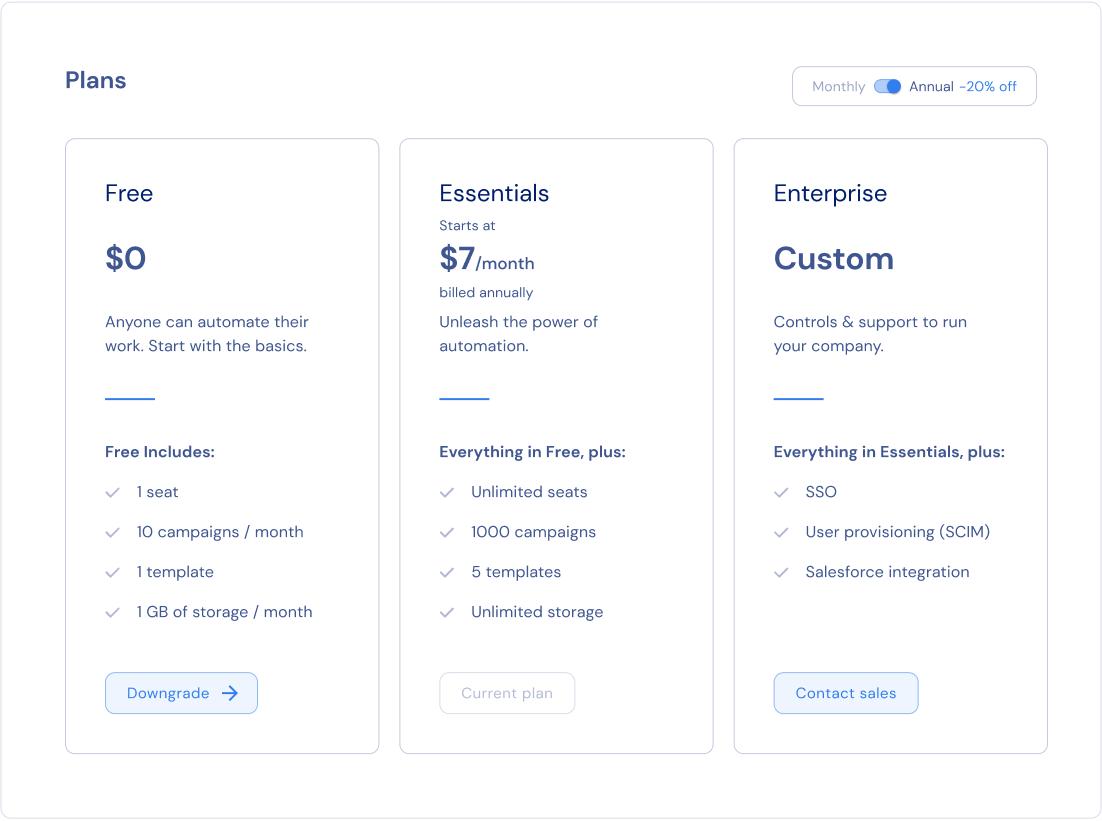
Canceling a subscription
There’s no dedicated “cancel” action in the customer portal — cancellation is handled through the sections above. Three approaches are commonly used:-
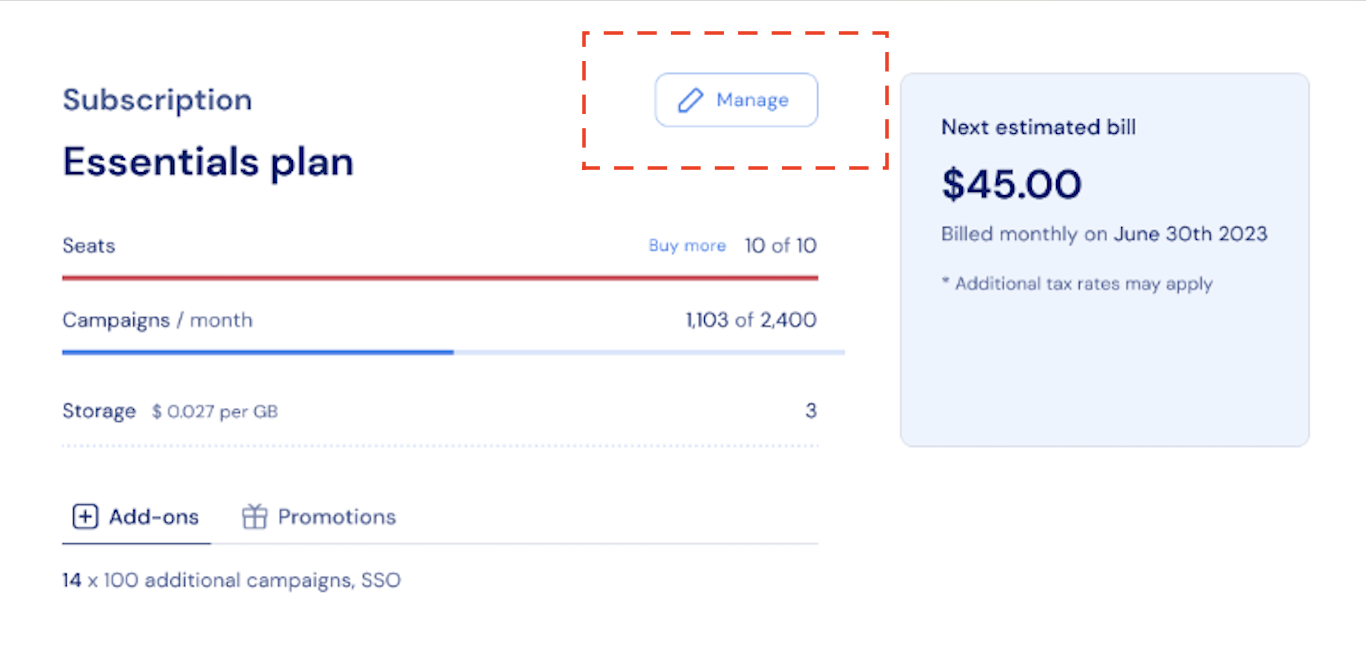
Via the Subscription Overview section: by default, clicking Manage redirects customers to checkout to manage their existing subscription. To let customers cancel directly instead:
- Set an
onManageSubscriptioncallback (see the code samples above) to trigger your own cancellation logic when the button is clicked. - Update the button’s label using
textOverrides.manageSubscription(for example, to “Cancel subscription”) so it reflects the new behavior.
- Set an
-
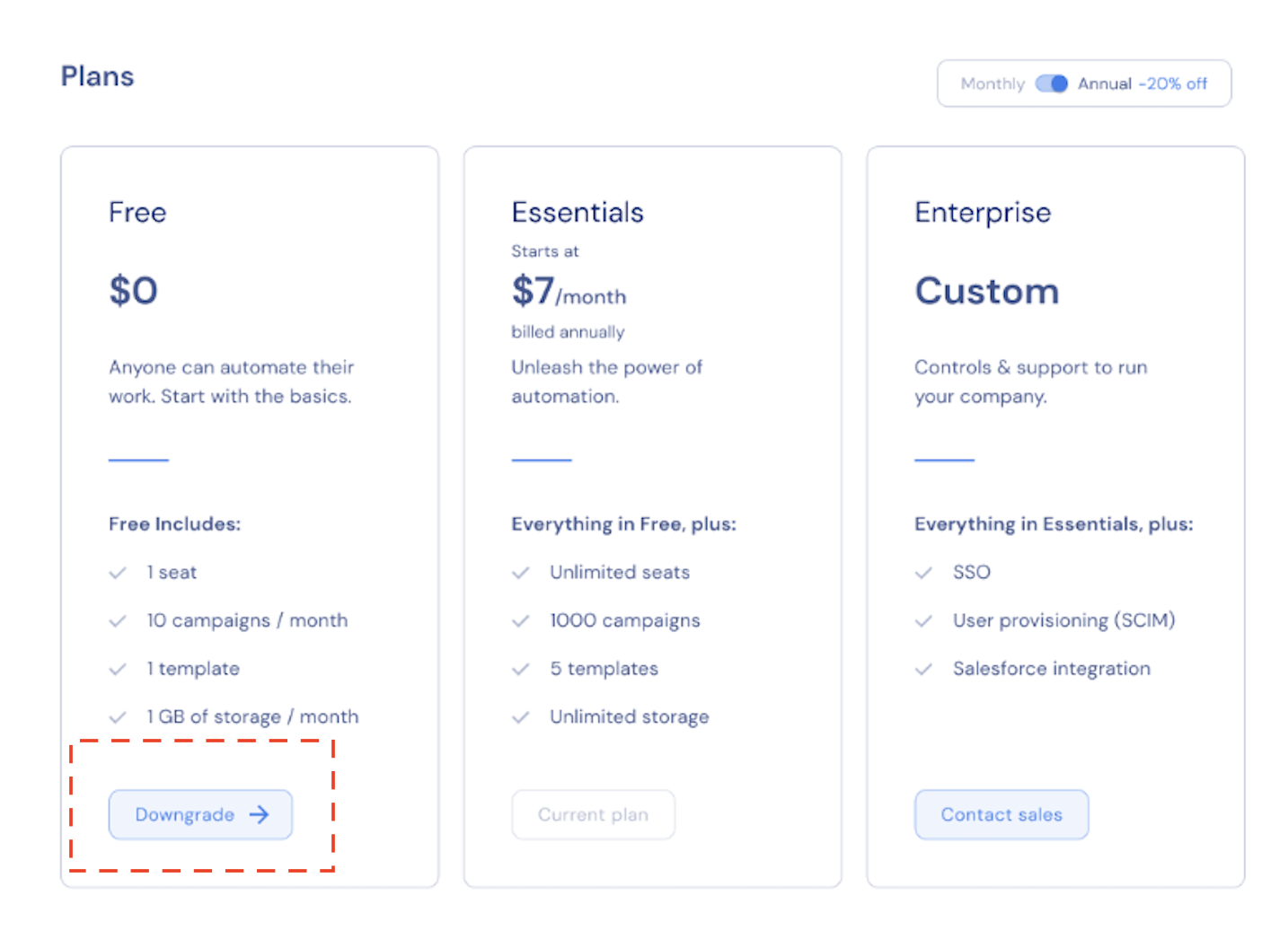
Via the Plan Picker: customers can choose a lower-tier plan to effectively downgrade or cancel access. Options could include, for instance, a Basic plan with limited features or an empty plan, which represents account access without product usage capabilities.
-
Via the Stripe Billing Portal: if integrated with Stripe, customers can open the Stripe Billing Portal by selecting View invoice history in the Invoices section below, and cancel their subscription from there.

Payment details
The Payment Details section allows customers to view their billing and payment information. Customers that have a an active paid subscription can update their billing details (name, address) and payment method in the Stripe Billing Portal via link from the Stigg Customer Portal.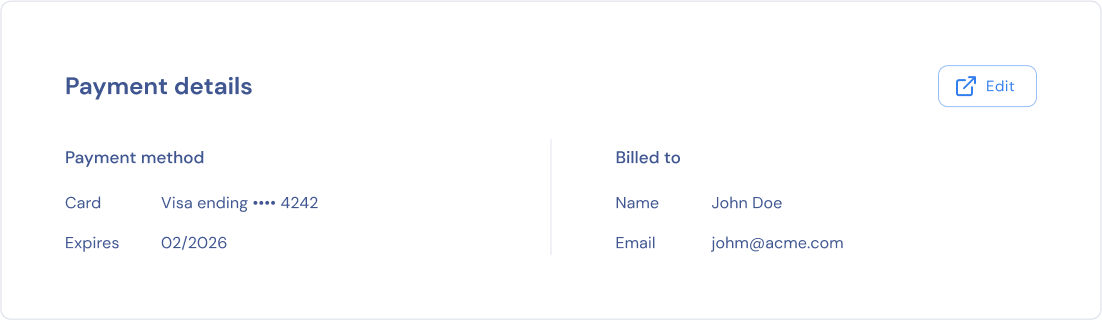
Invoices
Customers that have a an active paid subscription or had one in the past can view past invoices in the Stripe Billing Portal via a link from the Stigg Customer Portal.
Visibility for invoices directly in the Stigg Customer Portal is on our roadmap.
Rendering a customer portal
To render customer portals inside your application, when a customer signs-in or restores their session set the customer ID:CustomerPortal component to render the customer portal.
The CustomerPortal component support component composition so it’s possible to pass as a parameter the Paywall component and it will be rendered inside the customer portal.
Learn more on how to refresh Stigg cache after performing an operation that modifies the customer to immediately reflect the customer changes on the customer portal
Widget modularity
TheCustomerPortal component is just an opinionated way to render the customer portal in a specific layout which is based on our experience after reviewing many customer portals, but if you need more flexibility in how the customer portal is rendered, you can integrate directly each of its sections separately.
To do so, wrap all the section components with CustomerPortalProvider which will pass the necessary data to each component:
Subscriptions with a custom price
Customers that are subscribed to a subscription with a custom price can’t upgrade on downgrade their subscription in a self-served manner using the customer portal widget. Instead, you can handle theonContactSupport method to allow customers contact a sales or customer success representative that can do so on their behalf.
Customization
No-code widget designer
The Stigg app offers a no-code widget designer, which allows you to control the widget colors, typography and layout.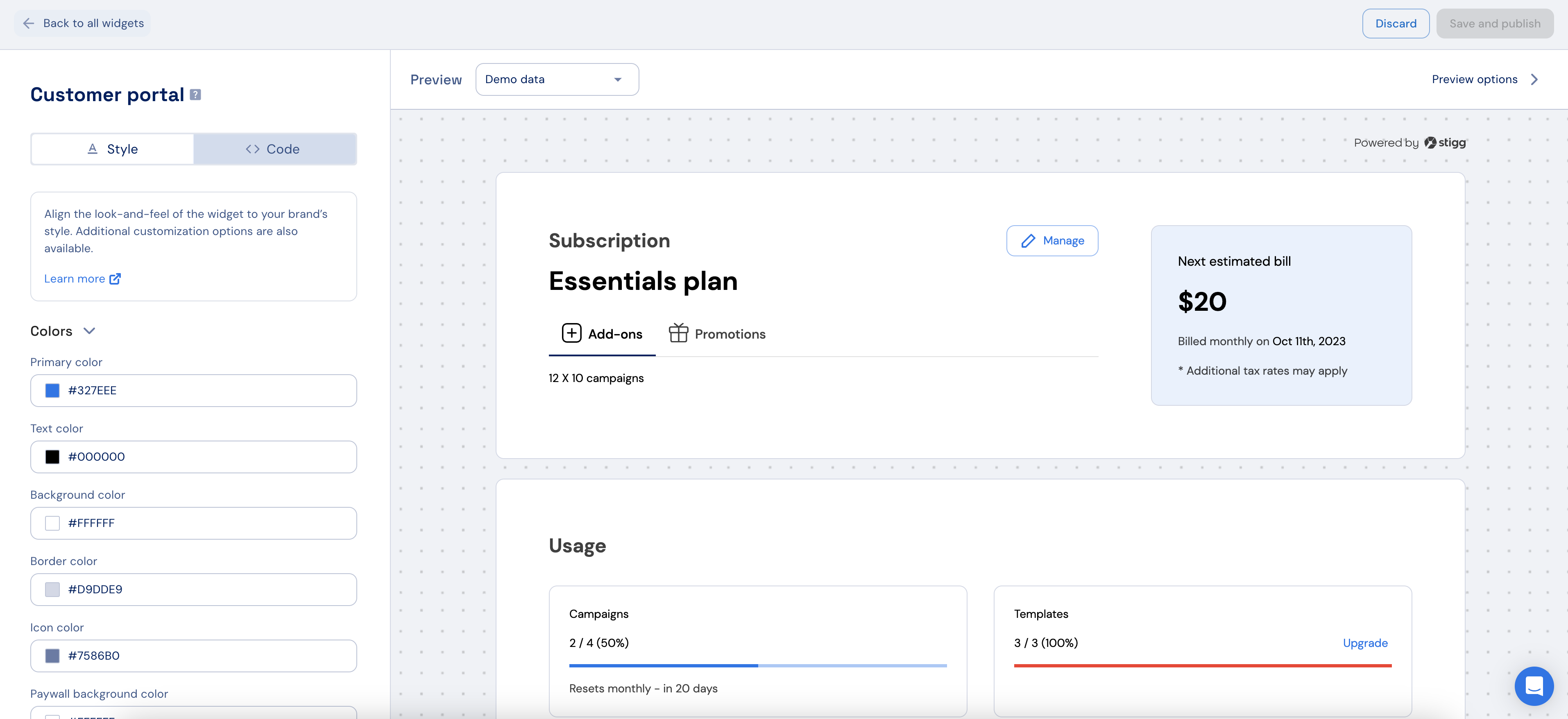
Custom CSS
For more advanced customization, custom CSS can be applied using the widget designer of the Stigg app. Alternatively, custom CSS can also be applied using code. Below you can find a list of the supported CSS classes:{feature.id} is the feature’s slug (lowercase; spaces and special characters become -).This class is added in addition to
stigg-entitlement-row-container, so you can safely target one entitlement without affecting others.Mirrors the existing patterns:
stigg-{plan.id} (plan) and stigg-compatible-addon-{addon.id} (add-on).Texts
The default widget texts can currently be overridden using code:You can find more text overrides options here
Additional resources
Customer Portal Properties
Global Theming Customization
Related SDKs


