

How it works
When you provision a subscription and assign it to a specific resource by passing aresourceId, Stigg automatically creates an isolated credit pool for that resource. The resource pool operates as a fully independent wallet:
- Dedicated credit grants — credits awarded or sold are locked to that resource and cannot be shared with other resources or the global pool.
- Isolated credit ledger — every grant, consumption, and expiry is tracked separately, giving a precise audit trail per resource.
- Independent credit pools — a low balance or depletion on one resource does not draw from or affect another resource’s pool.
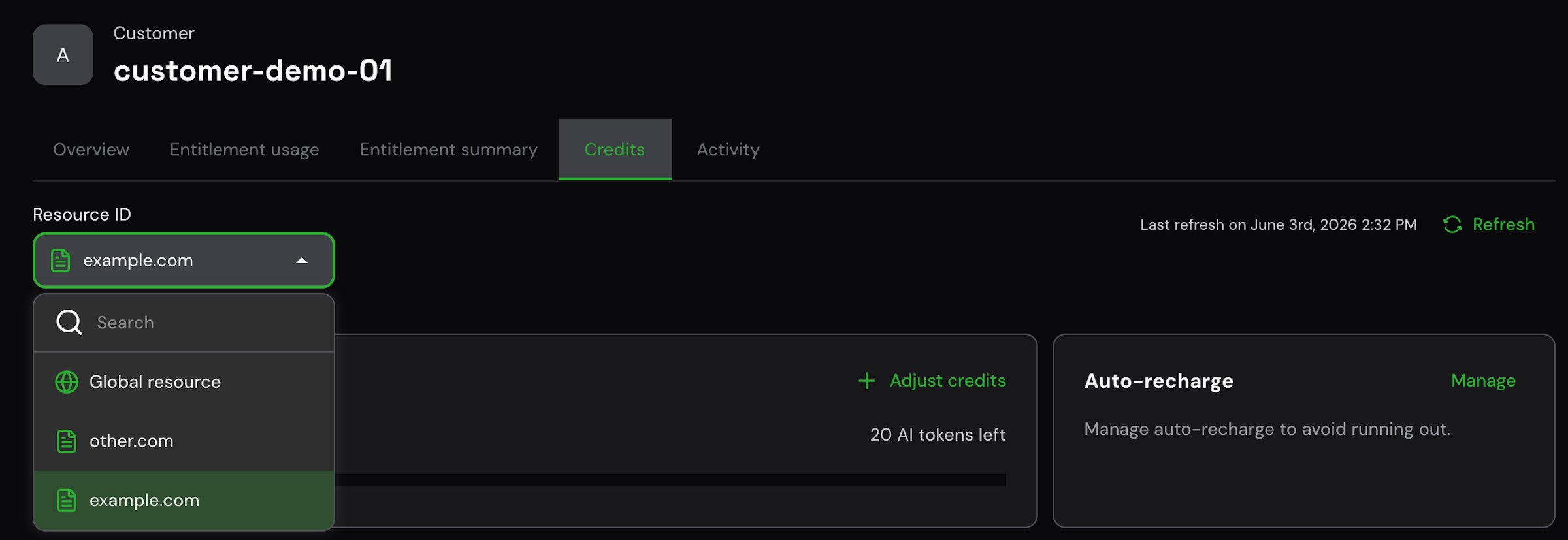
Resource ID filter in the Credits tab showing resource-scoped pool
Use cases
- Per-workspace pools — in a B2B product where each customer has multiple workspaces, prevent one active workspace from draining the balance of all others.
- Per-user pools — give each team member a dedicated credit quota (e.g., 1,000 credits/month each) that cannot be consumed by colleagues.
- Per-API-key pools — enforce spending boundaries at the API key or integration level, not just at the account level.
Get started
Resource-level credit pools require no manual initialization. They are created automatically when you provision a subscription with aresourceId.
Provision a subscription with a resource
Pass theresourceId when provisioning a subscription:
workspace-example-com.
Grant credits to a resource pool
Pass theresourceId when creating a credit grant:
Report usage against a resource pool
Pass theresourceId when reporting usage events so that deductions are made from the correct resource pool:
Viewing resource pools in the Stigg app
In the Customers page, open a customer and go to the Credits tab. The Resource ID dropdown at the top lets you switch between the global pool and each resource-specific pool. Selecting a resource scopes all views — usage overview, usage chart, and ledger — to that resource’s isolated wallet. The Subscription view for a resource-specific subscription also displays the dedicated credit pool history and auto-recharge status inline.Auto-recharge
Auto-recharge can be configured independently at both the customer level and the resource level. Each resource pool can have its own threshold, target balance, and enabled/disabled state — completely isolated from the customer-level config and from other resource pools. When configuring auto-recharge for a resource-scoped pool, pass theresourceId to scope the configuration to the correct pool. If no resource-level config exists, the resource pool starts with auto-recharge disabled — there is no fallback to the customer-level config.
See Configuring auto-recharge for setup steps.
Resource-specific credit pools do not share credits with the global pool or with other resource pools under the same customer. A low balance on one resource will not draw from another resource’s pool.