

Stigg currently supports configuration features that have numeric values. For example: number of log retention days.
- Integer Use this option for configuration feature that have numeric values.
- Enum Use this option to grant customers access to one or more values from a predefined list.
Integer
To create an integer configuration feature:- Open the Product catalog in the Stigg app.
- Navigate to the Features section.
- Click + New feature.
- In the modal that opens, provide the following details:
- Name: The display name of the feature.
- Description (optional): A short explanation of what the feature enables.
- ID: Automatically generated by Stigg and used to reference the feature in your application. You can override this value by clicking Edit and linking an existing feature.
- Feature type: Choose Configuration.
- Set the value type to Integer.
- If required, edit the singular and plural unit names, for example, day and days.
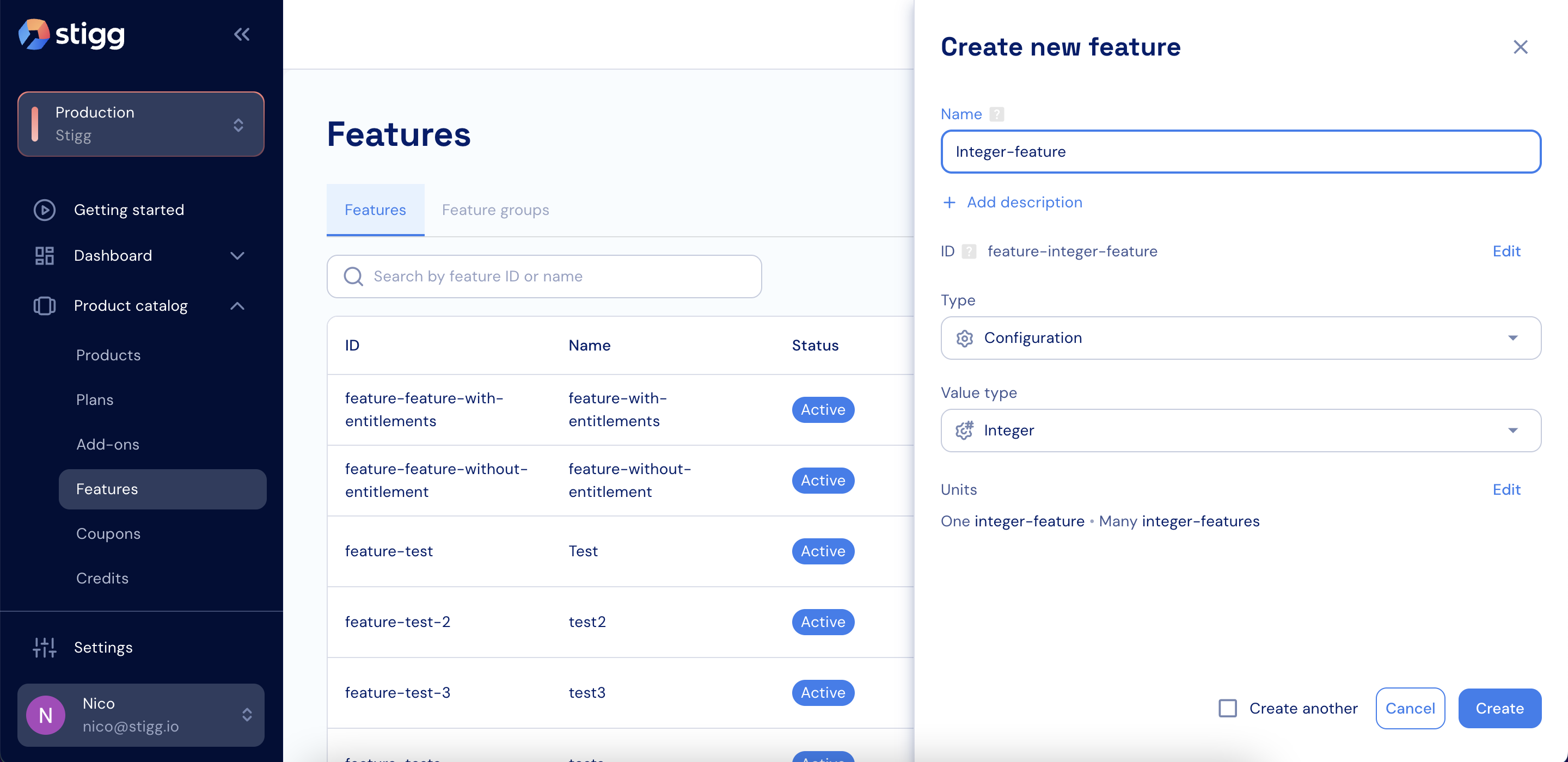
Integer feature
- Click Create to save the feature.
Enum
To create an enum configuration feature:- Open the Product catalog in the Stigg app.
- Navigate to the Features section.
- Click + New feature.
- In the modal that opens, provide the following details:
- Name: The display name of the feature.
- Description (optional): A short explanation of what the feature enables.
- ID: Automatically generated by Stigg and used to reference the feature in your application. You can override this value by clicking Edit and linking an existing feature.
- Feature type: Choose Configuration.
- Set the value type to Enum.
- Define the possible values using a table or by pasting JSON or CSV.
- If required, edit the singular and plural unit names, for example, day and days.
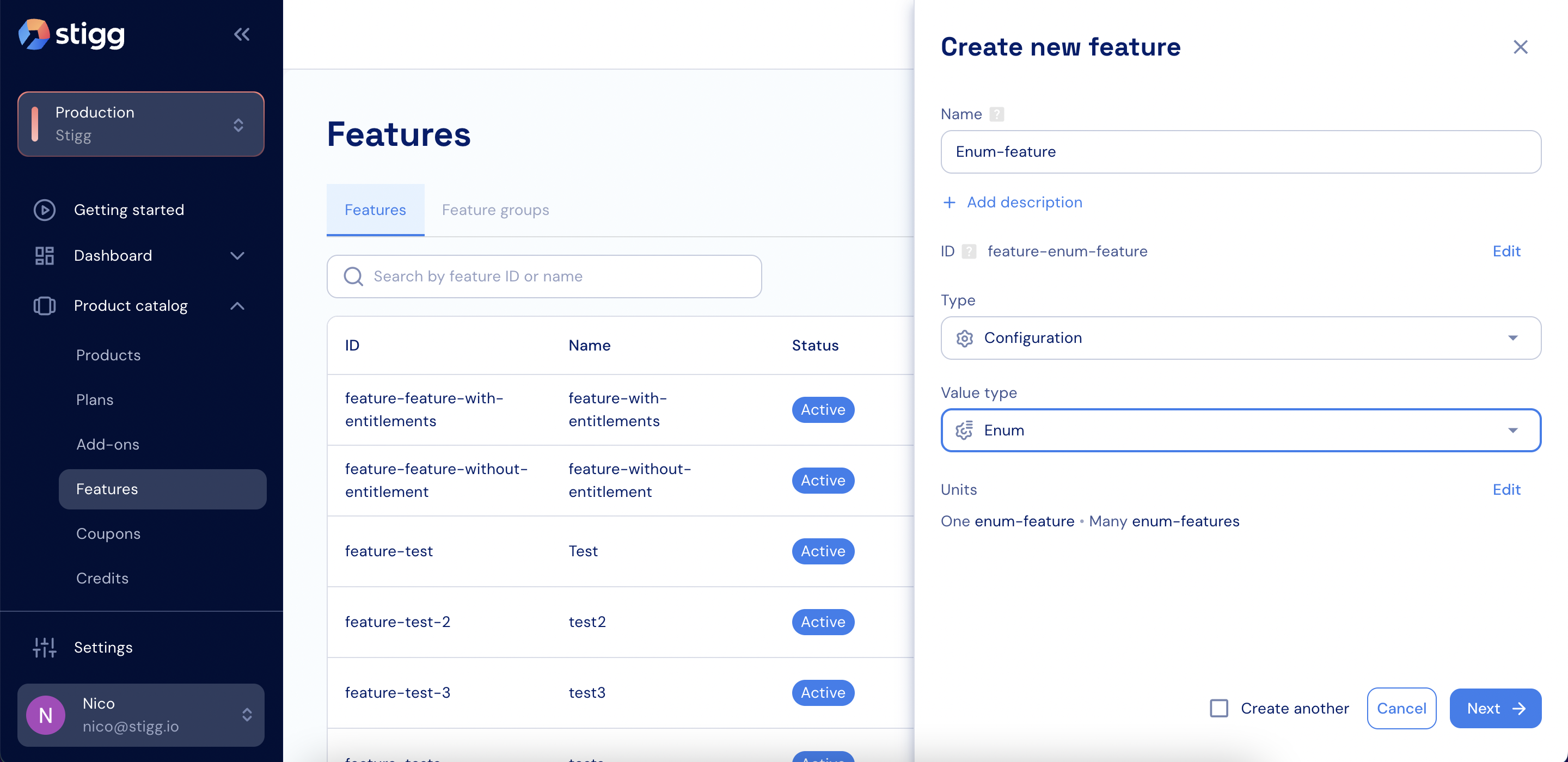
Enum feature
- Click Create to save the feature.