

Add a feature group to a plan
To grant entitlements using a feature group in a plan:- Open the Product catalog in the Stigg app.
- Navigate to the Plans section.
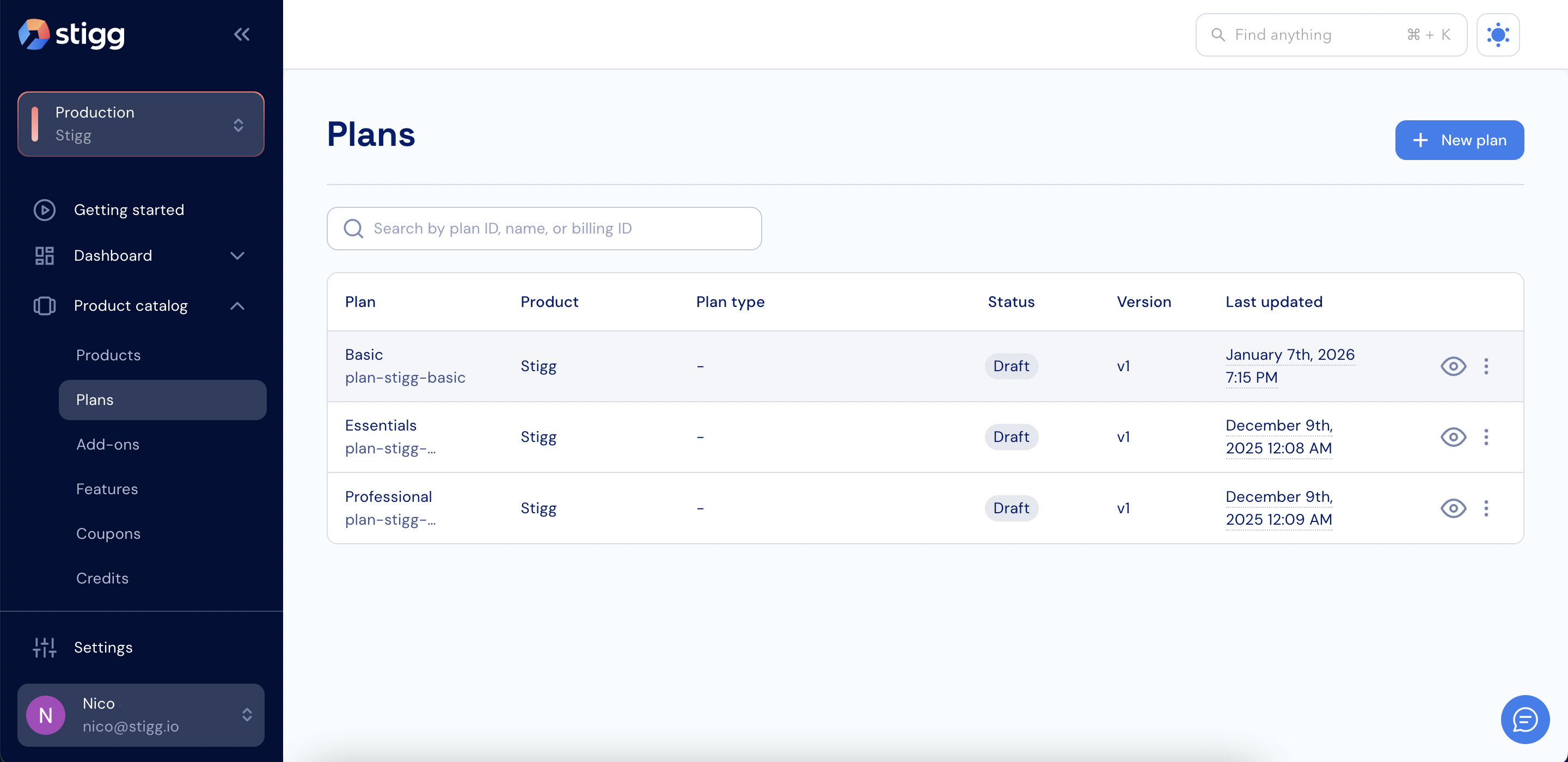
Plans
- Create a new plan or open an existing plan.
- Scroll down to the Entitlements section.
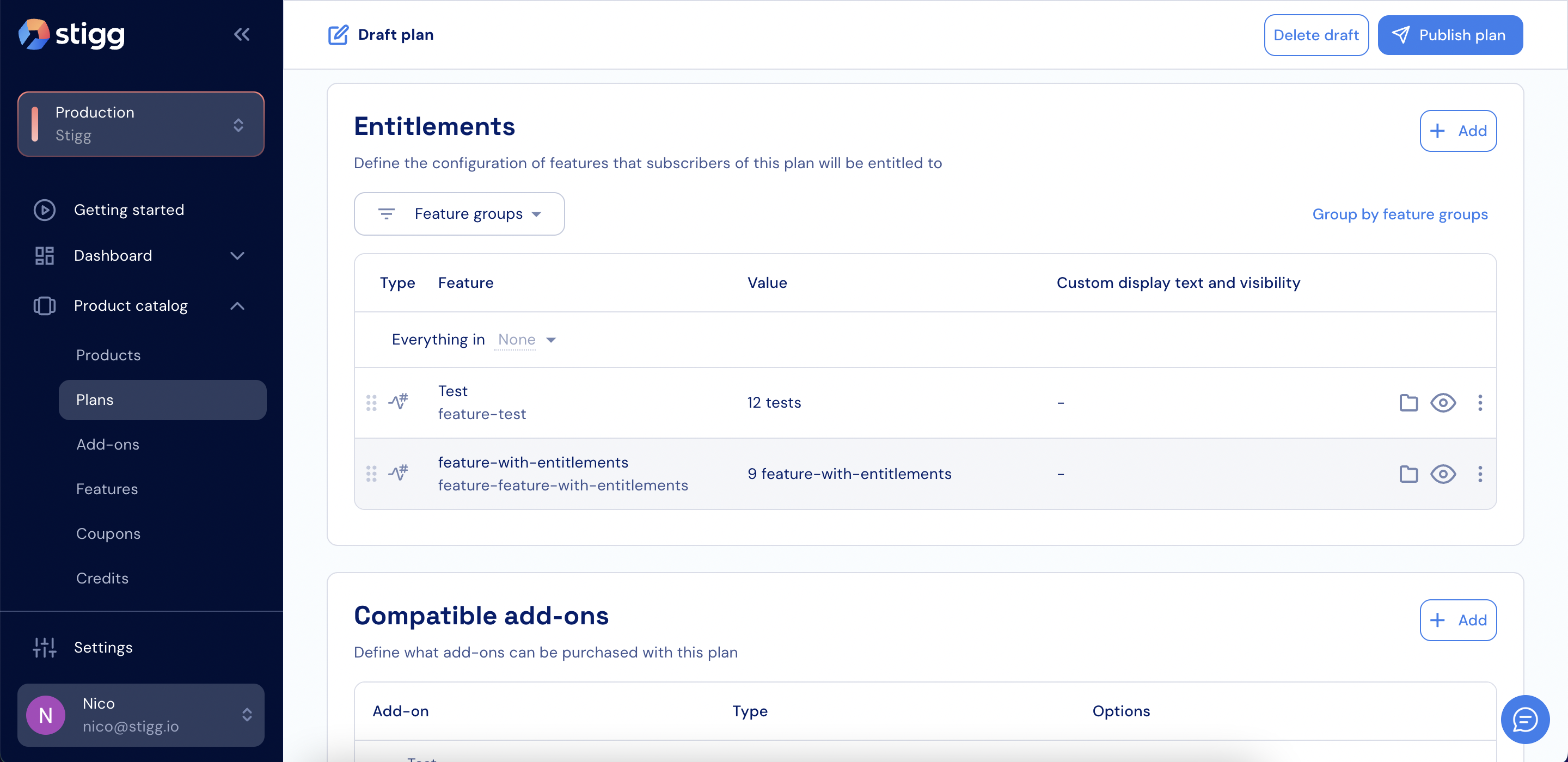
Entitlements section
- Click + Add.
- Select a feature group.
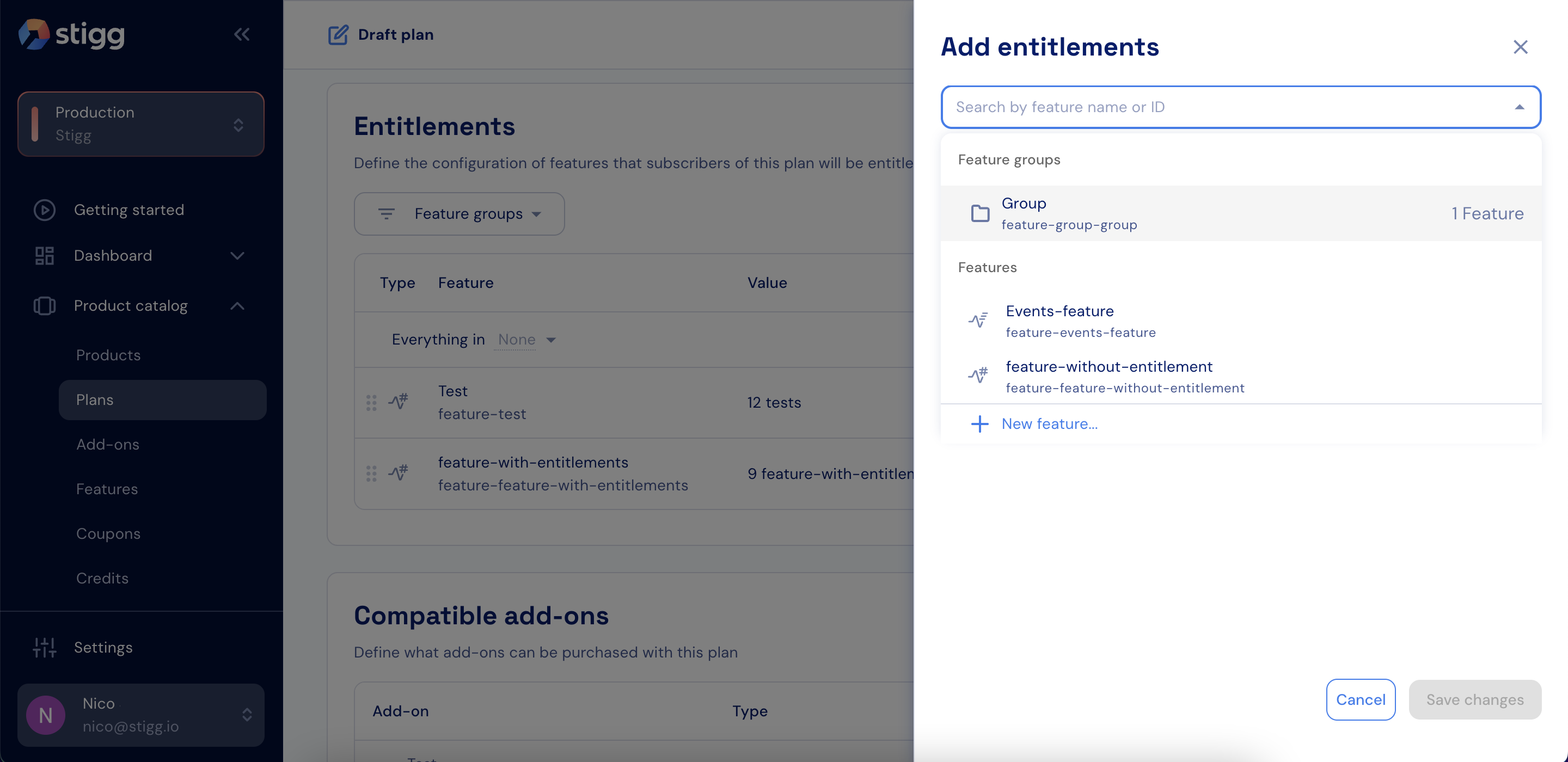
Add a feature group
- For each feature in the group, define the Feature access, Value, Usage reset, and Hard limit.

Feature group details
- Click Add.
- Click Save changes.
Add a feature group to an add-on
To grant entitlements using a feature group in an add-on:- Open the Product catalog in the Stigg app.
- Navigate to the Add-ons section.
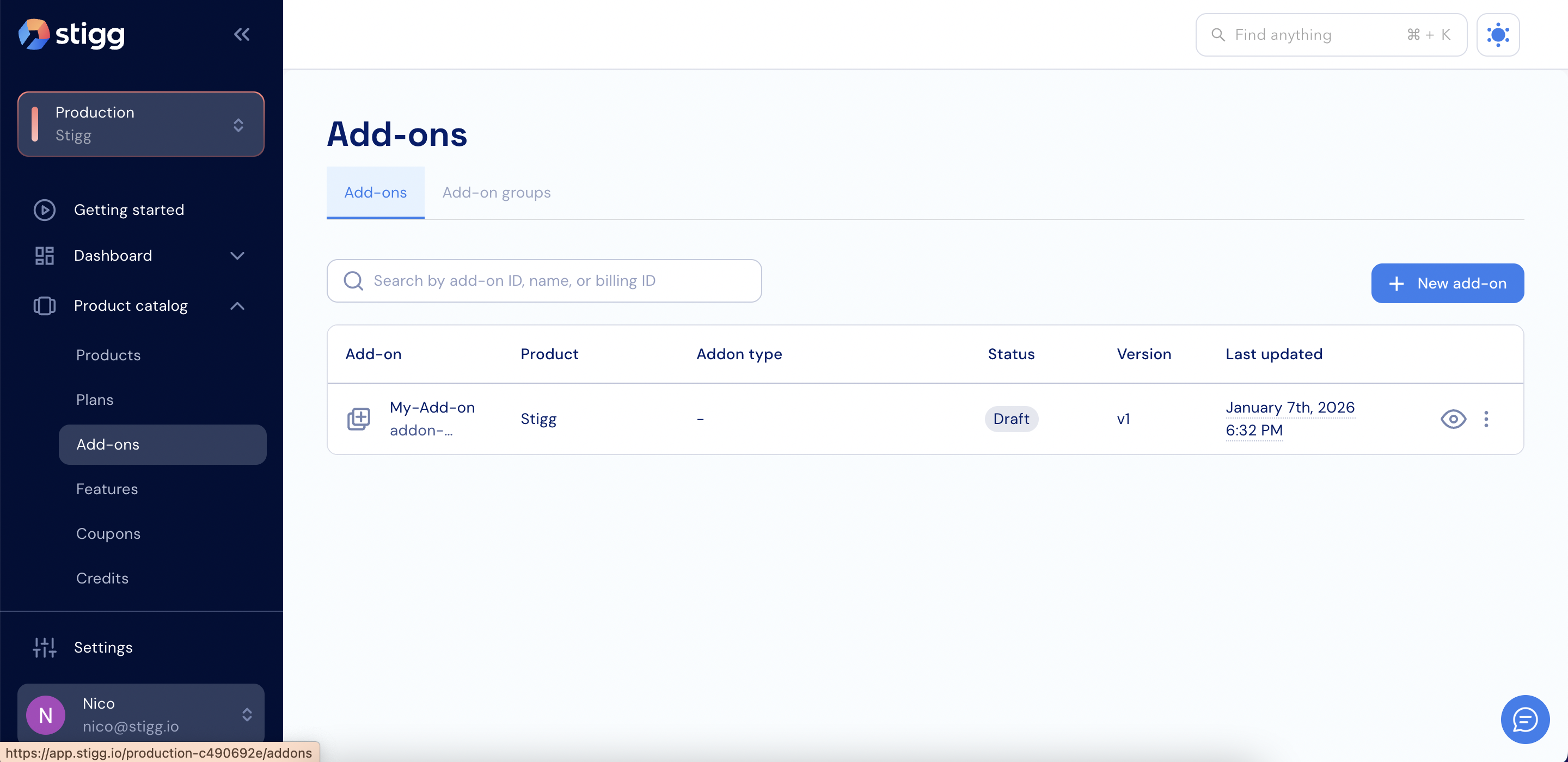
Add-ons
- Create a new add-on or open an existing add-on.
- Scroll down to the Entitlements section.
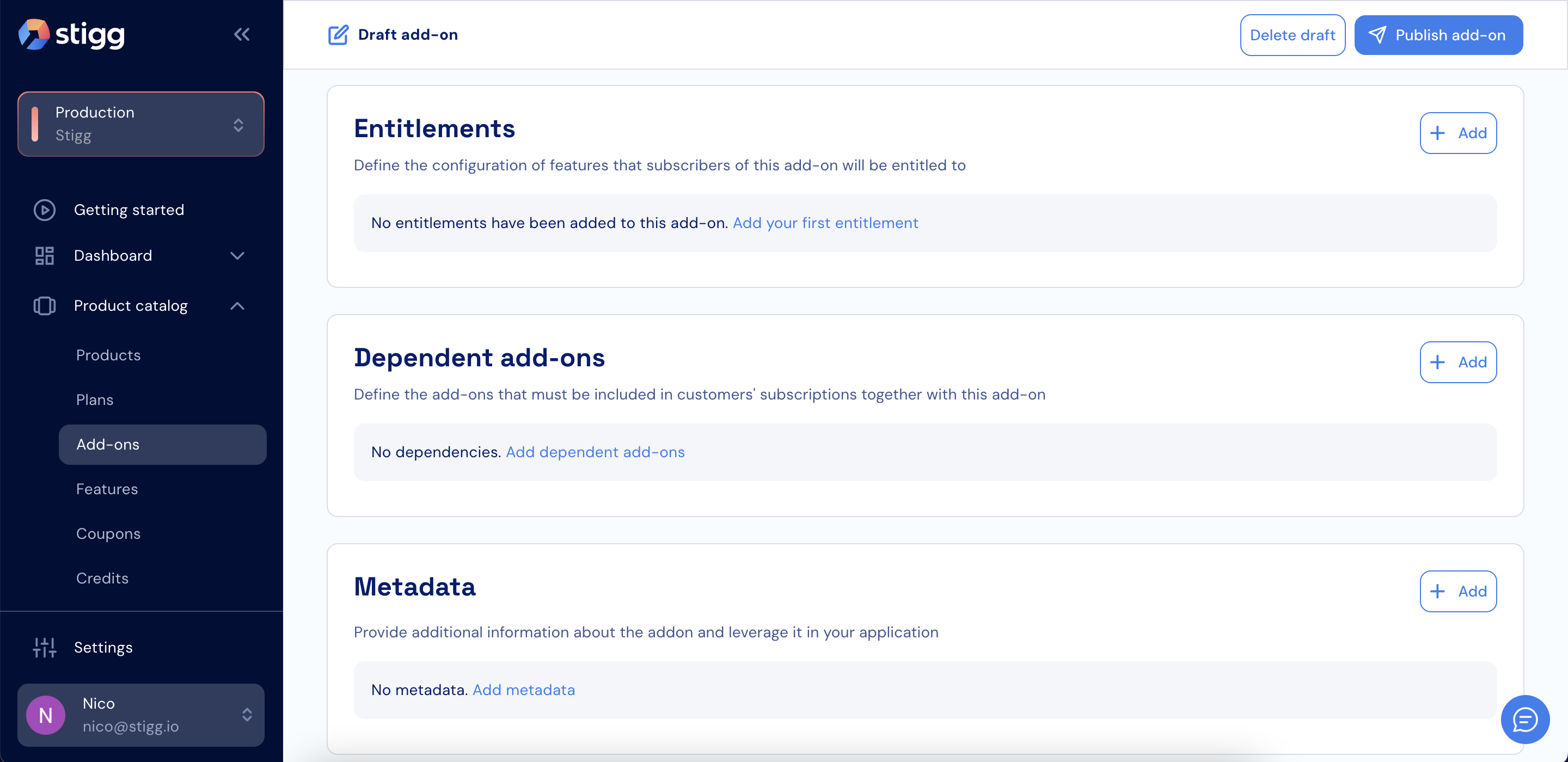
Entitlements section
- Click + Add.
- Select a feature group.
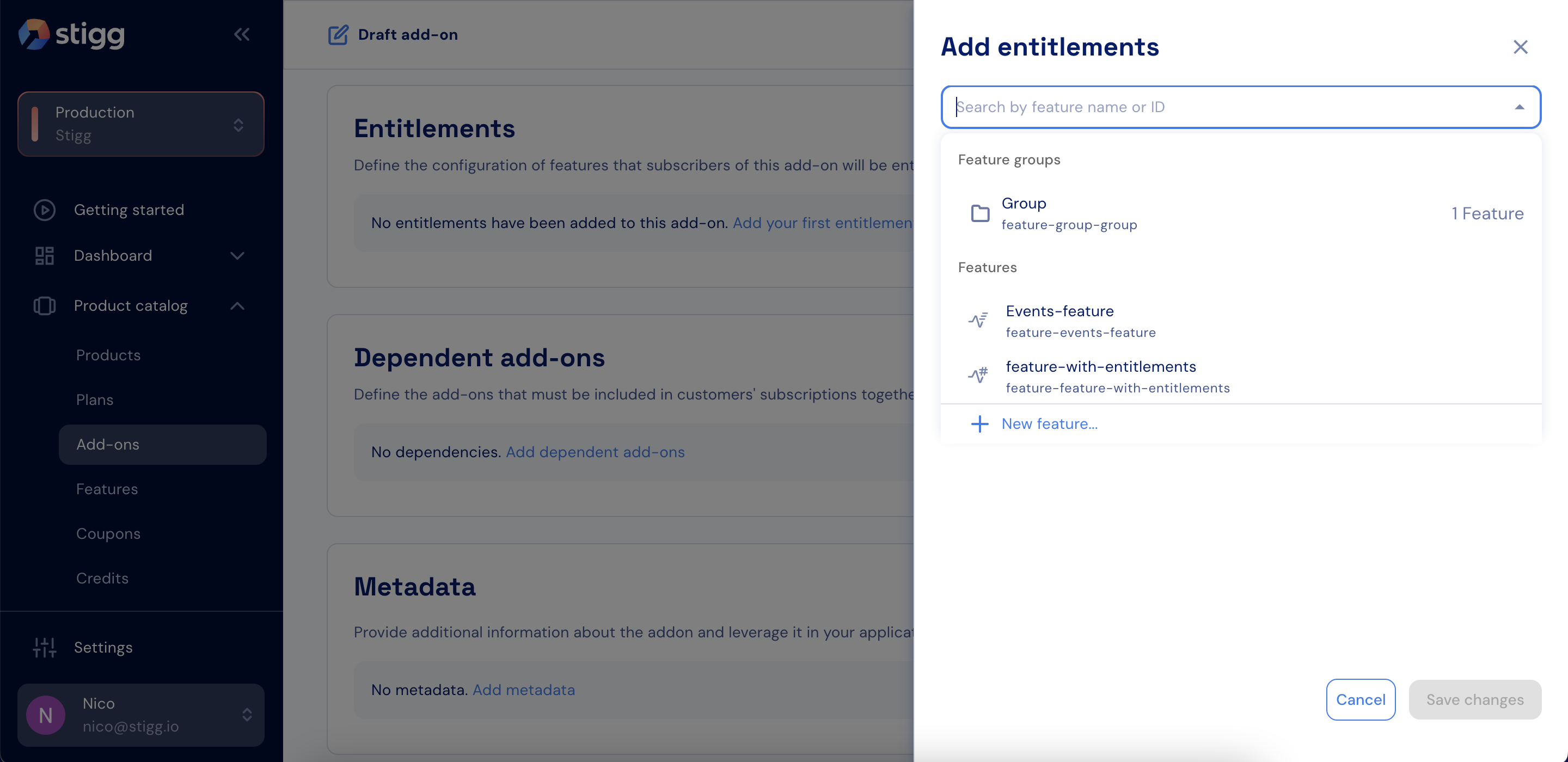
Add a feature group
- For each feature in the group, define the Feature access, Value, Usage reset, and Hard limit.
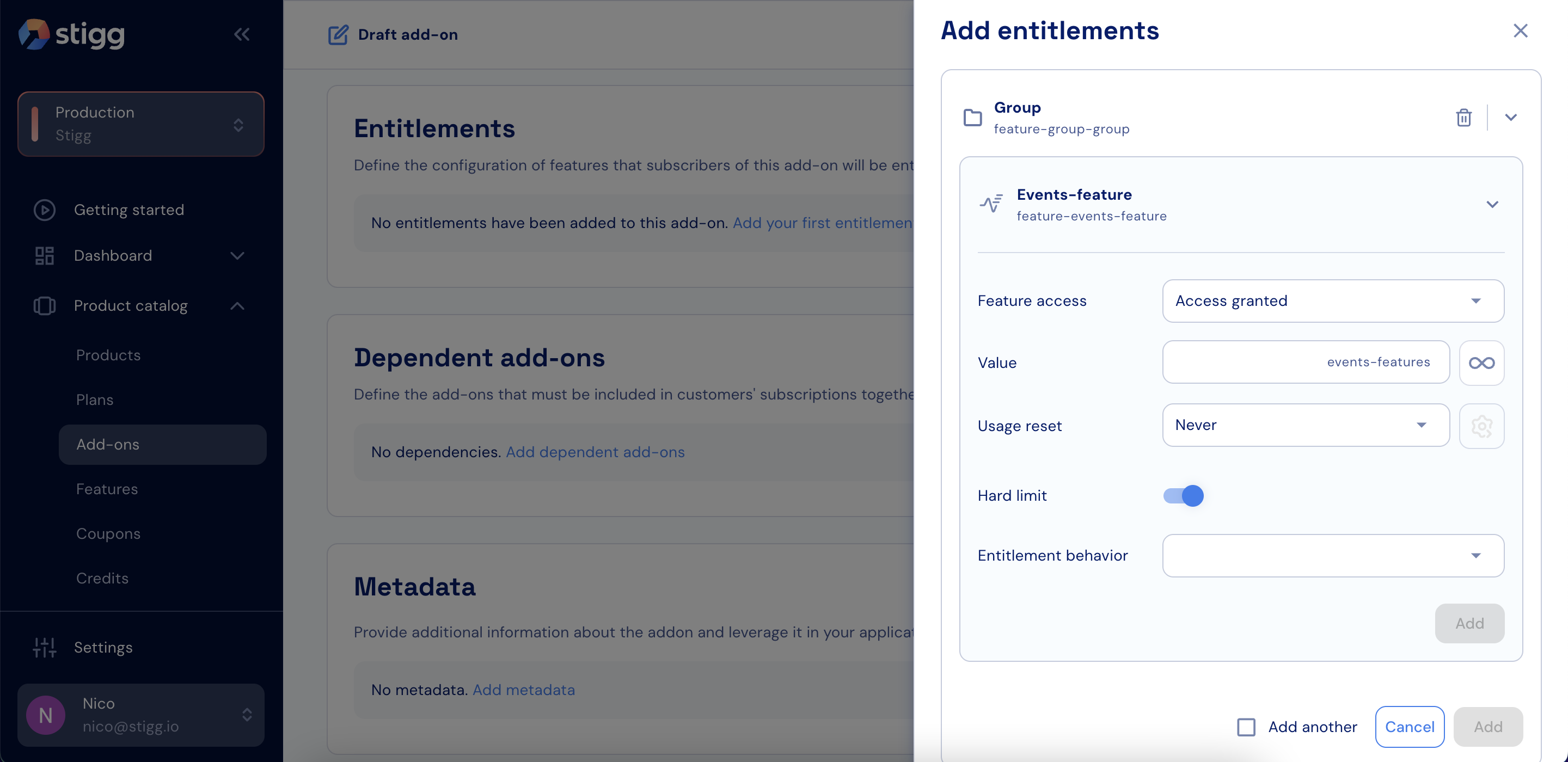
Feature group details
- Click Add.
- Click Save changes.
Add a feature group as a promotional entitlement
To grant a feature group as a promotional entitlement to a specific customer:- Select the Customers section in the Stigg app.
- Navigate to the Customer accounts section.
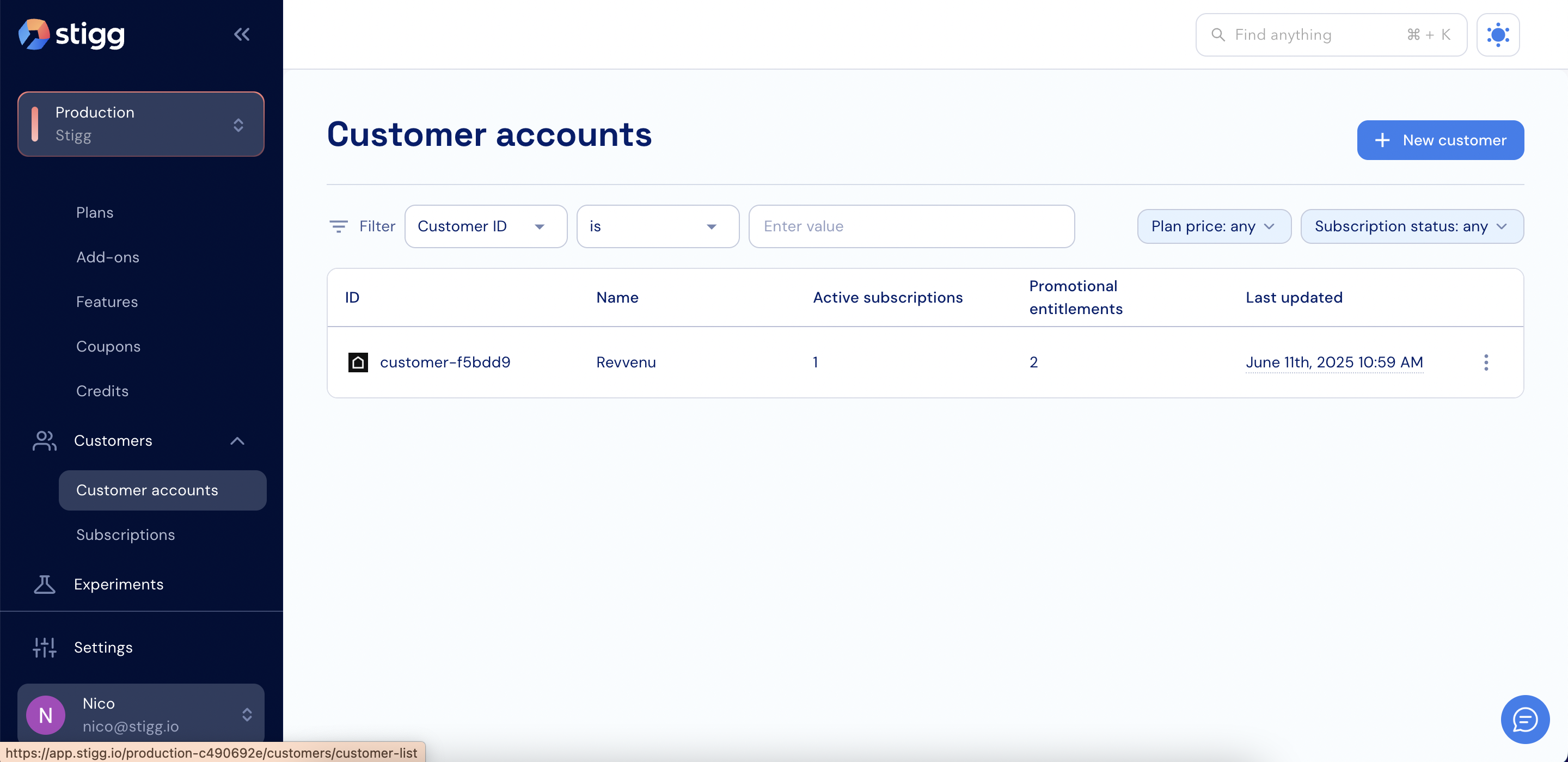
Customer accounts
- Open the relevant customer account.
- Scroll down to the Promotional entitlements section.
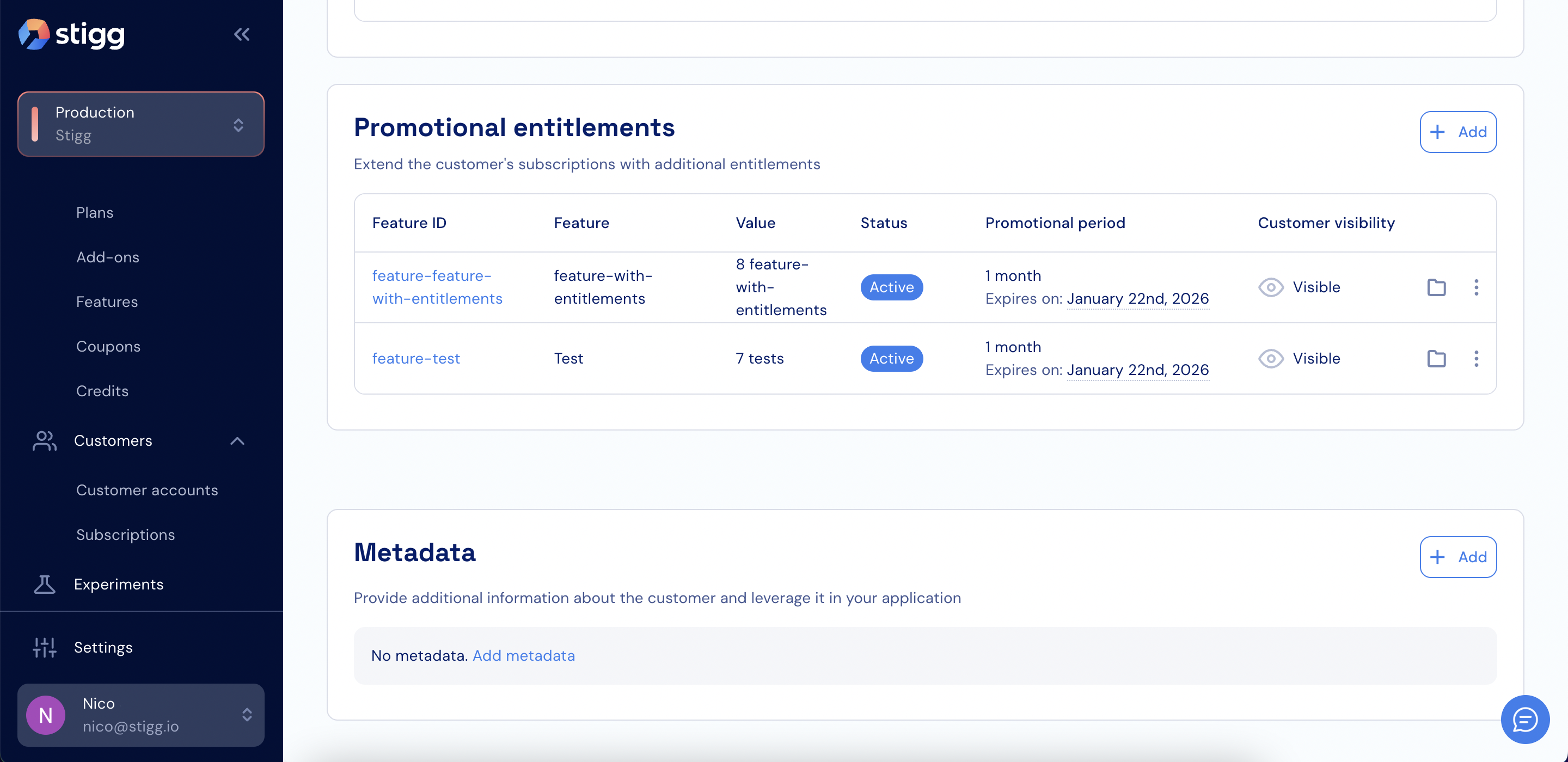
Promotional etitlements
- Click + Add.
- Select a feature group.
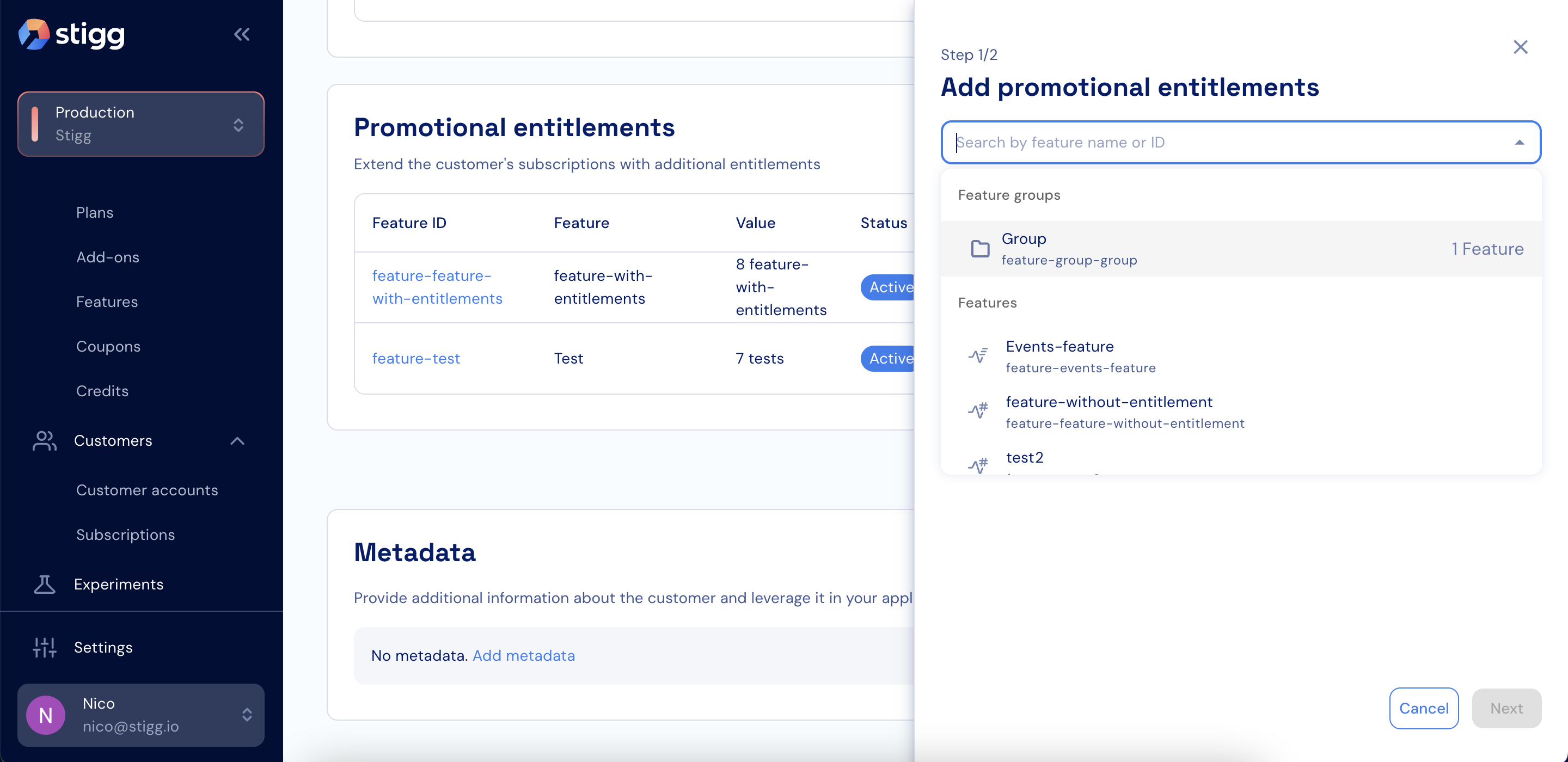
Add a feature group
- For each feature in the group, define the Feature access, Value, Usage reset, and Hard limit.
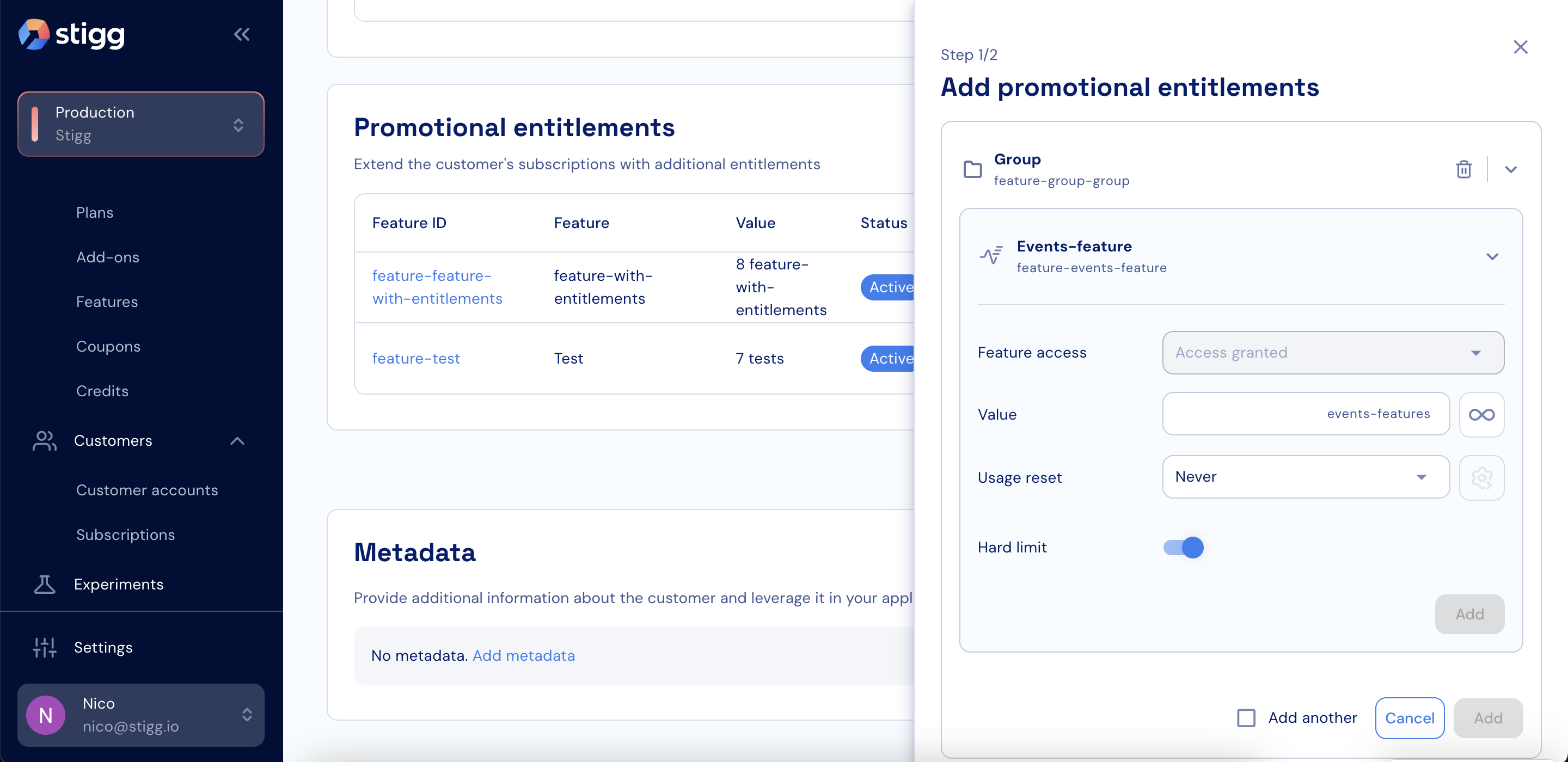
Feature group details
- Click Next.
- Define the promotional entitlement period.
- Click Save.