> ## Documentation Index
> Fetch the complete documentation index at: https://docs.stigg.io/llms.txt
> Use this file to discover all available pages before exploring further.
# Rendering a customer portal
## Overview
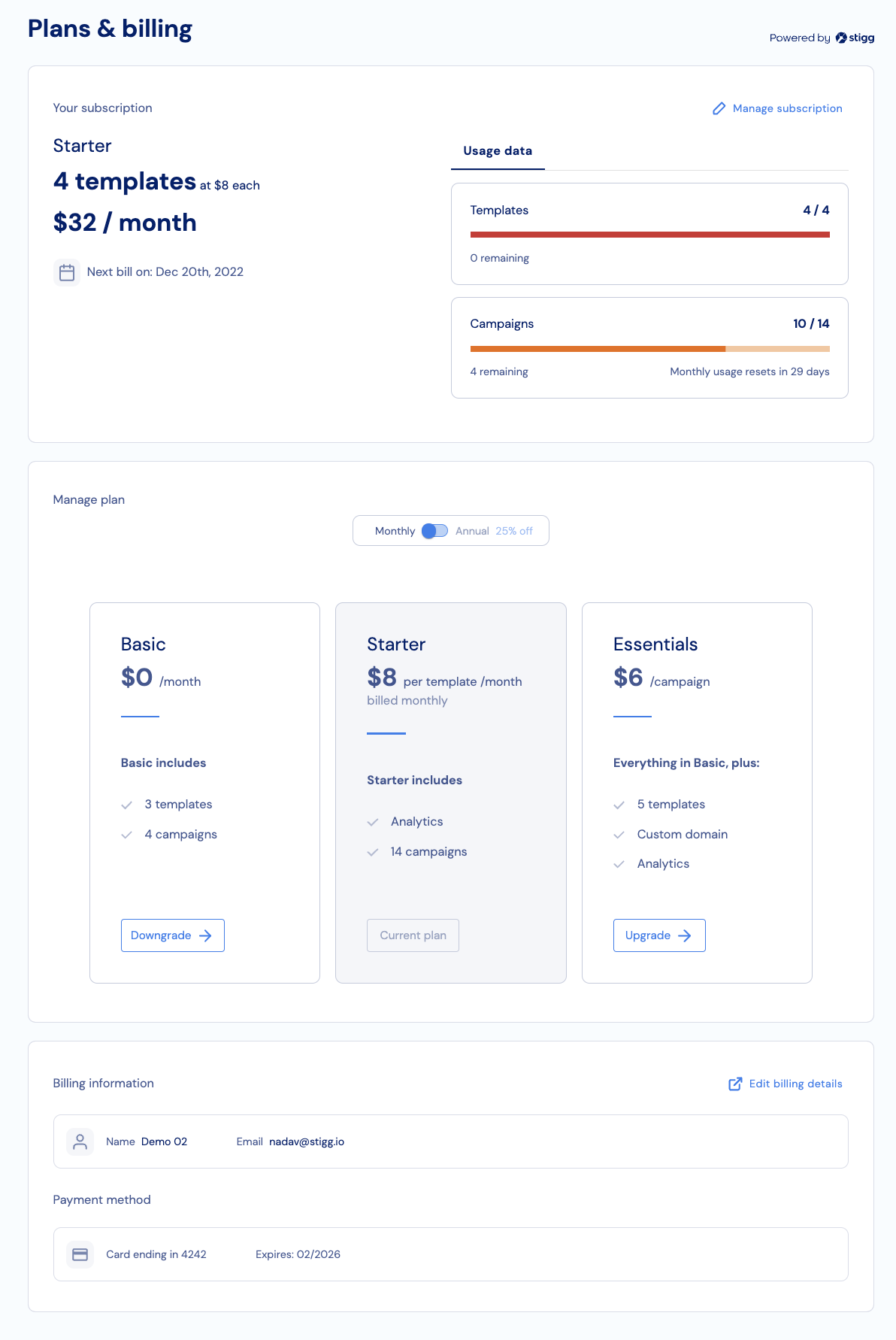
In this quick start guide we'll demonstrate how to create a customer portal using Stigg's embeddable widgets.\
The customer portal widget built to be modular and every component can be used as a standalone so it's possible to composite and build your own customer portal by using only specific component or build your own unique customer portal layout.
 ## Before we begin
In order to complete this guide in your application code, please make sure that you have:
* [Modeled your pricing in Stigg](/documentation/modeling-your-pricing-in-stigg/overview)
- [Installed the Stigg React client SDK](../../api-and-sdks/integration/frontend/react#installing-the-sdk)
* [A Stigg **publishable** key](../../api-and-sdks/integration/frontend/javascript#retrieving-the-publishable-key)
## Initializing the React SDK
The first step is to initialize Stigg's React SDK with the publishable key by wrapping your application with StiggProvider component.
```javascript React theme={null}
import React from 'react';
import ReactDOM from 'react-dom';
import { StiggProvider } from '@stigg/react-sdk';
import App from './App';
ReactDOM.render(
,
document.getElementById('app'),
);
```
## Rendering the customer portal
Rendering the customer portal can be achieved using 2 steps:
1. Set the customer ID, the customer ID can usually be retrieved after a customer signs-in or restores their session.
```typescript TypeScript theme={null}
import { useStiggContext } from '@stigg/react-sdk';
function App() {
const { stigg } = useStiggContext();
useEffect(() => {
// After user sign in call to setCustomerId
stigg.setCustomerId('customer-ID');
})
}
```
2. Use the `CustomerPortal` component to render the customer portal.\
The CustomerPortal component support [component composition](https://reactjs.org/docs/composition-vs-inheritance.html) so it's possible to pass as a parameter the Paywall component and it will be rendered inside the customer portal.
```javascript React TSX theme={null}
}
theme={...}
textOverrides={...}
/>
```
## Additional resources
## Before we begin
In order to complete this guide in your application code, please make sure that you have:
* [Modeled your pricing in Stigg](/documentation/modeling-your-pricing-in-stigg/overview)
- [Installed the Stigg React client SDK](../../api-and-sdks/integration/frontend/react#installing-the-sdk)
* [A Stigg **publishable** key](../../api-and-sdks/integration/frontend/javascript#retrieving-the-publishable-key)
## Initializing the React SDK
The first step is to initialize Stigg's React SDK with the publishable key by wrapping your application with StiggProvider component.
```javascript React theme={null}
import React from 'react';
import ReactDOM from 'react-dom';
import { StiggProvider } from '@stigg/react-sdk';
import App from './App';
ReactDOM.render(
,
document.getElementById('app'),
);
```
## Rendering the customer portal
Rendering the customer portal can be achieved using 2 steps:
1. Set the customer ID, the customer ID can usually be retrieved after a customer signs-in or restores their session.
```typescript TypeScript theme={null}
import { useStiggContext } from '@stigg/react-sdk';
function App() {
const { stigg } = useStiggContext();
useEffect(() => {
// After user sign in call to setCustomerId
stigg.setCustomerId('customer-ID');
})
}
```
2. Use the `CustomerPortal` component to render the customer portal.\
The CustomerPortal component support [component composition](https://reactjs.org/docs/composition-vs-inheritance.html) so it's possible to pass as a parameter the Paywall component and it will be rendered inside the customer portal.
```javascript React TSX theme={null}
}
theme={...}
textOverrides={...}
/>
```
## Additional resources