> ## Documentation Index
> Fetch the complete documentation index at: https://docs.stigg.io/llms.txt
> Use this file to discover all available pages before exploring further.
# Apply discounts to subscriptions
# Overview
**Discounts** reduce the total amount that customers pay for their subscriptions.
**Coupons** allow customers to redeem discounts.
**Promotion codes (promo codes)** are customers-facing codes, that are generated for **coupons**, and which customers can use to redeem coupons during ../snap-in-widgets/checkout.
# Use-cases
Stigg natively supports basic percentage-based and fixed-fee coupons.
Coupons that are created in billing solutions can also be applied to subscriptions in Stigg and are useful in the following cases:
1. Discounts that are applicable only for specific charges, i.e. 15% off the base charge
2. Discounts that are applicable for X billing periods, i.e. 30% off for 3 months
3. Discounts for annual subscriptions that are only applicable for the first year of the subscription
4. When leveraging coupon and campaign management solutions such as [Rewardful](https://www.rewardful.com/coupon-code) and [Talon.one](https://www.talon.one/coupons) to generate coupons and promotion codes
It's recommended to avoid using one-time coupons when provisioning recurring subscriptions. This helps ensure that discounts still apply when customers update their subscription, and when changes are made to the plan and add-on prices.
# Applying coupons during checkout
To allow customers apply coupons during ../snap-in-widgets/checkout, customer-facing promotion codes ("**promo codes**") for those coupons must first be generated.
Depending on your [use-case](#use-cases), create the coupon in Stigg or in the billing solution that's integrated with Stigg.
In **the billing solution**, generate a promo code for the coupon.
## Using Stigg Checkout widget
Integrate the [Stigg Checkout Widget](../../documentation/snap-in-widgets/checkout) to your application.
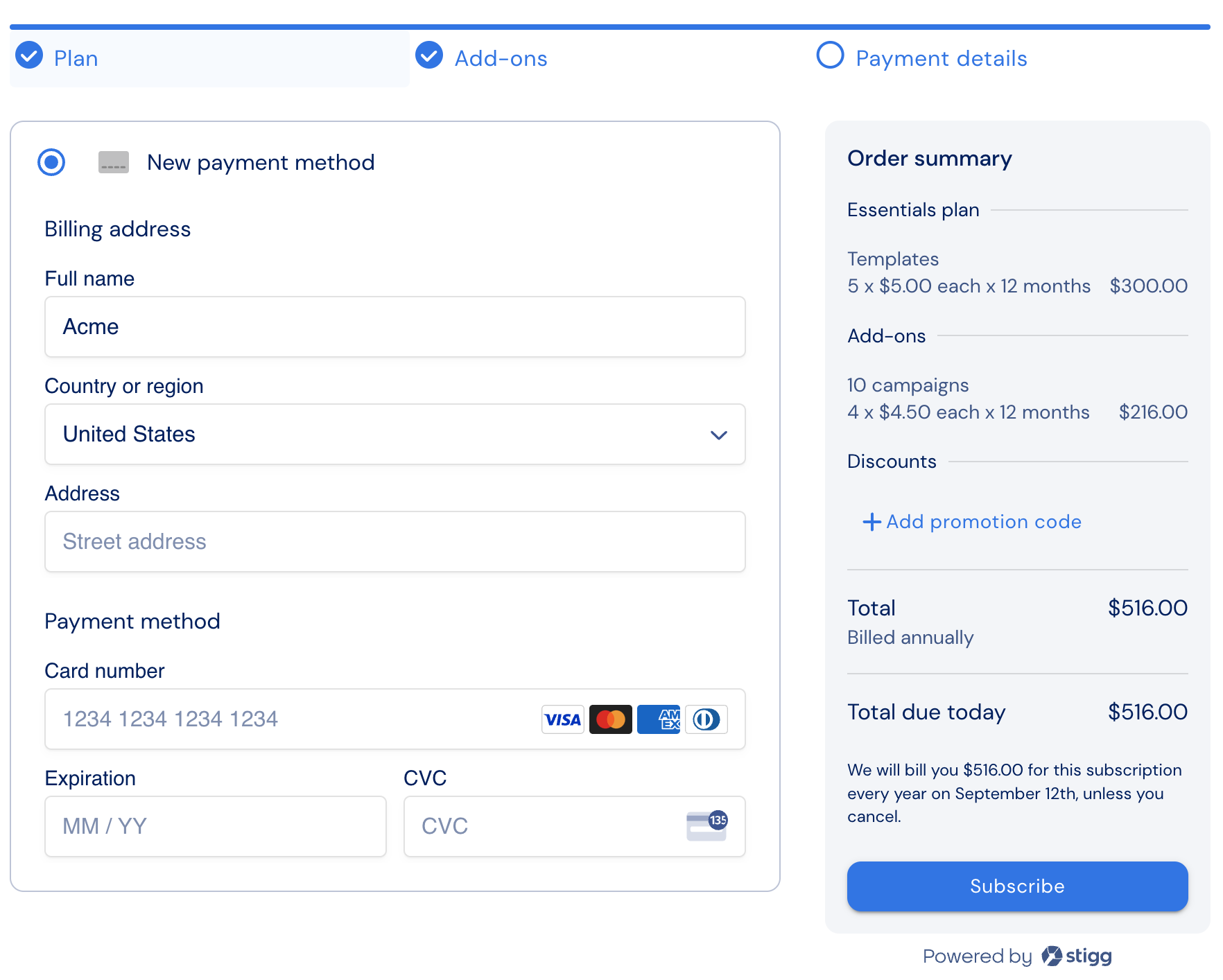
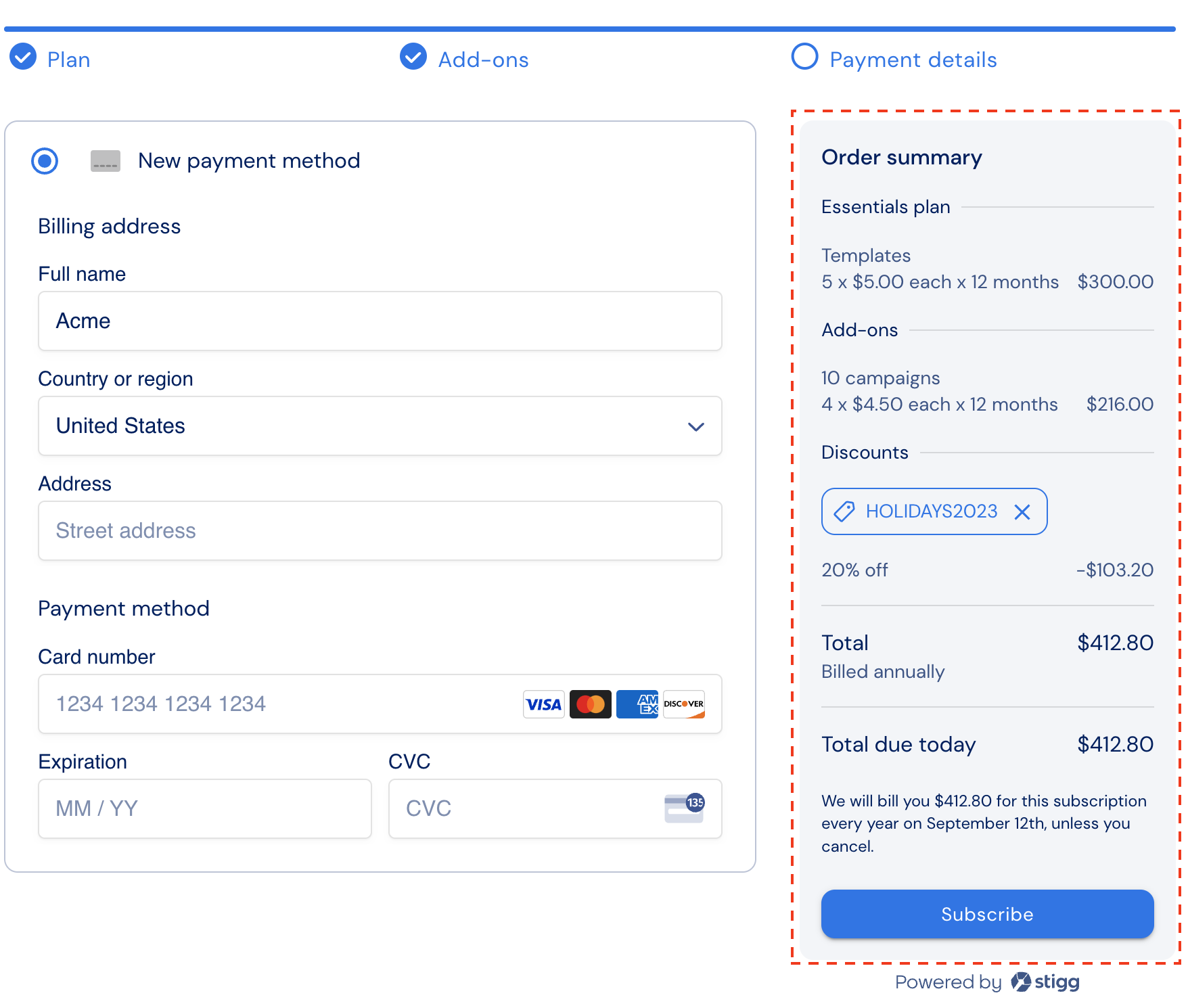
Share the promo code with customers and ask them to enter the code upon ../snap-in-widgets/checkout.
 ## Using a custom checkout experience
Allow customers to enter promo codes during your custom ../snap-in-widgets/checkout experience.
Validate the promo code using the [Preview Subscription REST API](/api-and-sdks/api-reference/rest/subscriptions-preview) — or the [estimateSubscription (Legacy)](https://node-sdk-docs.stigg.io/types/estimatesubscription) / [estimateSubscriptionUpdate (Legacy)](https://node-sdk-docs.stigg.io/types/estimatesubscriptionupdate) SDK methods — passing the `appliedCoupon.promotionCode` parameter. If the coupon is valid show the discounted price; otherwise an error code will be returned, which you can leverage to present feedback to customers.
Pass valid promo codes when [provisioning subscriptions via REST API](/api-and-sdks/api-reference/rest/subscriptions-create) or [updating (Legacy — GraphQL SDK only)](https://node-sdk-docs.stigg.io/classes/stigg#updatesubscription) using the `appliedCoupon.promotionCode` parameter.
# Applying coupons programmatically
In cases where you'd like to apply discounts to subscriptions without sharing a customer-facing code with customers, it's useful to programmatically apply the coupons to subscriptions.
To do so, depending on your [use-case](#use-cases), create the coupon in Stigg or in the billing solution that's integrated with Stigg.
Pass the coupon when [provisioning subscriptions via REST API](/api-and-sdks/api-reference/rest/subscriptions-create) or [updating (Legacy — GraphQL SDK only)](https://node-sdk-docs.stigg.io/classes/stigg#updatesubscription):
1. If the coupon was originally generated in Stigg, pass the Stigg coupon ID as the value of the `appliedCoupon.couponId` parameter.
2. If the coupon was originally generated in the billing solution, pass the coupon ID from the billing solution as the value of the `appliedCoupon.billingCouponId` parameter.
# Applying discounts to all of customers subscriptions
In some cases, it's helpful to grant customers discounts for **all** of their subscriptions. For example: when implementing a partner program, all subscriptions for that partner are eligible for a 20% discount.
To grant customers a discount for all of their subscriptions:
1. Create a coupon in Stigg
2. Apply the coupon to the customer [via the Stigg app](../../documentation/modeling-your-pricing-in-stigg/coupons/applying-coupons) or programmatically via the [REST API](/api-and-sdks/api-reference/rest/customers-update) or [Node.js SDK (Legacy)](https://node-sdk-docs.stigg.io/types/updatecustomer) by passing the Stigg coupon ID as the value of the `couponId` parameter.
## Using a custom checkout experience
Allow customers to enter promo codes during your custom ../snap-in-widgets/checkout experience.
Validate the promo code using the [Preview Subscription REST API](/api-and-sdks/api-reference/rest/subscriptions-preview) — or the [estimateSubscription (Legacy)](https://node-sdk-docs.stigg.io/types/estimatesubscription) / [estimateSubscriptionUpdate (Legacy)](https://node-sdk-docs.stigg.io/types/estimatesubscriptionupdate) SDK methods — passing the `appliedCoupon.promotionCode` parameter. If the coupon is valid show the discounted price; otherwise an error code will be returned, which you can leverage to present feedback to customers.
Pass valid promo codes when [provisioning subscriptions via REST API](/api-and-sdks/api-reference/rest/subscriptions-create) or [updating (Legacy — GraphQL SDK only)](https://node-sdk-docs.stigg.io/classes/stigg#updatesubscription) using the `appliedCoupon.promotionCode` parameter.
# Applying coupons programmatically
In cases where you'd like to apply discounts to subscriptions without sharing a customer-facing code with customers, it's useful to programmatically apply the coupons to subscriptions.
To do so, depending on your [use-case](#use-cases), create the coupon in Stigg or in the billing solution that's integrated with Stigg.
Pass the coupon when [provisioning subscriptions via REST API](/api-and-sdks/api-reference/rest/subscriptions-create) or [updating (Legacy — GraphQL SDK only)](https://node-sdk-docs.stigg.io/classes/stigg#updatesubscription):
1. If the coupon was originally generated in Stigg, pass the Stigg coupon ID as the value of the `appliedCoupon.couponId` parameter.
2. If the coupon was originally generated in the billing solution, pass the coupon ID from the billing solution as the value of the `appliedCoupon.billingCouponId` parameter.
# Applying discounts to all of customers subscriptions
In some cases, it's helpful to grant customers discounts for **all** of their subscriptions. For example: when implementing a partner program, all subscriptions for that partner are eligible for a 20% discount.
To grant customers a discount for all of their subscriptions:
1. Create a coupon in Stigg
2. Apply the coupon to the customer [via the Stigg app](../../documentation/modeling-your-pricing-in-stigg/coupons/applying-coupons) or programmatically via the [REST API](/api-and-sdks/api-reference/rest/customers-update) or [Node.js SDK (Legacy)](https://node-sdk-docs.stigg.io/types/updatecustomer) by passing the Stigg coupon ID as the value of the `couponId` parameter.