> ## Documentation Index
> Fetch the complete documentation index at: https://docs.stigg.io/llms.txt
> Use this file to discover all available pages before exploring further.
# Overview
To help you monetize your application, Stigg offers a library of snap-in monetization awareness widgets that can be easily integrated into your application using only a few lines of code.
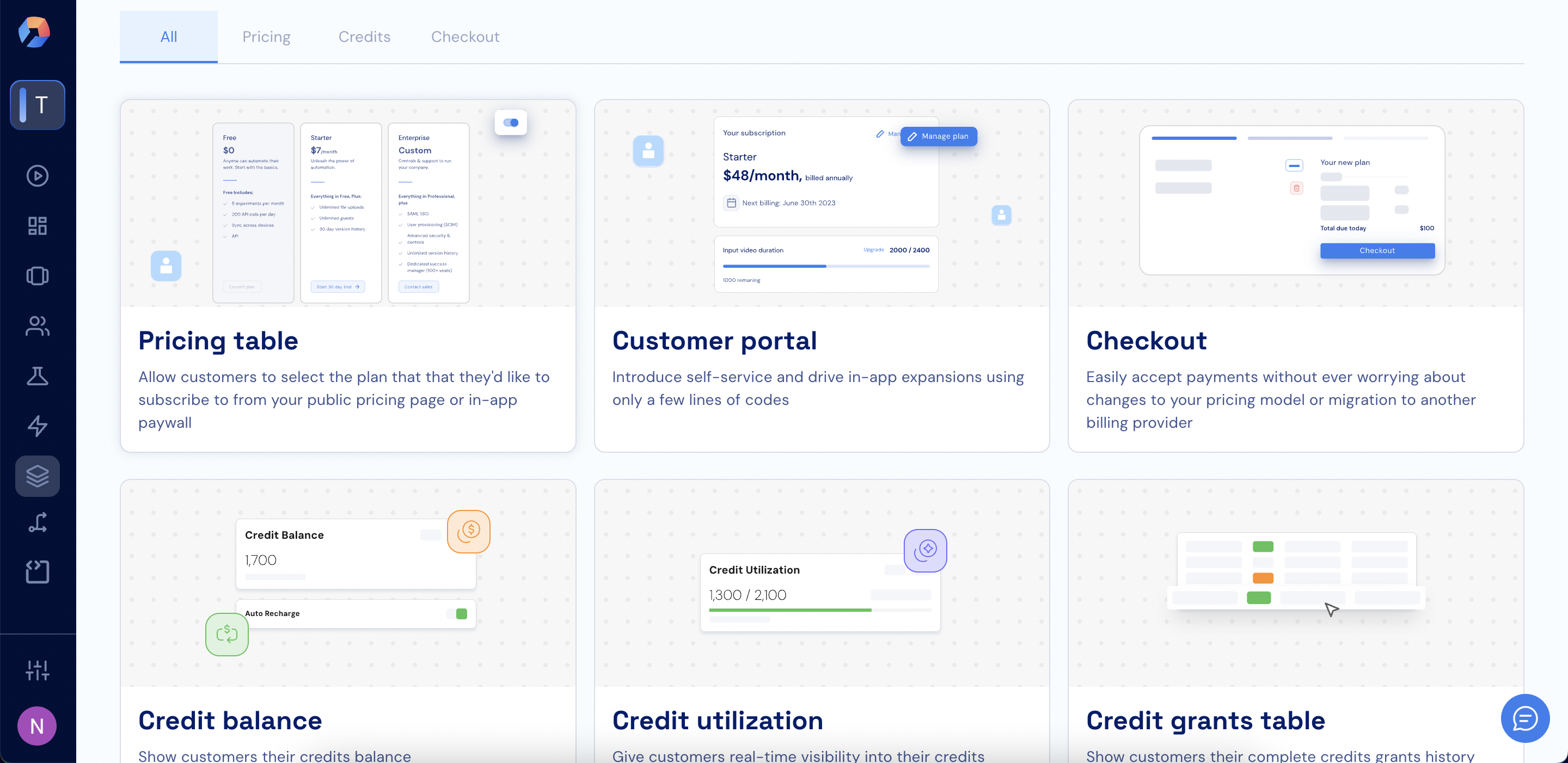 Preview all widgets, configurations, and visual states before integrating. No setup required.
When integrating Stigg widgets into your application, it's highly recommended to [enable client-side security enforcement](/api-and-sdks/integration/frontend/hardening-client-side-access), especially in production environments.
## Benefits of Stigg snap-in widgets
* [Integration requires only a few lines of code](#integration-requires-only-a-few-lines-of-code)
* [Fully customizable to match your application's styling](#fully-customizable-to-match-your-application-styling)
* [Integrate once and never worry about pricing changes](#integrate-once-and-never-worry-about-pricing-changes)
* [Widgets for your application and public website](#widgets-for-your-application-and-public-website)
* [Useful both for self-service and enterprise sales](#useful-both-for-self-service-and-enterprise-sales)
* [Optimized for SaaS use-cases](#optimized-for-saas-use-cases)
### Integration requires only a few lines of code
Get up-and-running quickly, while saving precious development time.
```typescript React (example) theme={null}
'}>
{
// TODO: handle customer intention to subscribe to plan
}} />
```
### Fully customizable to match your application styling
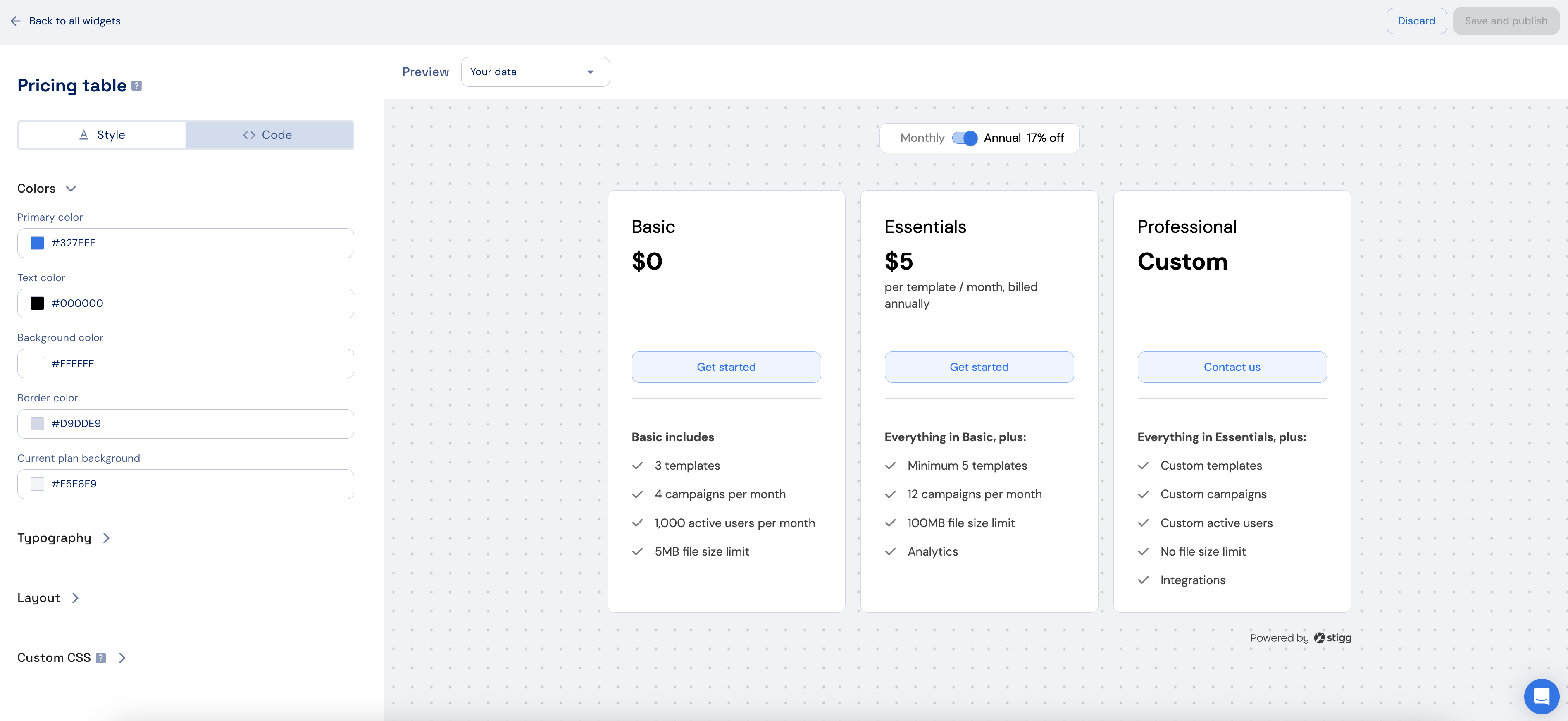
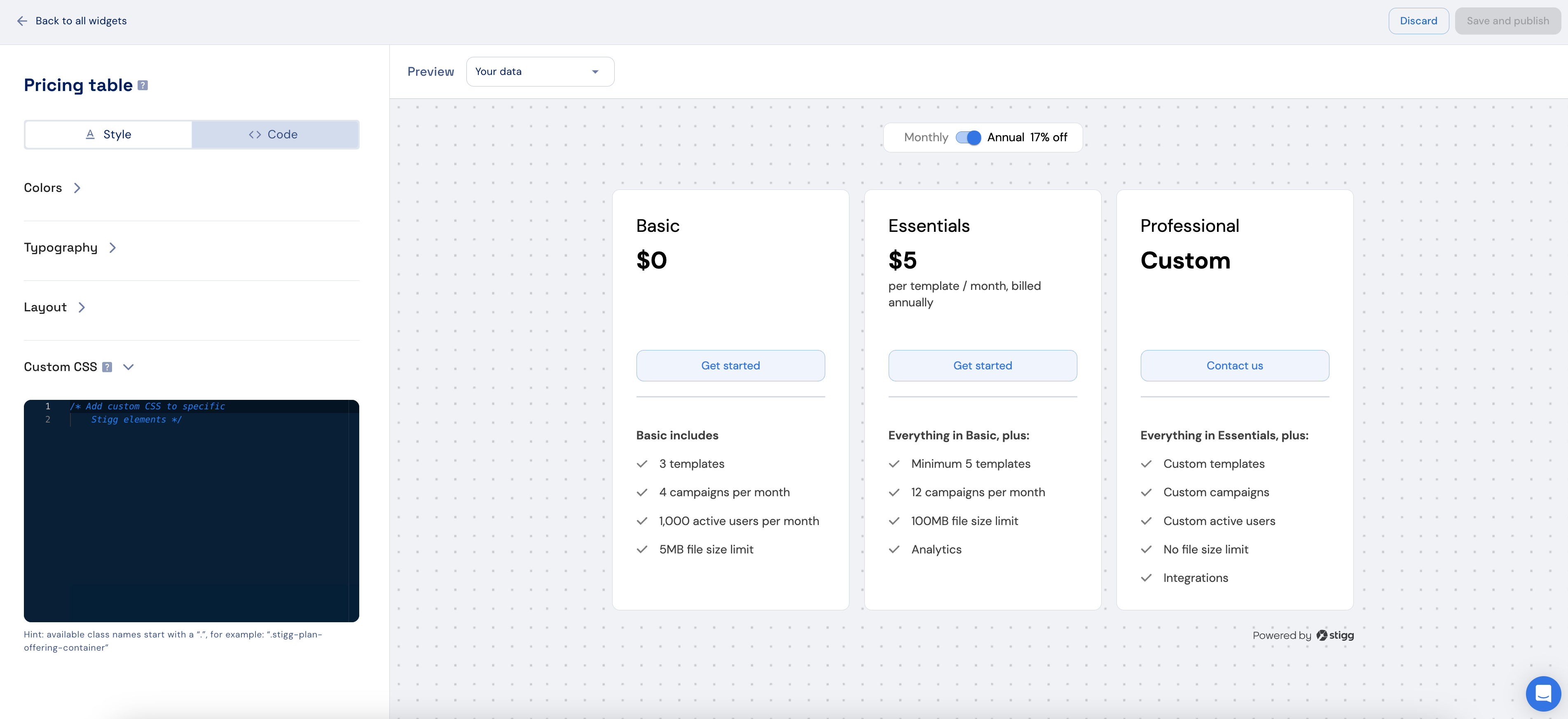
Leverage our widget designer to customize the widgets' styling using no-code and custom CSS to align it with your application's theme.
Once integrated, additional style customization can take place with no-code.
Preview all widgets, configurations, and visual states before integrating. No setup required.
When integrating Stigg widgets into your application, it's highly recommended to [enable client-side security enforcement](/api-and-sdks/integration/frontend/hardening-client-side-access), especially in production environments.
## Benefits of Stigg snap-in widgets
* [Integration requires only a few lines of code](#integration-requires-only-a-few-lines-of-code)
* [Fully customizable to match your application's styling](#fully-customizable-to-match-your-application-styling)
* [Integrate once and never worry about pricing changes](#integrate-once-and-never-worry-about-pricing-changes)
* [Widgets for your application and public website](#widgets-for-your-application-and-public-website)
* [Useful both for self-service and enterprise sales](#useful-both-for-self-service-and-enterprise-sales)
* [Optimized for SaaS use-cases](#optimized-for-saas-use-cases)
### Integration requires only a few lines of code
Get up-and-running quickly, while saving precious development time.
```typescript React (example) theme={null}
'}>
{
// TODO: handle customer intention to subscribe to plan
}} />
```
### Fully customizable to match your application styling
Leverage our widget designer to customize the widgets' styling using no-code and custom CSS to align it with your application's theme.
Once integrated, additional style customization can take place with no-code.
 ### Integrate once and never worry about pricing changes
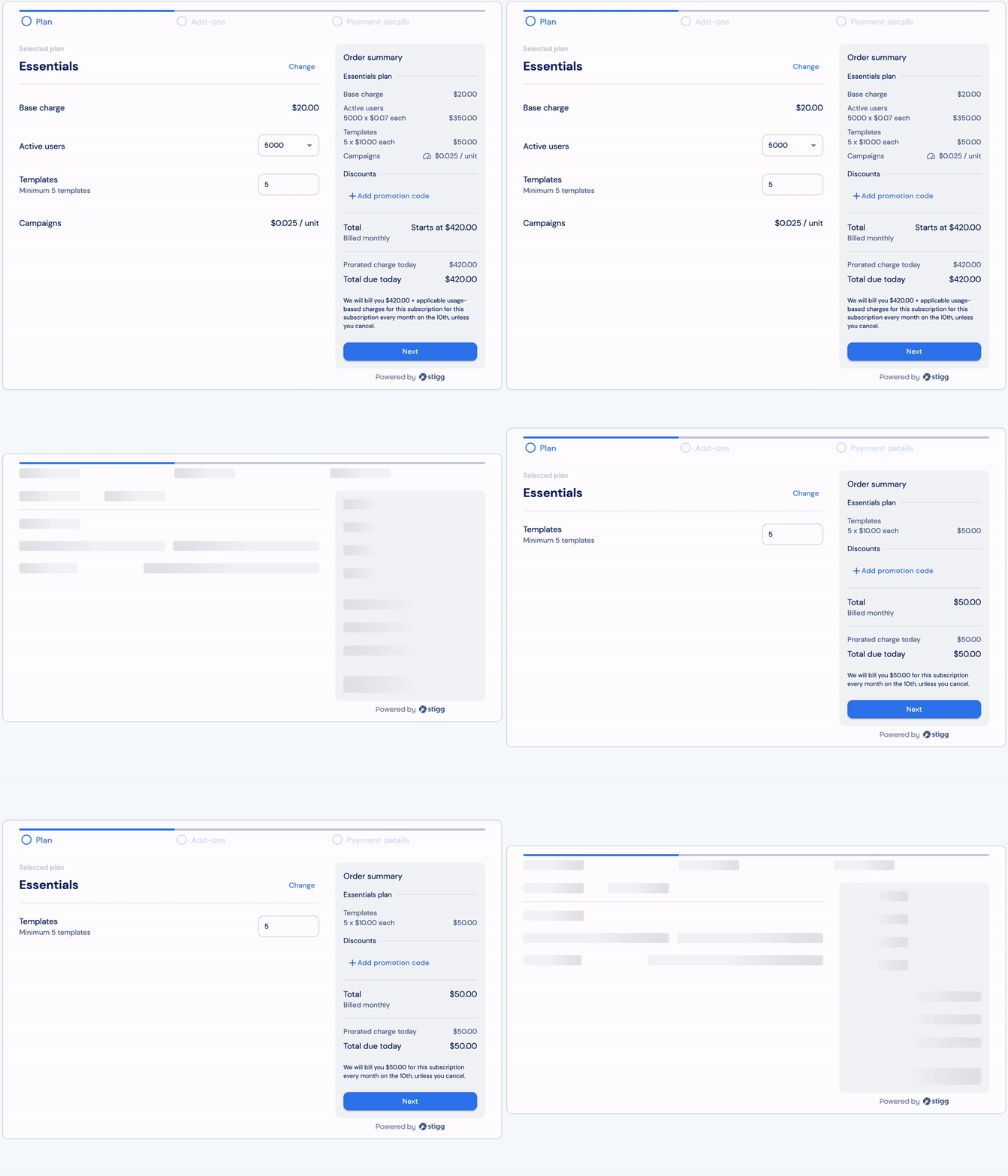
Stigg's snap-in widgets auto-magically sync with the pricing mode that's defined in the Stigg app. When rolling out changes to your pricing, the changes are immediately reflected in the snap-in widgets - no additional code changes required! 🤯
### Integrate once and never worry about pricing changes
Stigg's snap-in widgets auto-magically sync with the pricing mode that's defined in the Stigg app. When rolling out changes to your pricing, the changes are immediately reflected in the snap-in widgets - no additional code changes required! 🤯
 ### Widgets for your application and public website
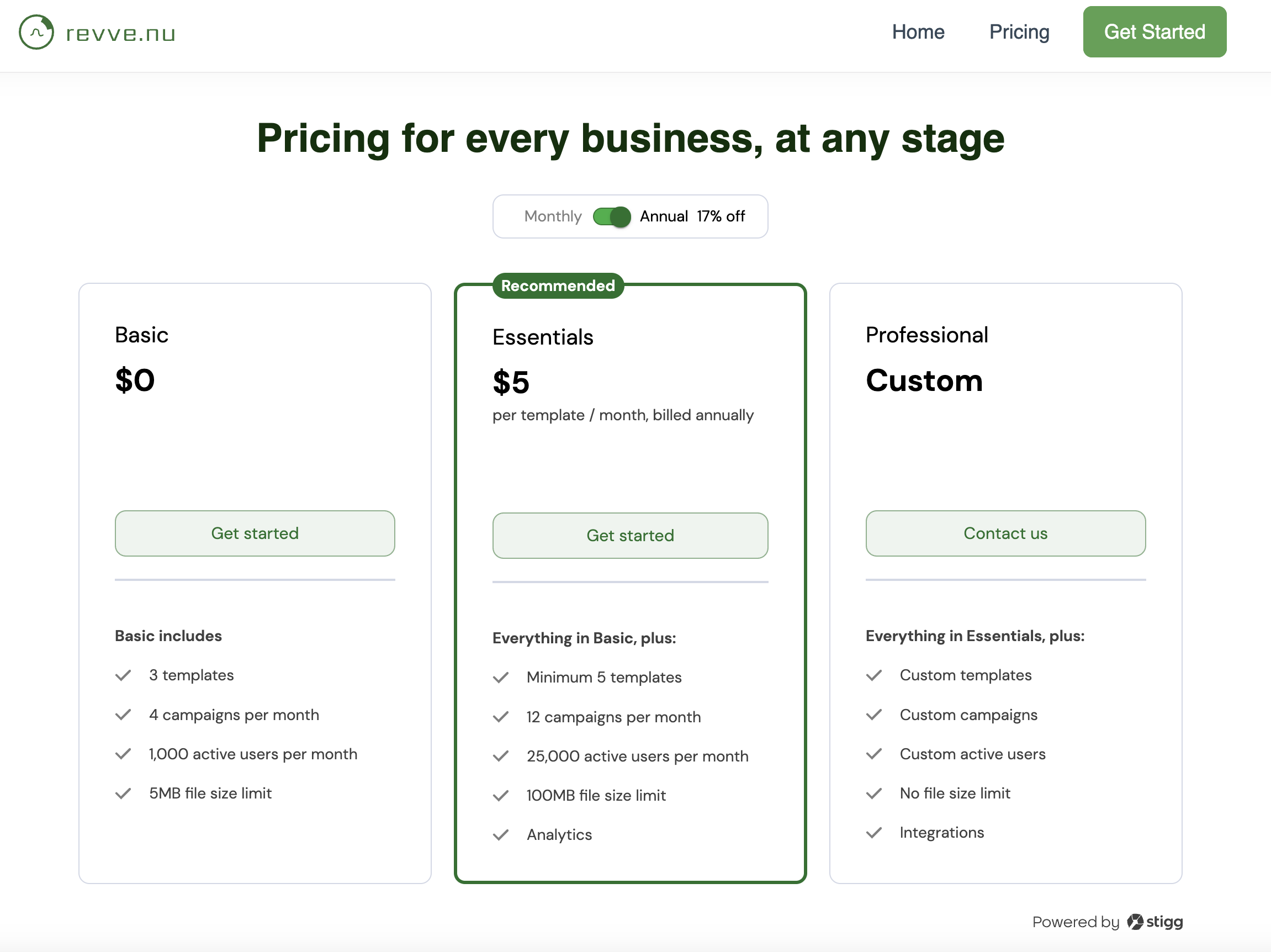
Stigg's snap-in widgets can be integrated into your application and public website. This ensures that the same pricing that's communicated to customers on your public website is also the experience that your customers will see inside your application.
### Widgets for your application and public website
Stigg's snap-in widgets can be integrated into your application and public website. This ensures that the same pricing that's communicated to customers on your public website is also the experience that your customers will see inside your application.
 ### Useful both for self-service and enterprise sales
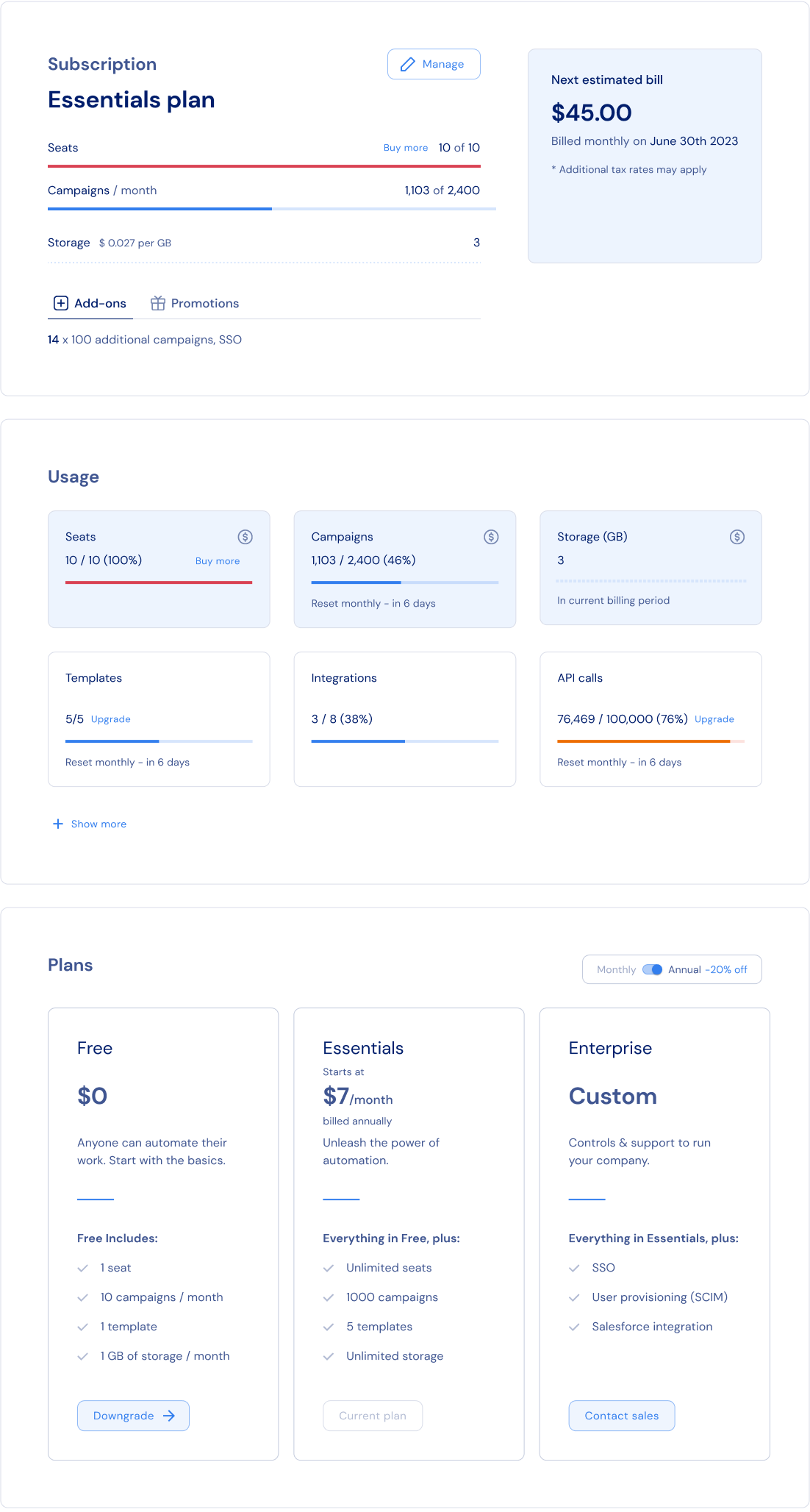
Let customers know about the features that they're entitled for and current usage, well as encourage them for upsells and expansions via self-service or reach out to their account executive.
### Useful both for self-service and enterprise sales
Let customers know about the features that they're entitled for and current usage, well as encourage them for upsells and expansions via self-service or reach out to their account executive.
 ### Optimized for SaaS use-cases
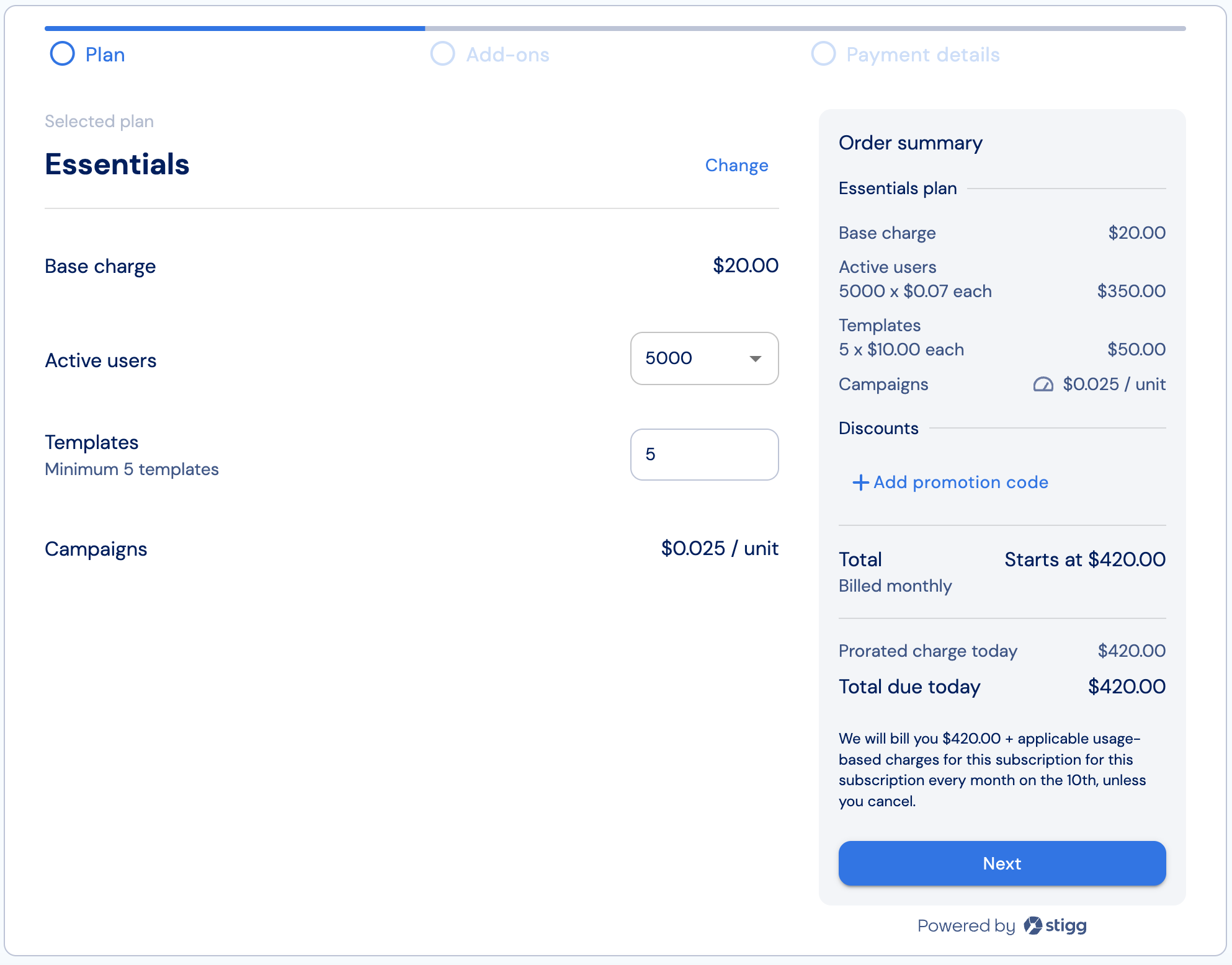
Stigg's snap-in widgets include built-in support for complex use-cases such as trials, pricing using multiple value metrics, volume pricing, add-ons, scheduled downgrades and grandfathering.
### Optimized for SaaS use-cases
Stigg's snap-in widgets include built-in support for complex use-cases such as trials, pricing using multiple value metrics, volume pricing, add-ons, scheduled downgrades and grandfathering.
 ## Available widgets
Additional widgets will be available soon!
## Available widgets
Additional widgets will be available soon!