> ## Documentation Index
> Fetch the complete documentation index at: https://docs.stigg.io/llms.txt
> Use this file to discover all available pages before exploring further.
# Defining the customer journey
## Overview
Stigg app users can control the **default** behavior of customers' interaction with the product.
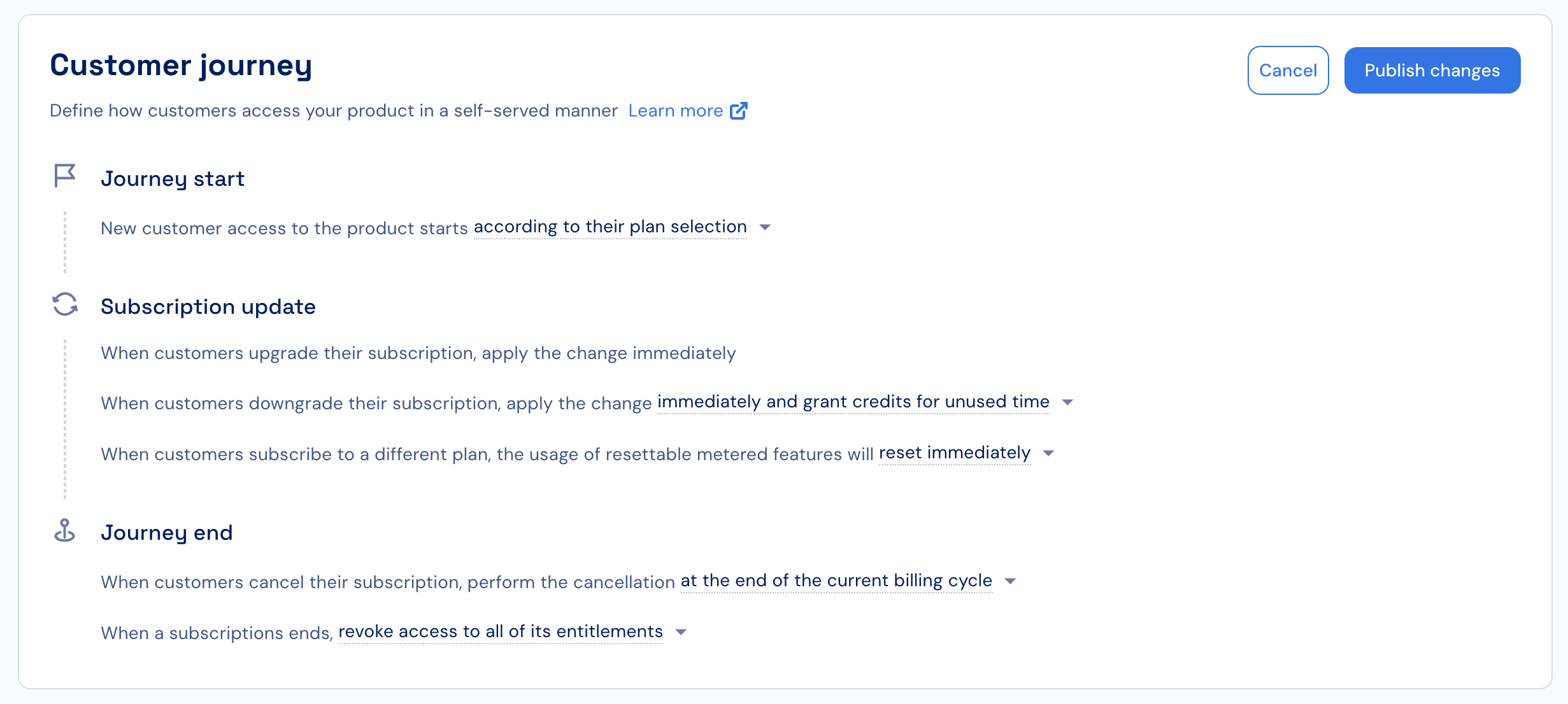 The default behavior can be overridden programmatically using the Stigg SDKs and API.
## Journey Start
To configure how customers begin their subscription:
1. Open the **Customer Journey** section in the Stigg app.
2. Under **Journey Start**, choose how new customers gain initial access to the product:
* **According to their plan selection** - to allow customers to select a plan from the pricing table
* **In a free trial of a paid plan** to always start in a free trial of a paid plan
* **In a free plan** to always start in a free plan
## Subscription Update
To define how updates to customers’ subscriptions are handled:
1. Under **Subscription Update**, configure the following options:
* **Upgrades**: always performed immediately.
* **Downgrades**: can occur:
* Immediately while granting customers credits for unused time, or
* At the end of the billing period.
2. Configure how **resettable metered features** behave:
* Immediately reset usage upon plan transition.
* Never reset usage upon plan transition.
* Reset only when the subscription’s billing anchor changes (useful for transitions between free, paid, or different billing periods).
For more details, see [Subscription upgrades & downgrades](../../managing-customers-and-subscriptions/subscription-updates/overview).
## Journey End
To configure what happens when a customer cancels their subscription or when their trial expires:
1. Under **Journey End**, define **when cancellation occurs**:
* Immediately while granting customers credits for unused time.
* At the end of the billing period.
2. Define **what happens after cancellation**:
* Revoke access to the subscription entitlements.
* Automatically downgrade the customer to a free plan (reverse trial).
3. (Optional) When multiple products exist, configure linked cancellations, for example, canceling a subscription to product B when canceling product A.
For more details, see [Implement a team plan with separate usage enforcement for each team member](/guides/i-want-to/guide-team-plan).
All updates to the Customer Journey affect future subscription provisioning, updates, and cancellations. They do not apply retroactively.
The default behavior can be overridden programmatically using the Stigg SDKs and API.
## Journey Start
To configure how customers begin their subscription:
1. Open the **Customer Journey** section in the Stigg app.
2. Under **Journey Start**, choose how new customers gain initial access to the product:
* **According to their plan selection** - to allow customers to select a plan from the pricing table
* **In a free trial of a paid plan** to always start in a free trial of a paid plan
* **In a free plan** to always start in a free plan
## Subscription Update
To define how updates to customers’ subscriptions are handled:
1. Under **Subscription Update**, configure the following options:
* **Upgrades**: always performed immediately.
* **Downgrades**: can occur:
* Immediately while granting customers credits for unused time, or
* At the end of the billing period.
2. Configure how **resettable metered features** behave:
* Immediately reset usage upon plan transition.
* Never reset usage upon plan transition.
* Reset only when the subscription’s billing anchor changes (useful for transitions between free, paid, or different billing periods).
For more details, see [Subscription upgrades & downgrades](../../managing-customers-and-subscriptions/subscription-updates/overview).
## Journey End
To configure what happens when a customer cancels their subscription or when their trial expires:
1. Under **Journey End**, define **when cancellation occurs**:
* Immediately while granting customers credits for unused time.
* At the end of the billing period.
2. Define **what happens after cancellation**:
* Revoke access to the subscription entitlements.
* Automatically downgrade the customer to a free plan (reverse trial).
3. (Optional) When multiple products exist, configure linked cancellations, for example, canceling a subscription to product B when canceling product A.
For more details, see [Implement a team plan with separate usage enforcement for each team member](/guides/i-want-to/guide-team-plan).
All updates to the Customer Journey affect future subscription provisioning, updates, and cancellations. They do not apply retroactively.