> ## Documentation Index
> Fetch the complete documentation index at: https://docs.stigg.io/llms.txt
> Use this file to discover all available pages before exploring further.
# Defining overages
Overages in Stigg can be defined in two ways:
* For usage-based charges
* For entitlements
Each method allows you to charge customers for usage that exceeds their committed amount, but they differ in how they are configured and applied.
## Overage for usage-based charges
To define overages for a usage-based charge:
1. Navigate to **Product Catalog → Plans**.
2. Create or open a plan.
3. In the **Price** section, click **+ Set**.
4. Select a **Paid** plan.
5. Set the **billing model** and **billing period**.
6. Set a **usage-based charge** and link it to the desired metered feature.
7. Enable **Overage charges** using the toggle.
8. Select the metered feature for the overage charge.
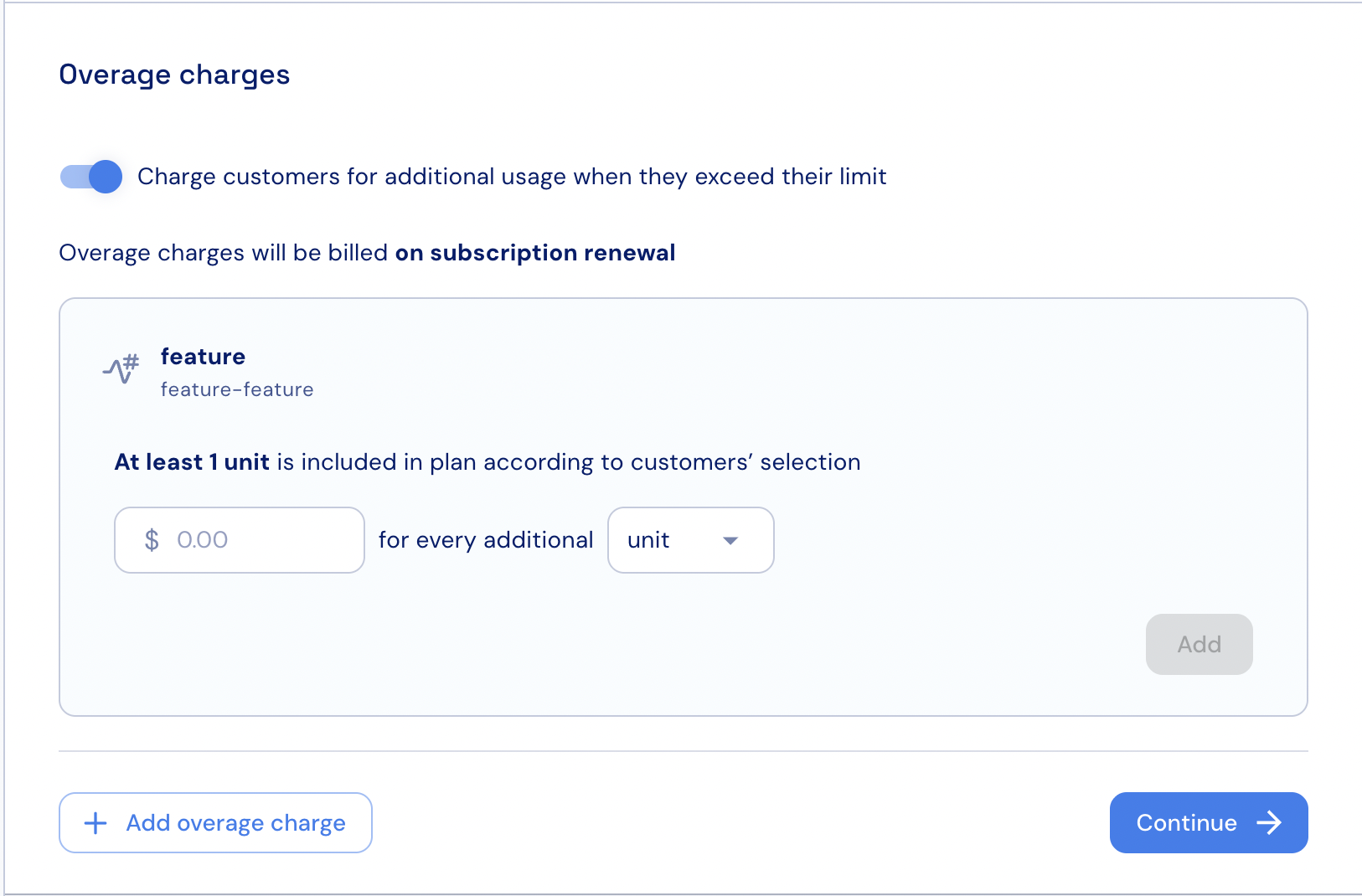 8. Set the overage price.
9. Set the number of units or blocks that the overage price will apply to.
10. If needed, click **+ Add overage charge** to configure an additional charge for another metered feature.
11. Click **Continue** and complete the charge setup.
## Overage for entitlements
To configure overages for features defined as entitlements:
1. Navigate to **Product Catalog → Plans**.
2. Create or open a plan.
3. In the **Price** section, click **+ Set**.
4. Select a **Paid** plan.
5. Set the **billing model** and **billing period**.
6. Set a **usage-based charge** and link it to the desired metered feature that is attached to an entitlement.
7. Enable **Overage charges** using the toggle.
8. Select the metered feature for the overage charge.
8. Set the overage price.
9. Set the number of units or blocks that the overage price will apply to.
10. If needed, click **+ Add overage charge** to configure an additional charge for another metered feature.
11. Click **Continue** and complete the charge setup.
## Overage for entitlements
To configure overages for features defined as entitlements:
1. Navigate to **Product Catalog → Plans**.
2. Create or open a plan.
3. In the **Price** section, click **+ Set**.
4. Select a **Paid** plan.
5. Set the **billing model** and **billing period**.
6. Set a **usage-based charge** and link it to the desired metered feature that is attached to an entitlement.
7. Enable **Overage charges** using the toggle.
8. Select the metered feature for the overage charge.
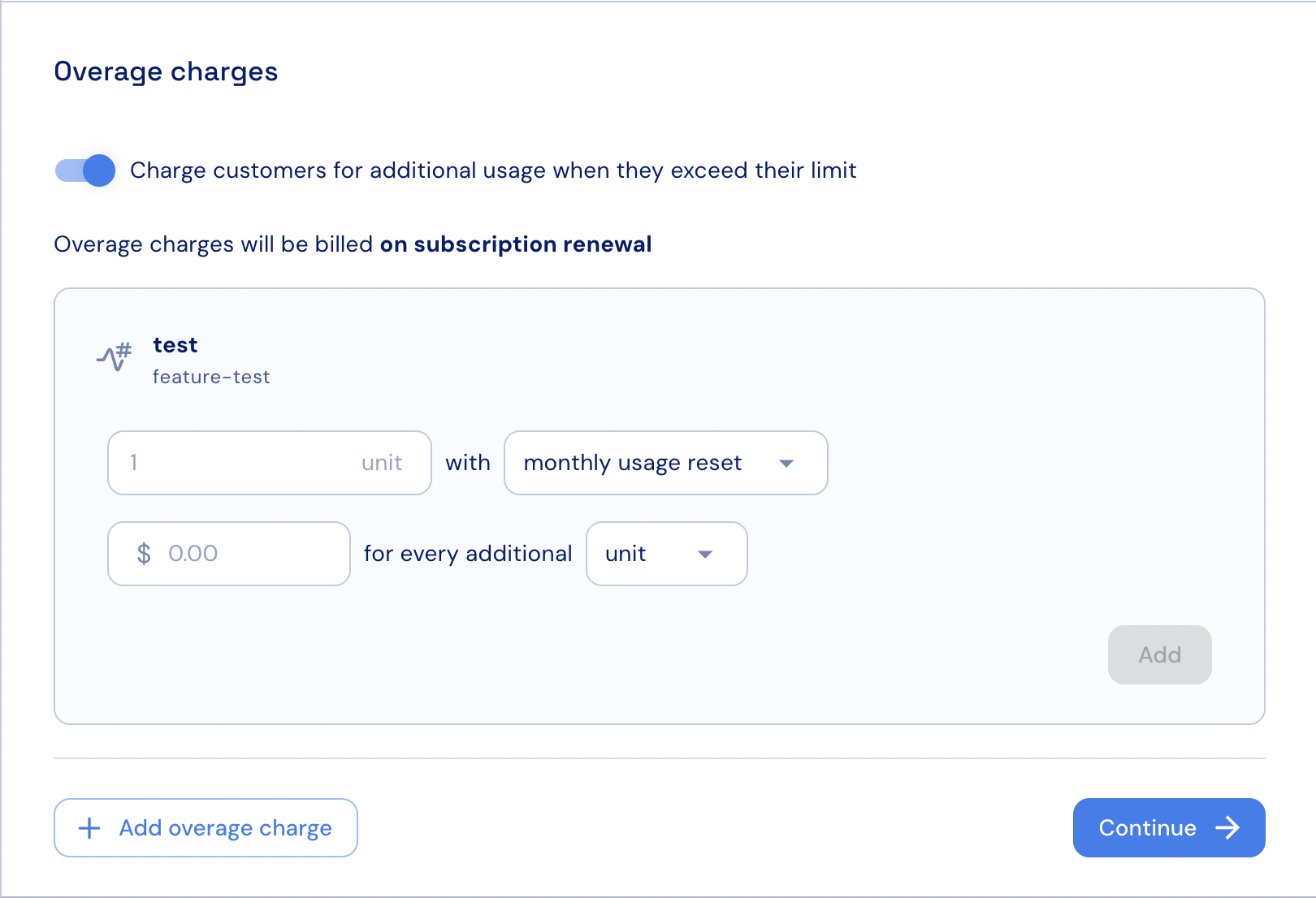 8. Set the reset interval for the overage price.
9. Set the overage price.
10. Set the number of units or blocks that the overage price will apply to.
11. If needed, click **+ Add overage charge** to configure an additional charge for another metered feature.
12. Click **Continue** and complete the charge setup.
8. Set the reset interval for the overage price.
9. Set the overage price.
10. Set the number of units or blocks that the overage price will apply to.
11. If needed, click **+ Add overage charge** to configure an additional charge for another metered feature.
12. Click **Continue** and complete the charge setup.