> ## Documentation Index
> Fetch the complete documentation index at: https://docs.stigg.io/llms.txt
> Use this file to discover all available pages before exploring further.
# Free trial periods
Paid and custom plans can be configured to start with a free trial period when a subscription is created.
Stigg's allows product manager and growth team members to add, modify and remove trial period for plans without requiring additional engineering changes.
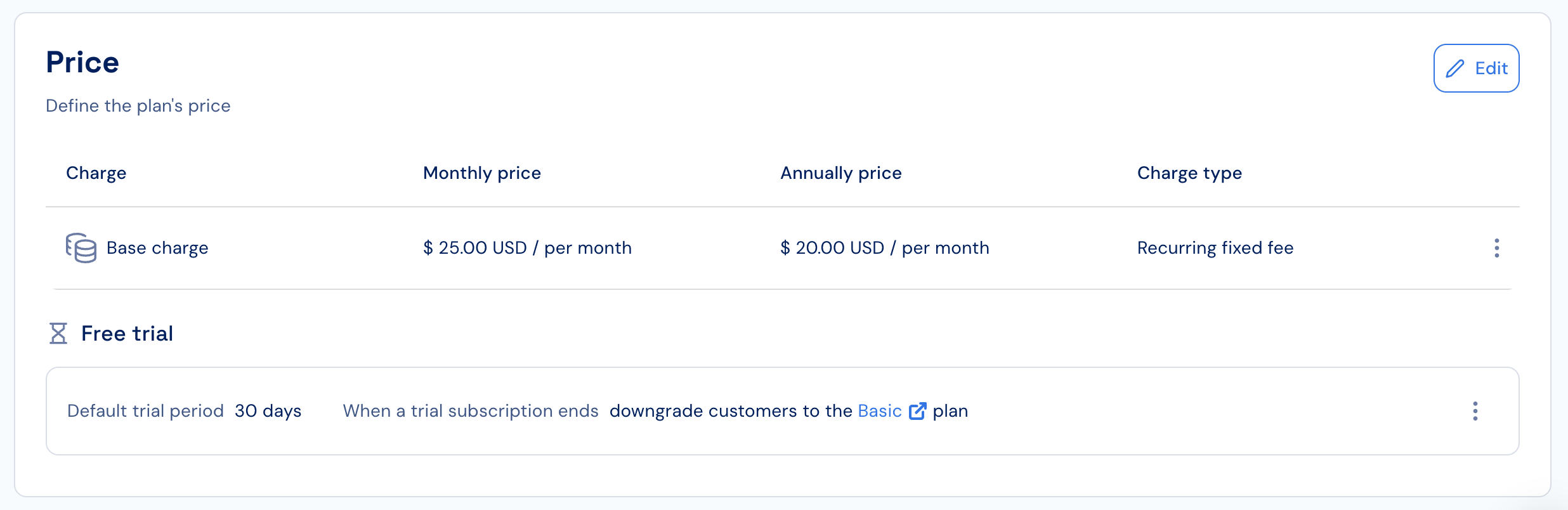 ## Time-based trial periods
In time-based free trials, customers are granted free access to the product for certain amount of time, for example: 30 days.
## Spend-based trial periods
In spend-based trials, customers are granted free access to the product until they reach incur a specific spend limit, for example: `$30` worth of credits.
Cost-based trials are can be useful for plans with pay-as-you-go pricing. When customers reach the defined cost, additional access to features that are defined as pay-as-you-go charges will be denied.
Cost-based trials are available only for paid plans
## Combination of time-based and spend-based trials
In a combined time-based and spend-based trial customers are granted free access to the product until they reach incur a specific spend limit within a specific time period, for example: `$30` worth of credits for 3 months.
Combined time-based and cost-based trials are available only for paid plans
## Configuring free trials
### Adding a default trial period
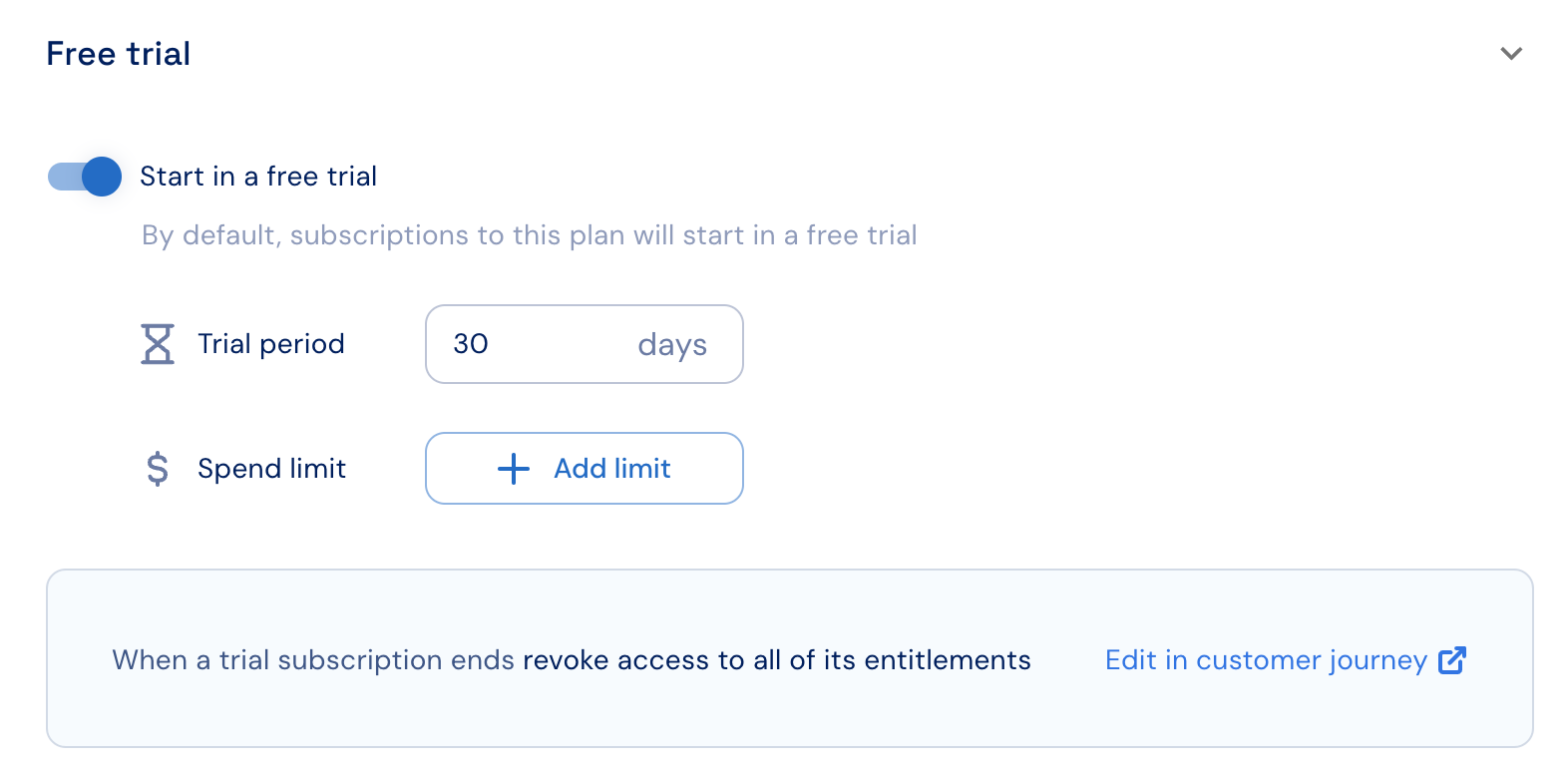
When defining the plan's price:
1. Set the **Start in a free trial** toggle ON.
2. Set the default trial configuration.
3. Click on **Save changes**.
## Time-based trial periods
In time-based free trials, customers are granted free access to the product for certain amount of time, for example: 30 days.
## Spend-based trial periods
In spend-based trials, customers are granted free access to the product until they reach incur a specific spend limit, for example: `$30` worth of credits.
Cost-based trials are can be useful for plans with pay-as-you-go pricing. When customers reach the defined cost, additional access to features that are defined as pay-as-you-go charges will be denied.
Cost-based trials are available only for paid plans
## Combination of time-based and spend-based trials
In a combined time-based and spend-based trial customers are granted free access to the product until they reach incur a specific spend limit within a specific time period, for example: `$30` worth of credits for 3 months.
Combined time-based and cost-based trials are available only for paid plans
## Configuring free trials
### Adding a default trial period
When defining the plan's price:
1. Set the **Start in a free trial** toggle ON.
2. Set the default trial configuration.
3. Click on **Save changes**.
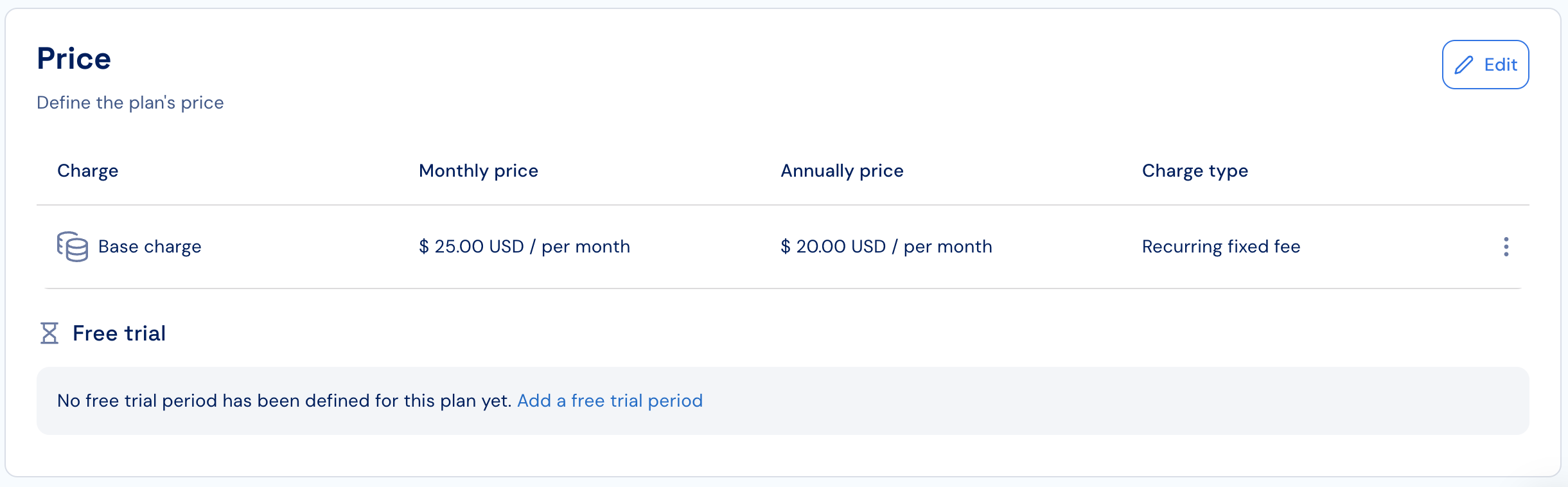
 When the plan's price has already been defined:
1. Click on the **Add free trial** link in the plan's Price section.
2. Continue as described above.
When the plan's price has already been defined:
1. Click on the **Add free trial** link in the plan's Price section.
2. Continue as described above.
 ### Changing the default trial period
1. Click on the dotted menu icon under the **Free trial** section and select the **Edit** action.
2. Enter the updated default trial configuration.
3. Click on **Save changes**.
### Removing the default trial configuration
1. Click on the dotted menu icon under the **Free trial** section and select the **Remove** action.
2. Confirm the action.
By default, customers are eligible for **one free trial per [product](../../../../products/overview)**.
Additional trial access can be granted programmatically by overriding the default trial settings and [when provisioning subscriptions via the Stigg app](../../../../../managing-customers-and-subscriptions/subscriptions/provisioning-subscriptions).
Similarly, customers can be forced to start in a paid or custom plan both programmatically and [when provisioning subscriptions via the Stigg app](../../../../../managing-customers-and-subscriptions/subscriptions/provisioning-subscriptions).
### Changing the default trial period
1. Click on the dotted menu icon under the **Free trial** section and select the **Edit** action.
2. Enter the updated default trial configuration.
3. Click on **Save changes**.
### Removing the default trial configuration
1. Click on the dotted menu icon under the **Free trial** section and select the **Remove** action.
2. Confirm the action.
By default, customers are eligible for **one free trial per [product](../../../../products/overview)**.
Additional trial access can be granted programmatically by overriding the default trial settings and [when provisioning subscriptions via the Stigg app](../../../../../managing-customers-and-subscriptions/subscriptions/provisioning-subscriptions).
Similarly, customers can be forced to start in a paid or custom plan both programmatically and [when provisioning subscriptions via the Stigg app](../../../../../managing-customers-and-subscriptions/subscriptions/provisioning-subscriptions).