> ## Documentation Index
> Fetch the complete documentation index at: https://docs.stigg.io/llms.txt
> Use this file to discover all available pages before exploring further.
# Adding feature groups to entitlements
## Add a feature group to a plan
To grant entitlements using a feature group in a plan:
1. Open the **Product catalog** in the Stigg app.
2. Navigate to the **Plans** section.
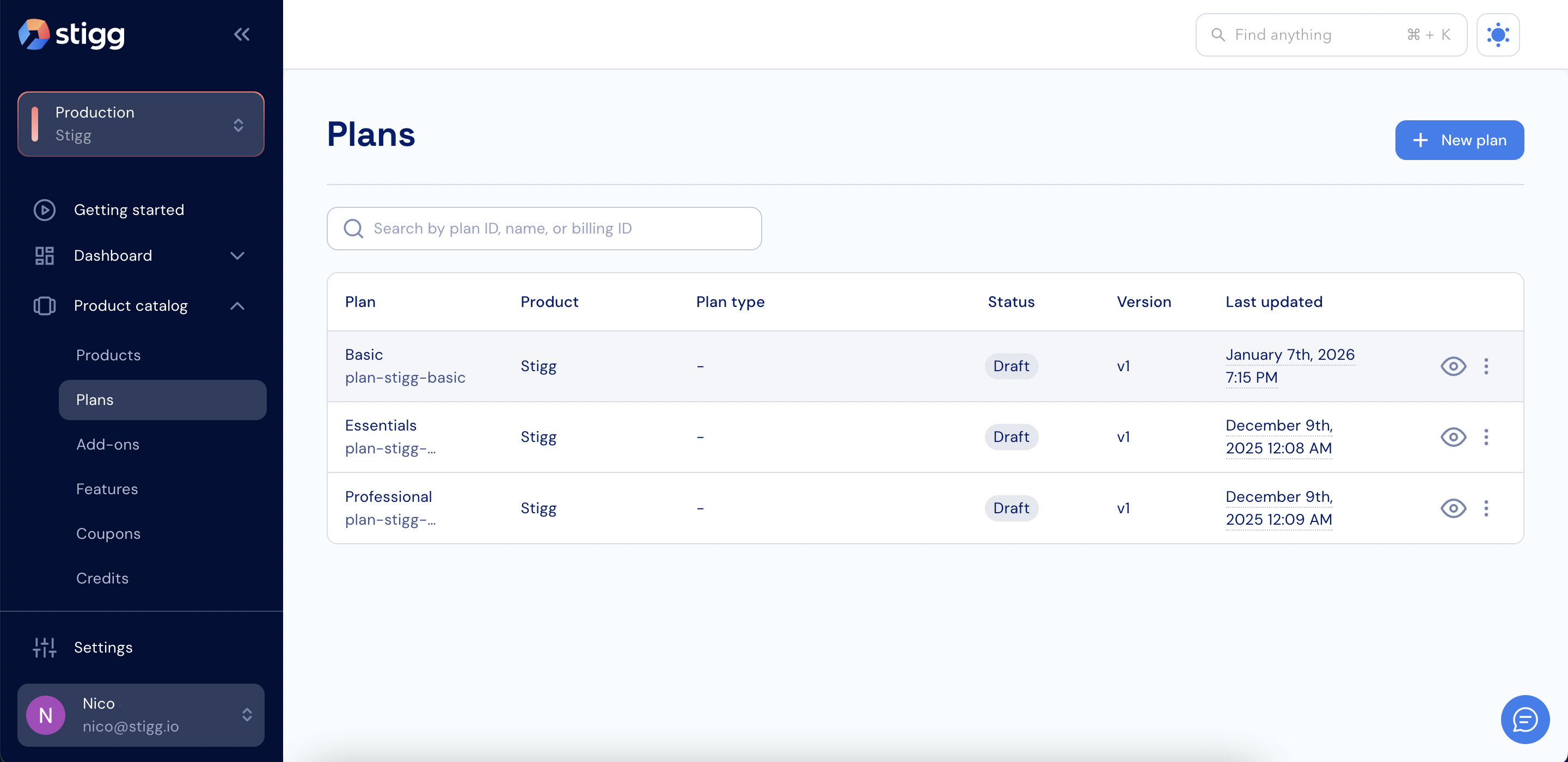 3. Create a new plan or open an existing plan.
4. Scroll down to the **Entitlements** section.
3. Create a new plan or open an existing plan.
4. Scroll down to the **Entitlements** section.
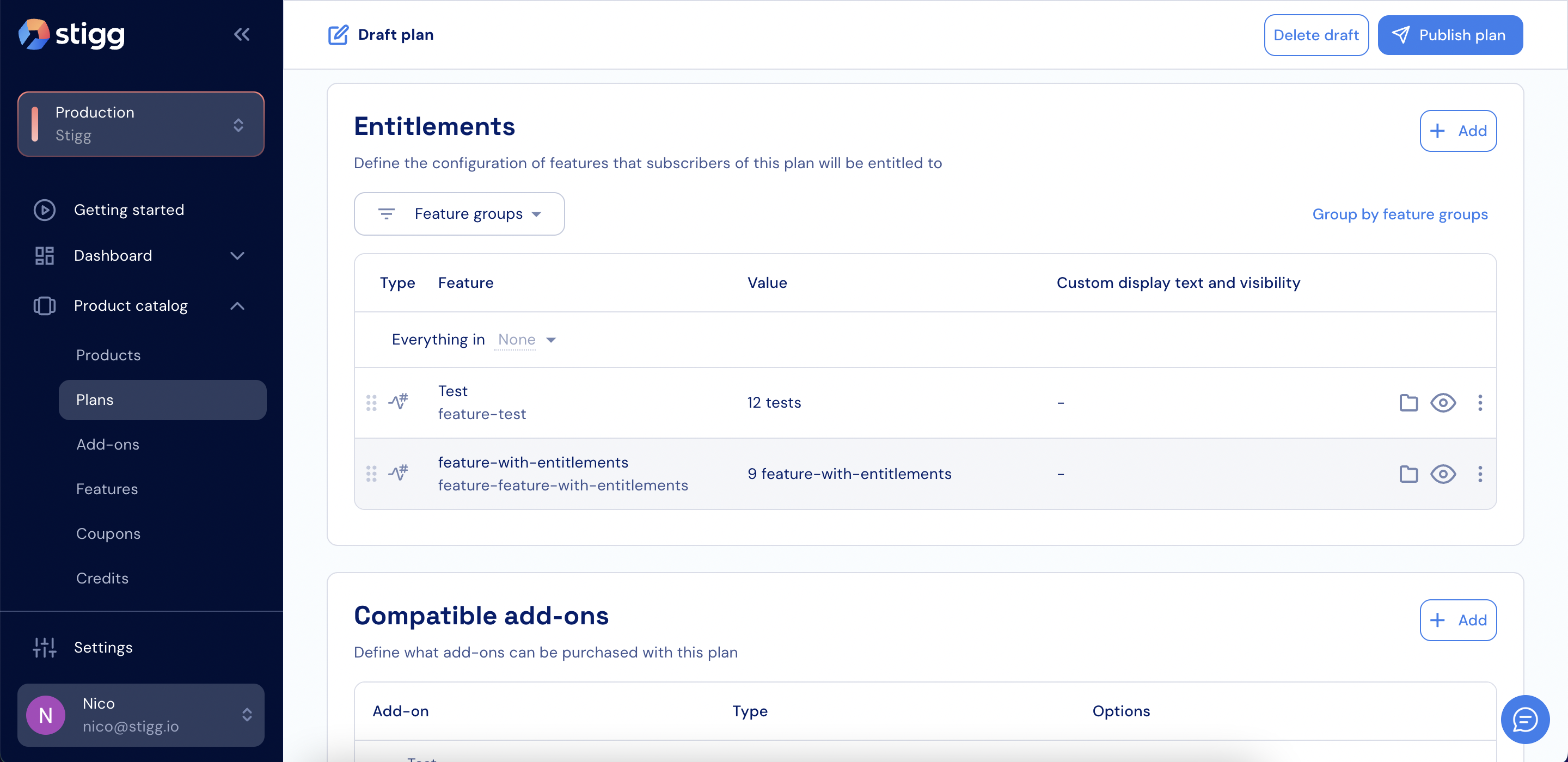 5. Click **+ Add**.
6. Select a feature group.
5. Click **+ Add**.
6. Select a feature group.
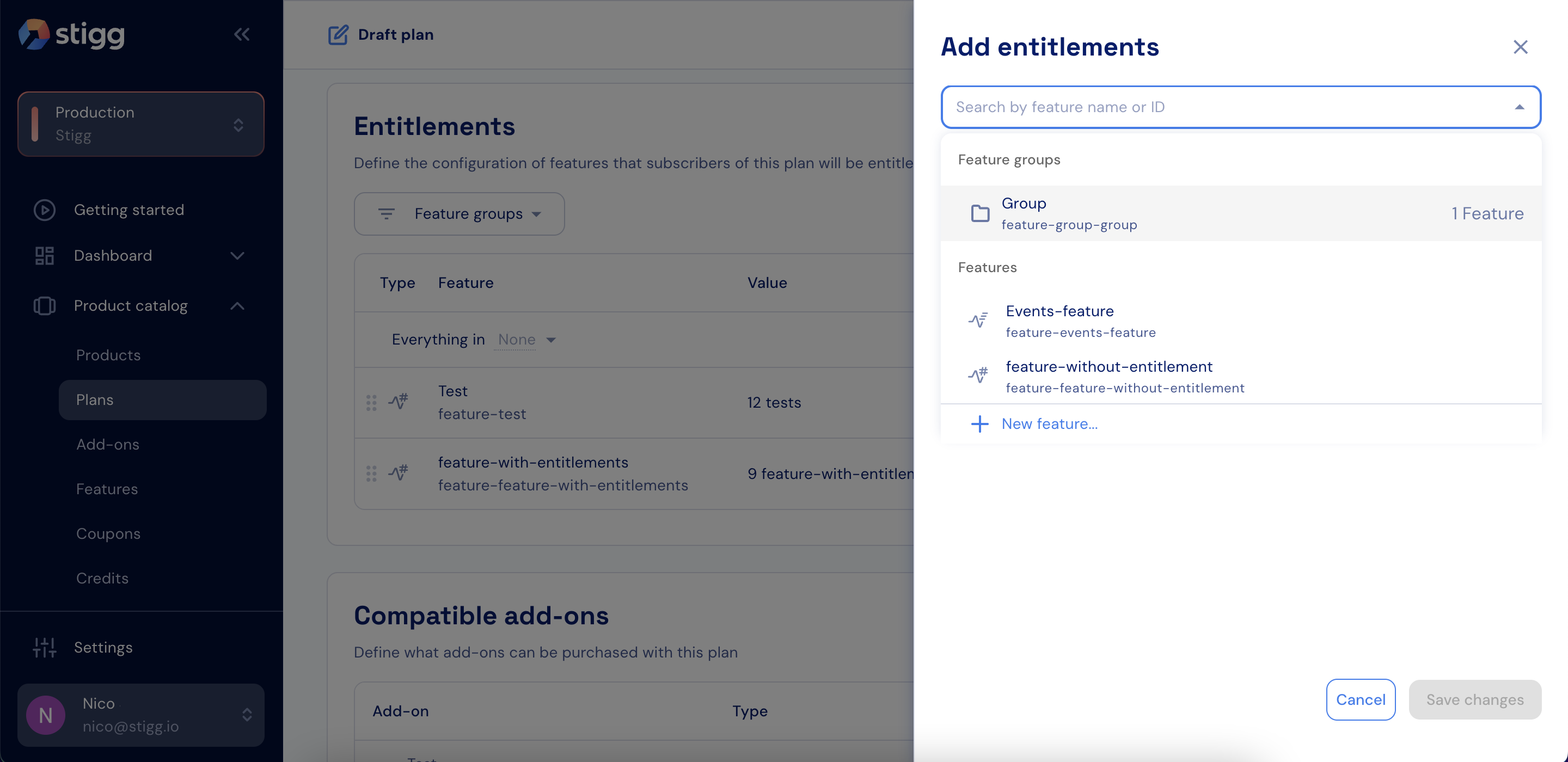 7. For each feature in the group, define the **Feature access**, **Value**, **Usage reset**, and **Hard limit**.
 8. Click **Add**.
9. Click **Save changes**.
## Add a feature group to an add-on
To grant entitlements using a feature group in an add-on:
1. Open the **Product catalog** in the Stigg app.
2. Navigate to the **Add-ons** section.
8. Click **Add**.
9. Click **Save changes**.
## Add a feature group to an add-on
To grant entitlements using a feature group in an add-on:
1. Open the **Product catalog** in the Stigg app.
2. Navigate to the **Add-ons** section.
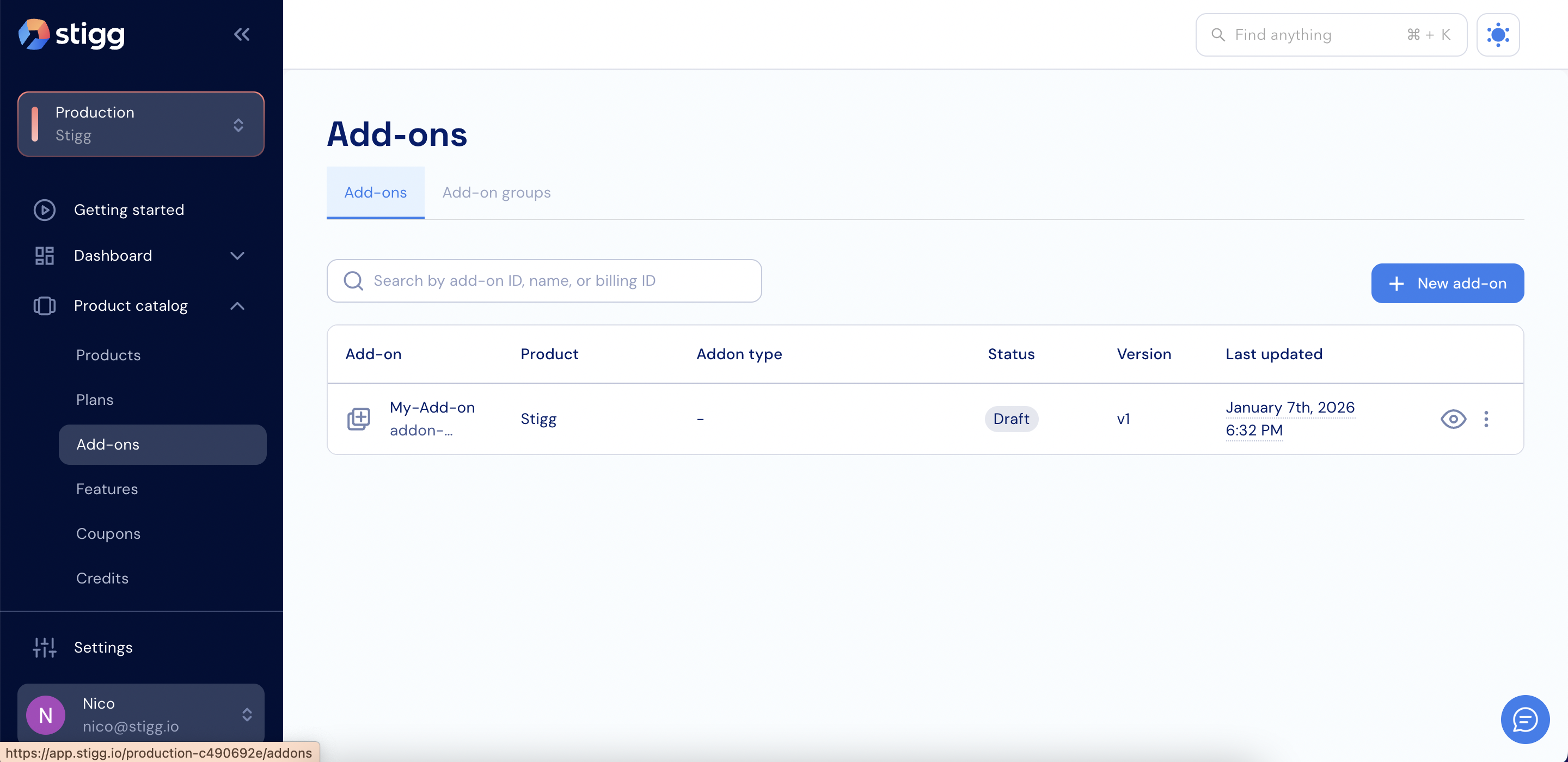 3. Create a new add-on or open an existing add-on.
4. Scroll down to the **Entitlements** section.
3. Create a new add-on or open an existing add-on.
4. Scroll down to the **Entitlements** section.
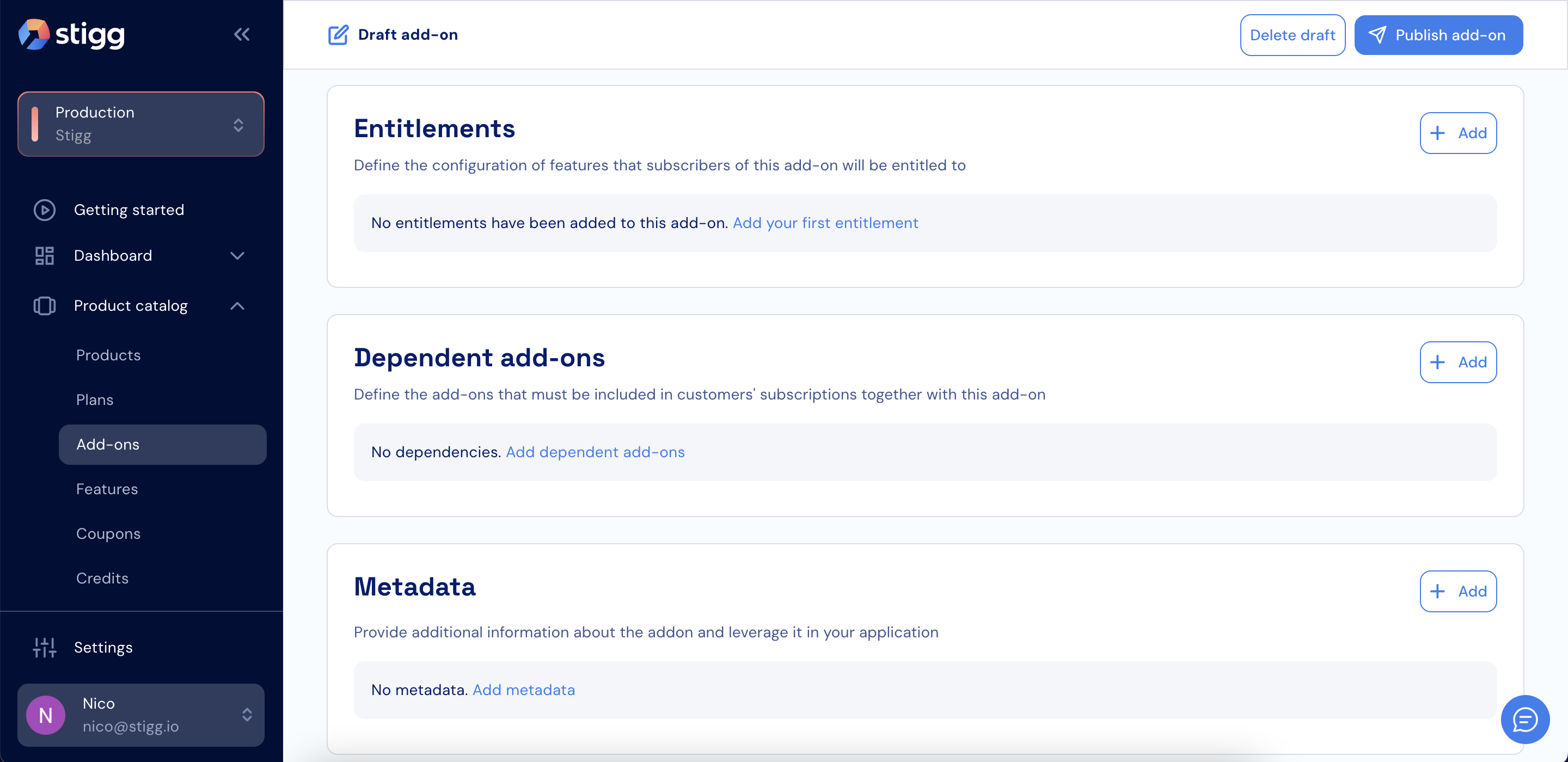 5. Click **+ Add**.
6. Select a feature group.
5. Click **+ Add**.
6. Select a feature group.
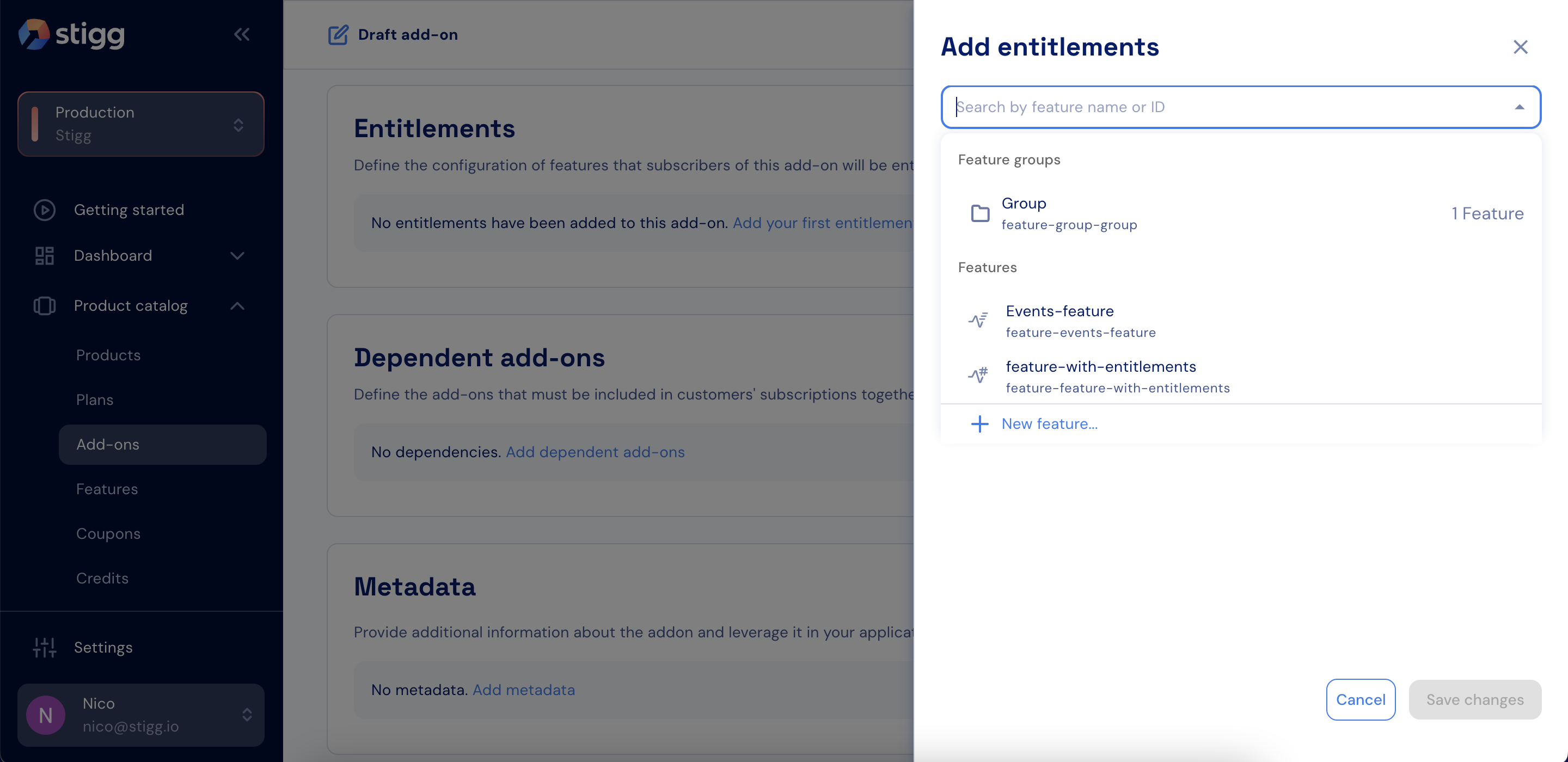 7. For each feature in the group, define the **Feature access**, **Value**, **Usage reset**, and **Hard limit**.
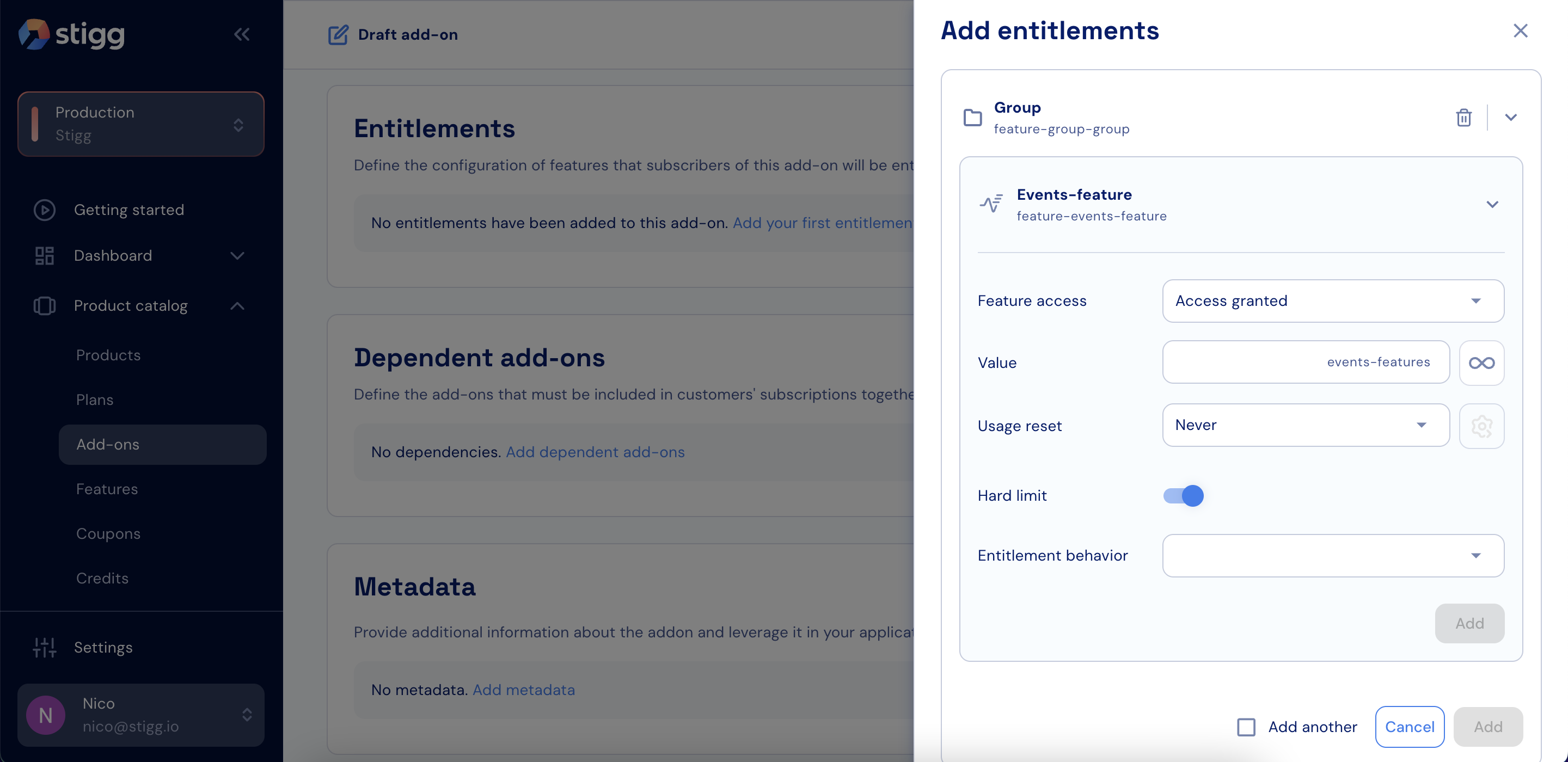 8. Click **Add**.
9. Click **Save changes**.
## Add a feature group as a promotional entitlement
To grant a feature group as a promotional entitlement to a specific customer:
1. Select the **Customers** section in the Stigg app.
2. Navigate to the **Customer accounts** section.
8. Click **Add**.
9. Click **Save changes**.
## Add a feature group as a promotional entitlement
To grant a feature group as a promotional entitlement to a specific customer:
1. Select the **Customers** section in the Stigg app.
2. Navigate to the **Customer accounts** section.
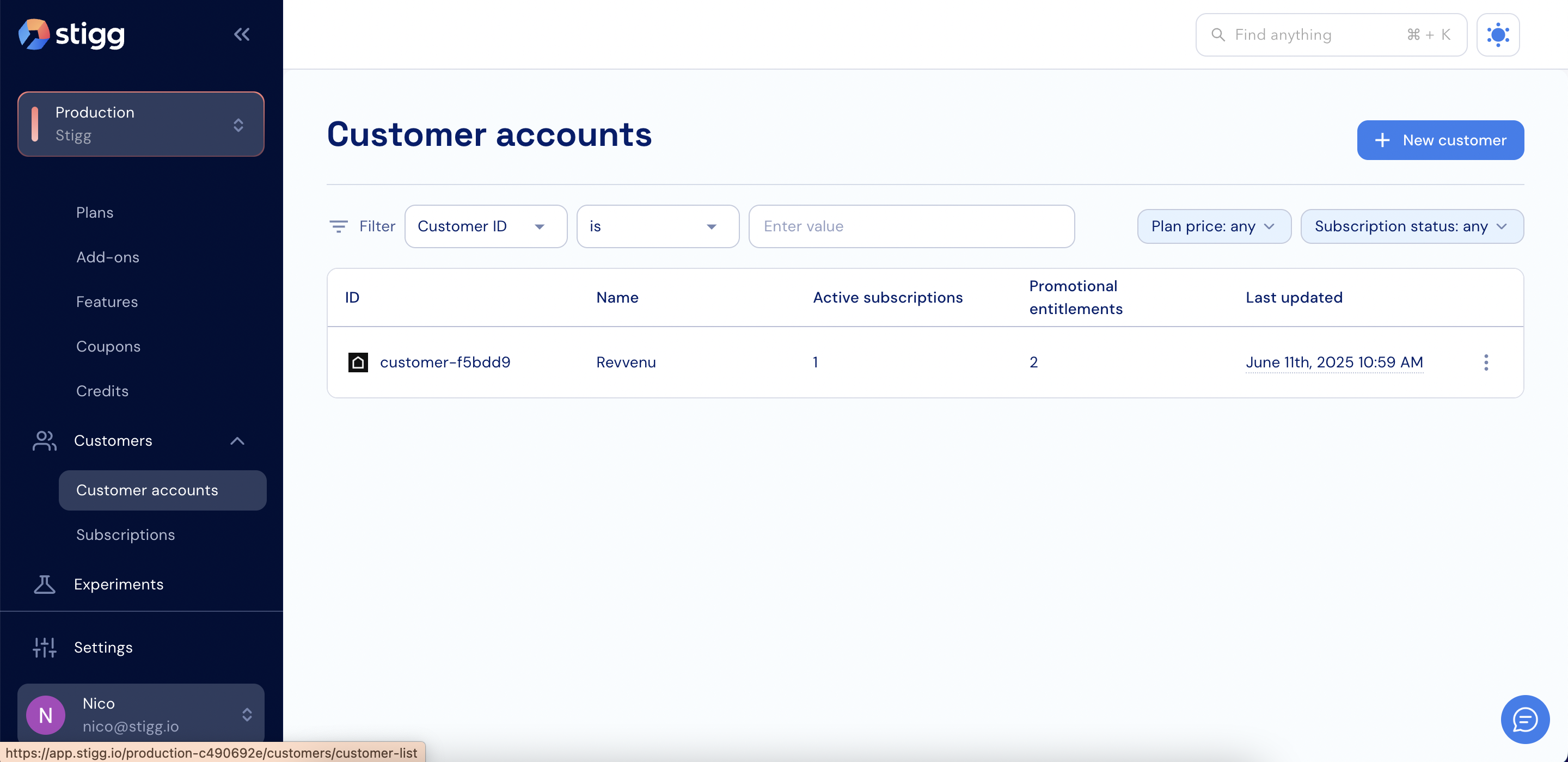 3. Open the relevant customer account.
4. Scroll down to the **Promotional entitlements** section.
3. Open the relevant customer account.
4. Scroll down to the **Promotional entitlements** section.
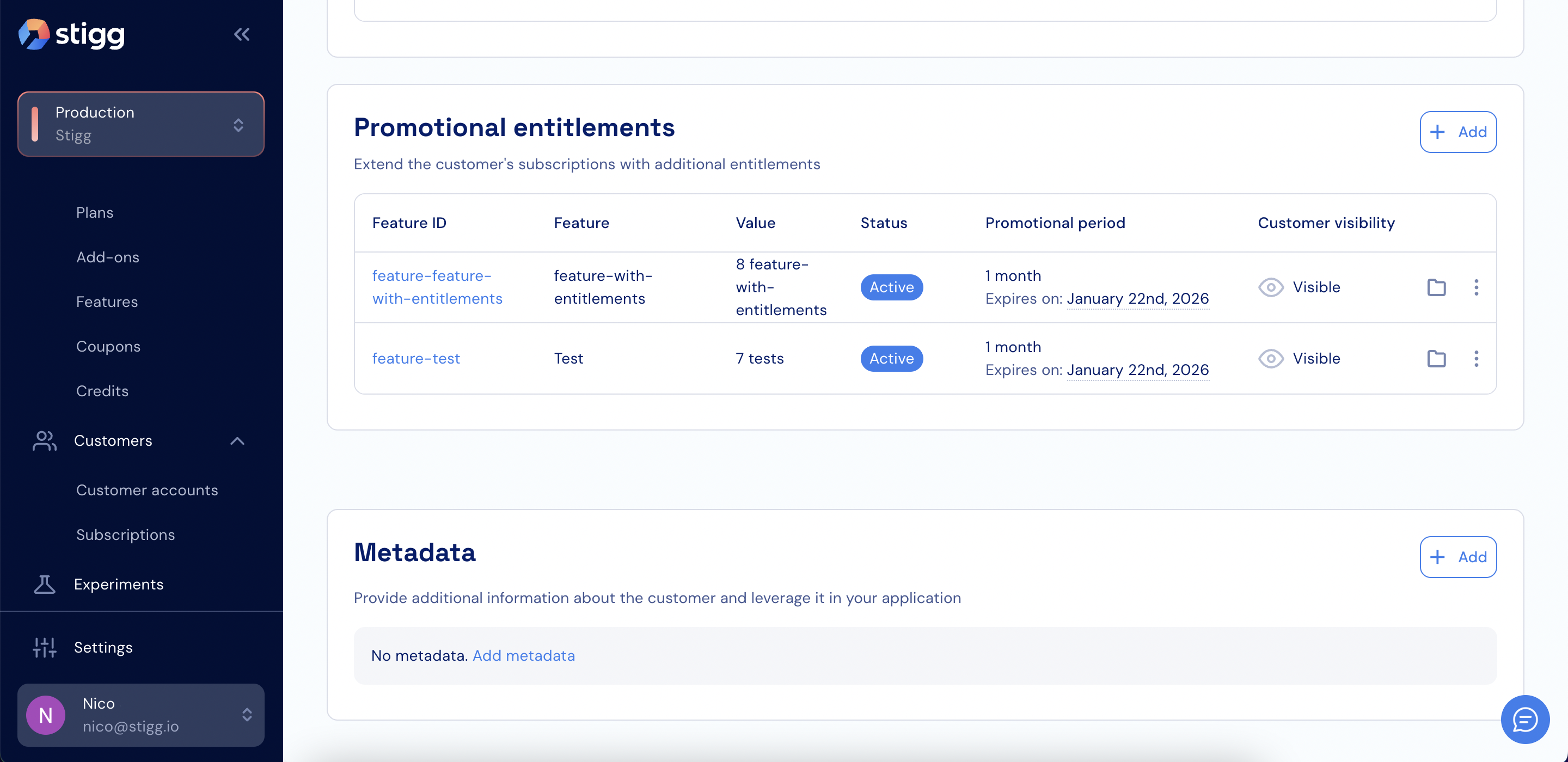 5. Click **+ Add**.
6. Select a feature group.
5. Click **+ Add**.
6. Select a feature group.
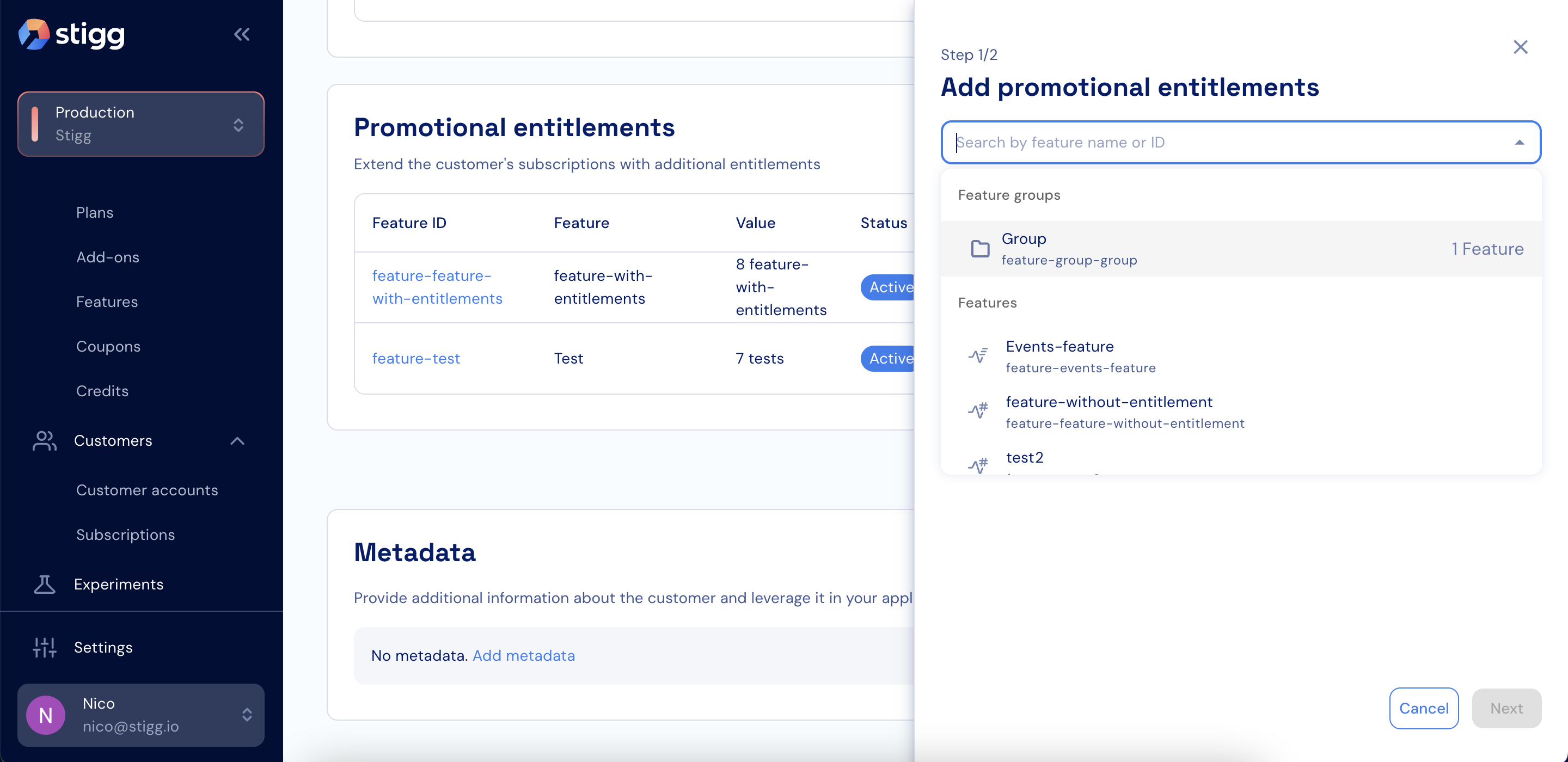 7. For each feature in the group, define the **Feature access**, **Value**, **Usage reset**, and **Hard limit**.
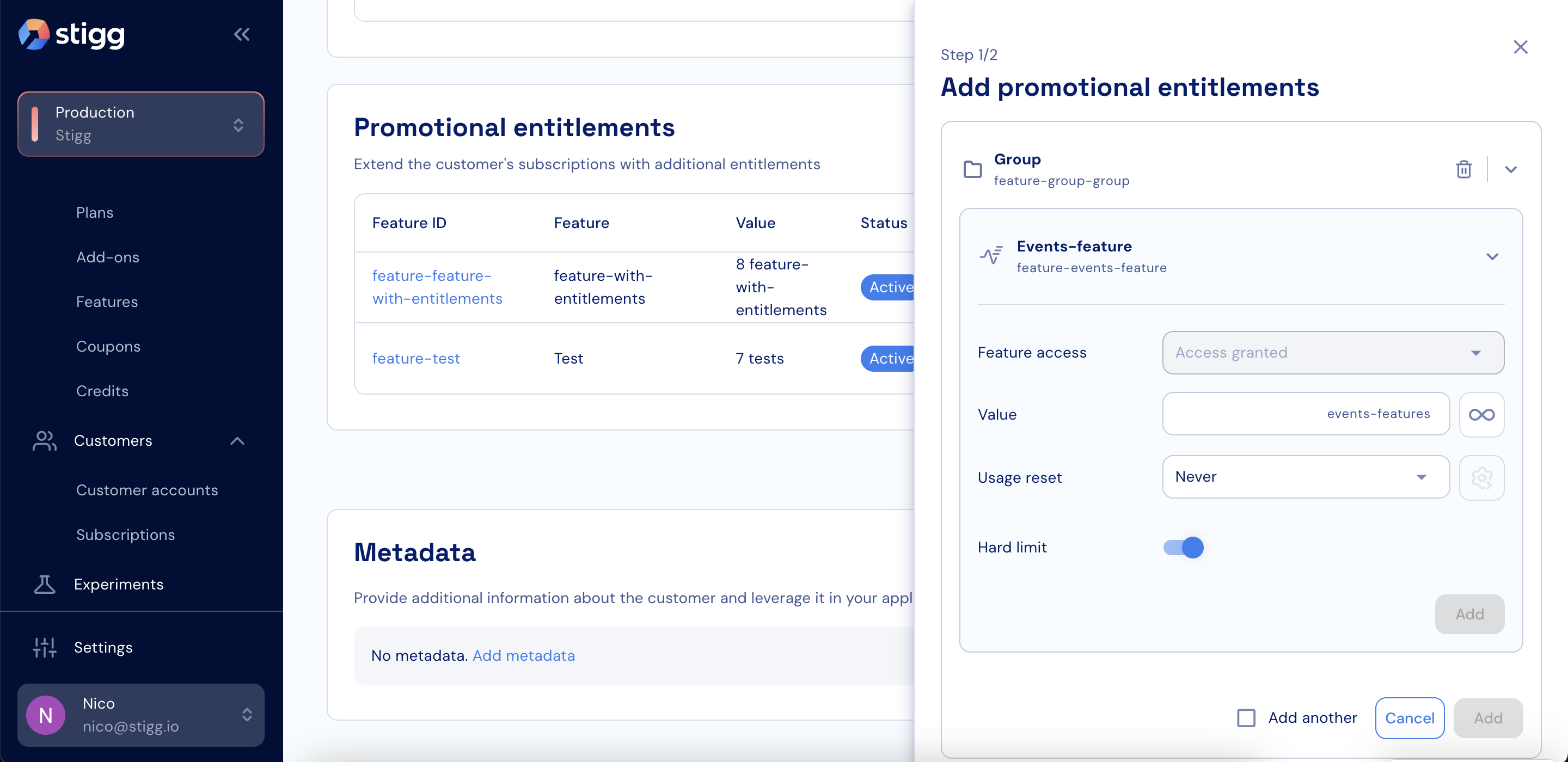 8. Click **Next**.
9. Define the promotional entitlement period.
10. Click **Save**.
8. Click **Next**.
9. Define the promotional entitlement period.
10. Click **Save**.