> ## Documentation Index
> Fetch the complete documentation index at: https://docs.stigg.io/llms.txt
> Use this file to discover all available pages before exploring further.
# Configuration features
Configuration features allow you to define a static, customer-specific value for a feature, such as how much storage or how many days of data retention a customer receives. This type is used when the feature’s value can vary across plans but isn’t usage-based.
Stigg currently supports configuration features that have **numeric** values. For example: number of log retention days.
There are two type of configuration features:
* [**Integer**](#integer)
Use this option for configuration feature that have numeric values.
* [**Enum**](#enum)
Use this option to grant customers access to one or more values from a predefined list.
## Integer
To create an integer configuration feature:
1. Open the **Product catalog** in the Stigg app.
2. Navigate to the **Features** section.
3. Click **+ New feature**.
4. In the modal that opens, provide the following details:
* **Name**: The display name of the feature.
* **Description (optional)**: A short explanation of what the feature enables.
* **ID**: Automatically generated by Stigg and used to reference the feature in your application. You can override this value by clicking **Edit** and linking an existing feature.
* **Feature type**: Choose **Configuration**.
* Set the value type to **Integer**.
* If required, edit the singular and plural unit names, for example, *day* and *days*.
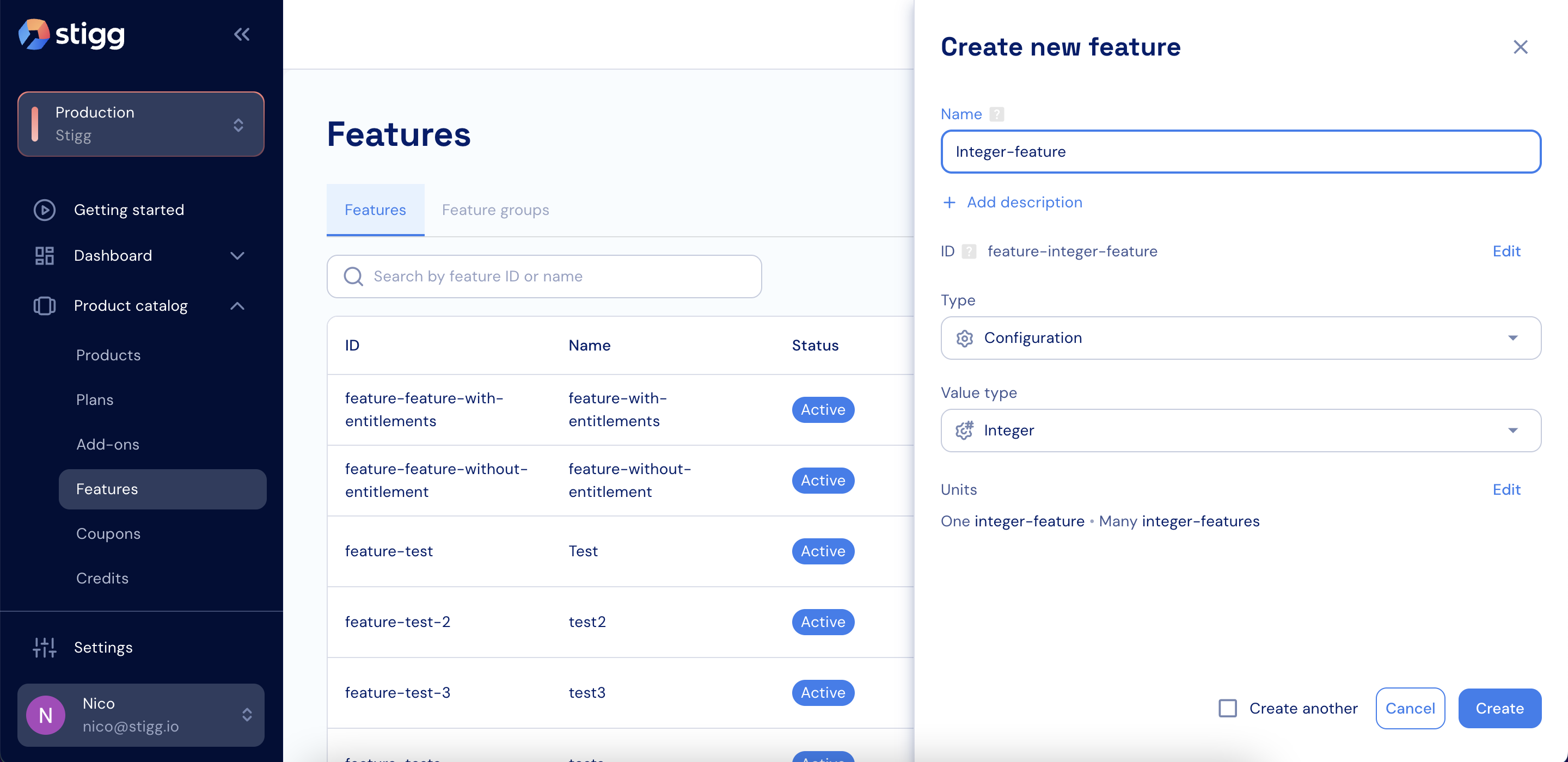 5. Click **Create** to save the feature.
## Enum
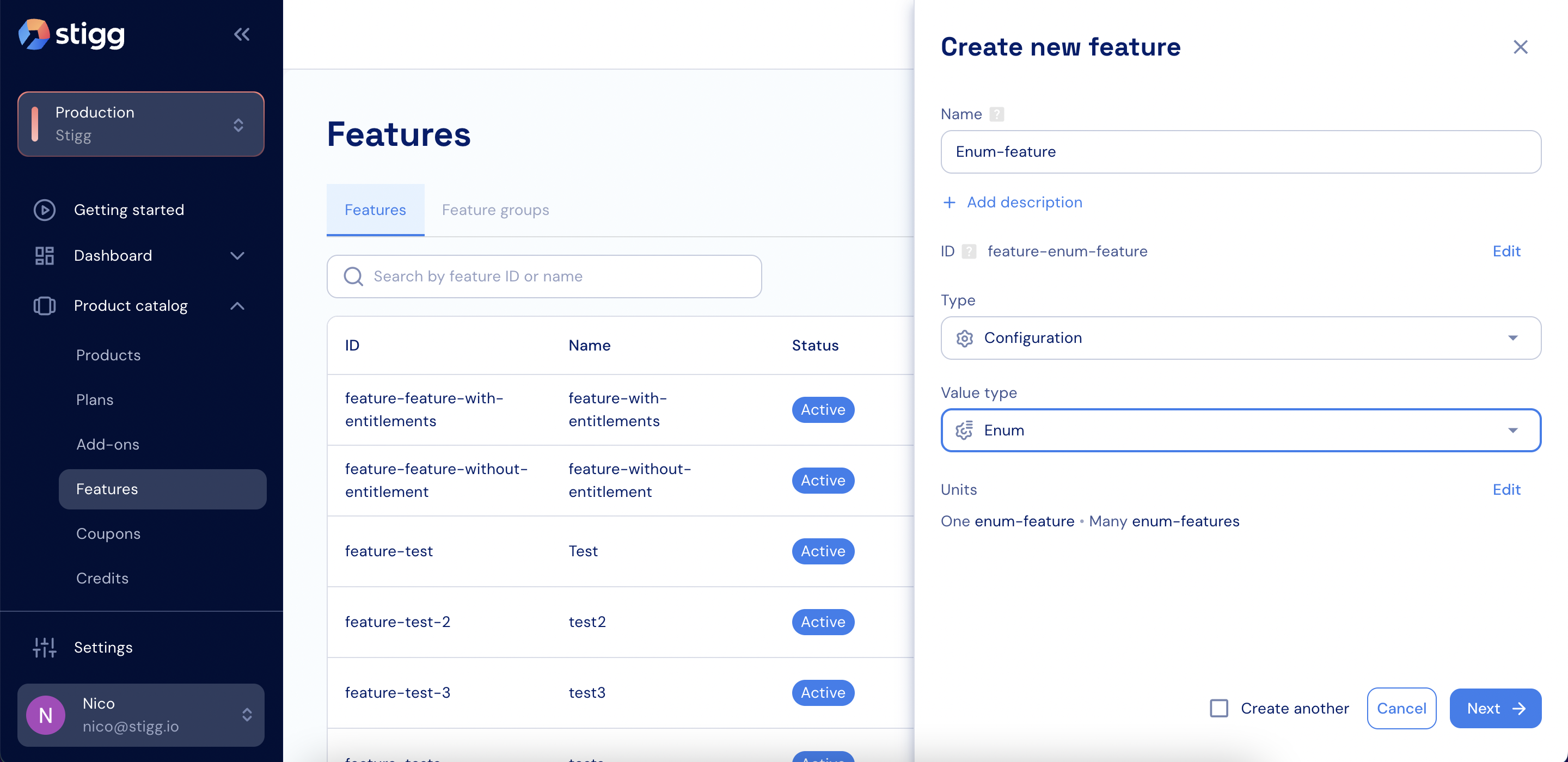
To create an enum configuration feature:
1. Open the **Product catalog** in the Stigg app.
2. Navigate to the **Features** section.
3. Click **+ New feature**.
4. In the modal that opens, provide the following details:
* **Name**: The display name of the feature.
* **Description (optional)**: A short explanation of what the feature enables.
* **ID**: Automatically generated by Stigg and used to reference the feature in your application. You can override this value by clicking **Edit** and linking an existing feature.
* **Feature type**: Choose **Configuration**.
* Set the value type to **Enum**.
* Define the possible values using a table or by pasting JSON or CSV.
* If required, edit the singular and plural unit names, for example, *day* and *days*.
5. Click **Create** to save the feature.
## Enum
To create an enum configuration feature:
1. Open the **Product catalog** in the Stigg app.
2. Navigate to the **Features** section.
3. Click **+ New feature**.
4. In the modal that opens, provide the following details:
* **Name**: The display name of the feature.
* **Description (optional)**: A short explanation of what the feature enables.
* **ID**: Automatically generated by Stigg and used to reference the feature in your application. You can override this value by clicking **Edit** and linking an existing feature.
* **Feature type**: Choose **Configuration**.
* Set the value type to **Enum**.
* Define the possible values using a table or by pasting JSON or CSV.
* If required, edit the singular and plural unit names, for example, *day* and *days*.
 5. Click **Create** to save the feature.