> ## Documentation Index
> Fetch the complete documentation index at: https://docs.stigg.io/llms.txt
> Use this file to discover all available pages before exploring further.
# Boolean features
Boolean features are the simplest type: they define whether a customer has access to a specific capability or not. Use this when access is binary (on/off), such as enabling an analytics dashboard or premium support.
To create a boolean feature:
1. Open the **Product catalog** in the Stigg app.
2. Navigate to the **Features** section.
3. Click **+ New feature**.
4. In the modal that opens, provide the following details:
* **Name**: The display name of the feature.
* **Description (optional)**: A short explanation of what the feature enables.
* **ID**: Automatically generated by Stigg and used to reference the feature in your application. You can override this value by clicking **Edit** and linking an existing feature.
* **Feature type**: Choose **Boolean**.
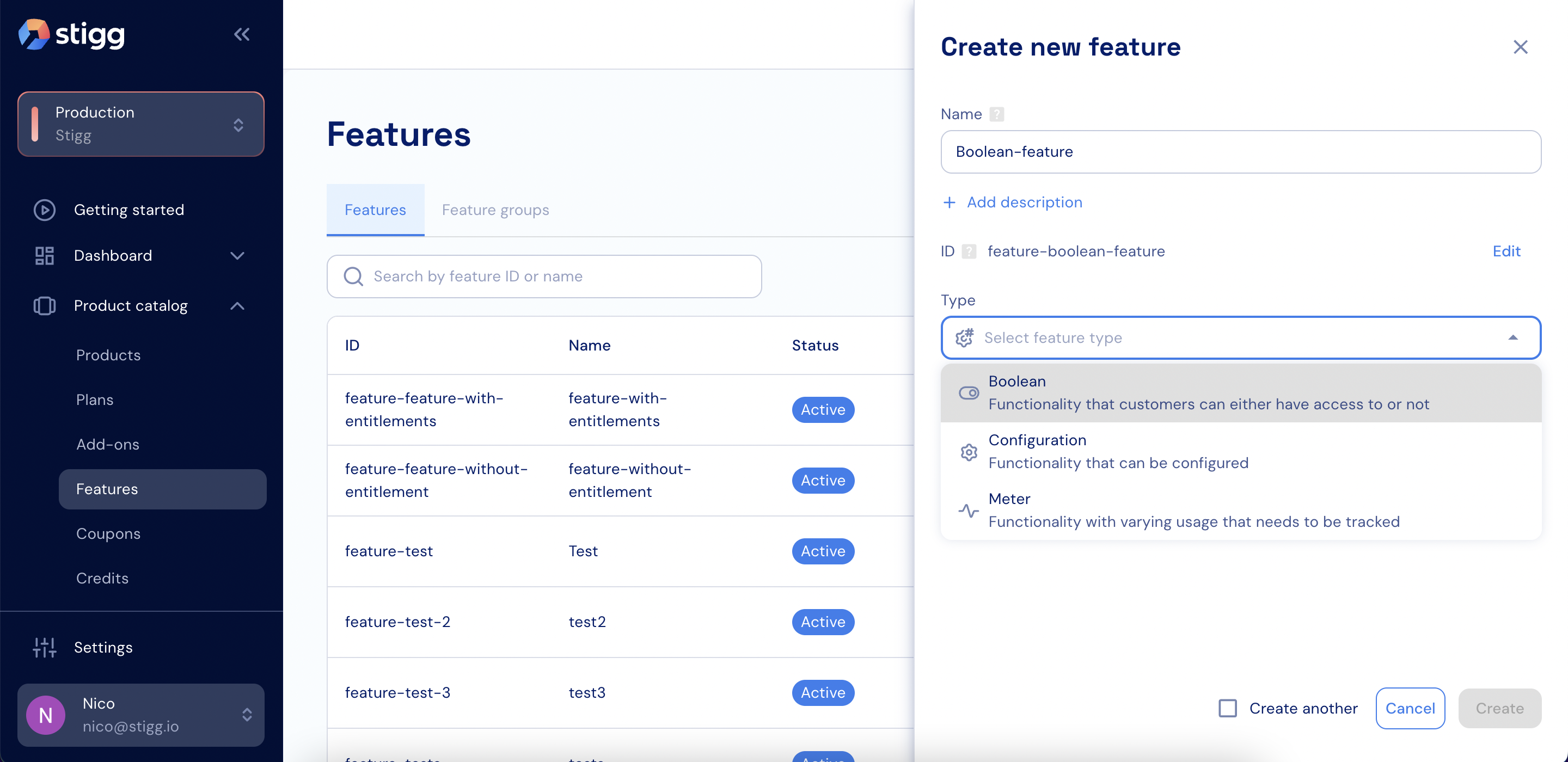 5. Click **Create** to save the feature.