> ## Documentation Index
> Fetch the complete documentation index at: https://docs.stigg.io/llms.txt
> Use this file to discover all available pages before exploring further.
# Archiving features
When you no longer want to grant new access to a specific feature, you can **archive** it.
When a feature is archived:
* The feature will no longer appear in the list of features.
* It will not be possible to grant **new** access to this feature in plans, add-ons, or via a promotional entitlement.
* Customers who previously had access to this feature (for example, by subscribing to an old plan or add-on version, or via a promotional entitlement) will **not** be affected.
* It will not be possible to analyze the feature’s usage using the [Feature Inspector](../../rolling-out-pricing-changes-with-confidence/feature-inspector).
To archive a feature:
1. Click the **dotted menu icon** on the relevant row.
2. Select **Archive**.
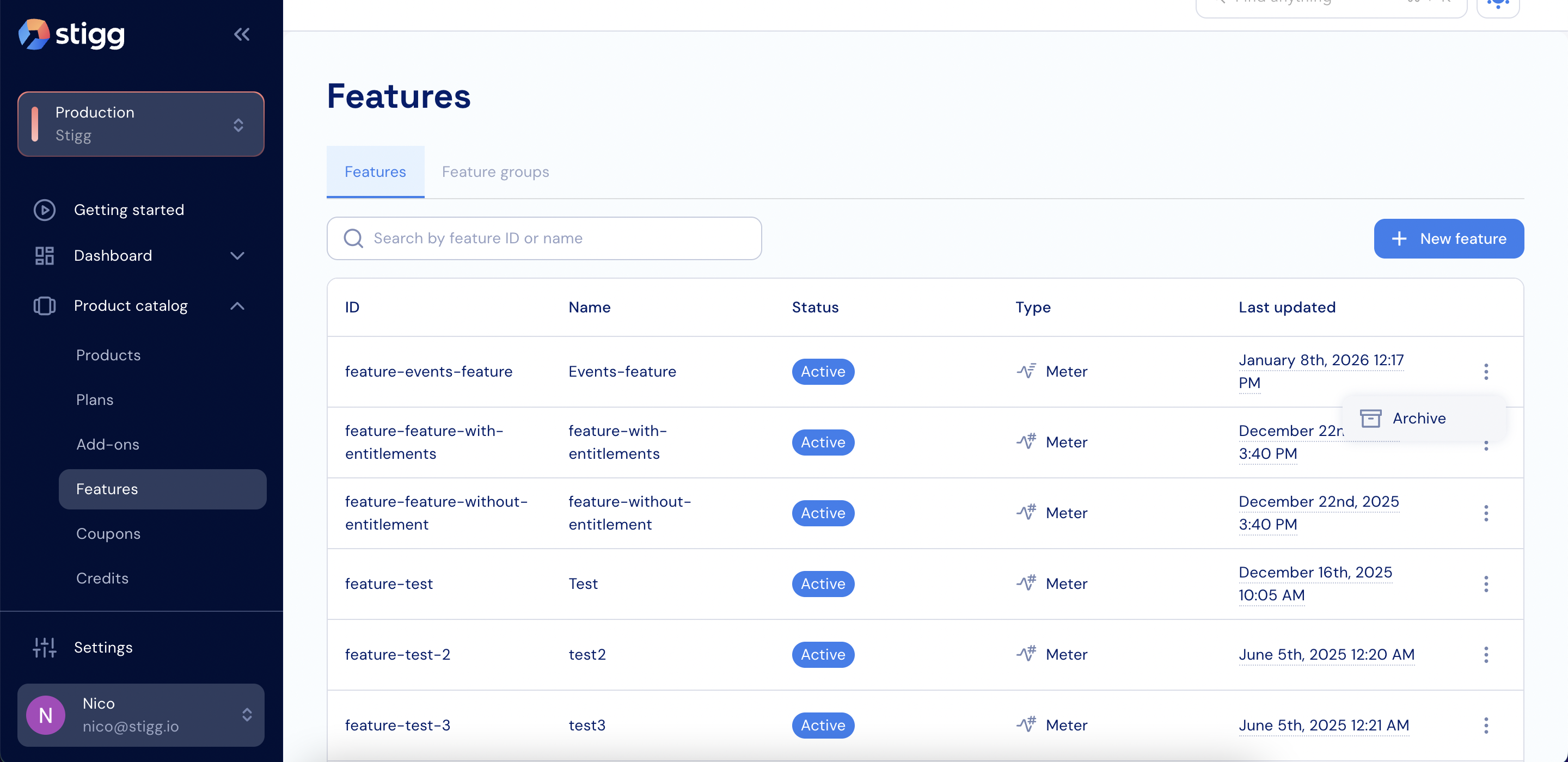 3. In the modal that appears, confirm the action by entering the feature name and clicking **Archive**.
* It's not possible to archive a feature if it's in use by a published plan or add-on. To archive it, first publish new plan and add-on versions without it.
* When a feature is archived, its feature ID is still considered in-use.
3. In the modal that appears, confirm the action by entering the feature name and clicking **Archive**.
* It's not possible to archive a feature if it's in use by a published plan or add-on. To archive it, first publish new plan and add-on versions without it.
* When a feature is archived, its feature ID is still considered in-use.