> ## Documentation Index
> Fetch the complete documentation index at: https://docs.stigg.io/llms.txt
> Use this file to discover all available pages before exploring further.
# Credit currency
A credit type defines the unit of value tracked in a credit pool. Each credit type represents a specific custom currency.
Credit types are separate and non-interchangeable. A customer may have multiple credit pools, one for each credit type. Usage against one credit type cannot consume another.
### Creating a credit type
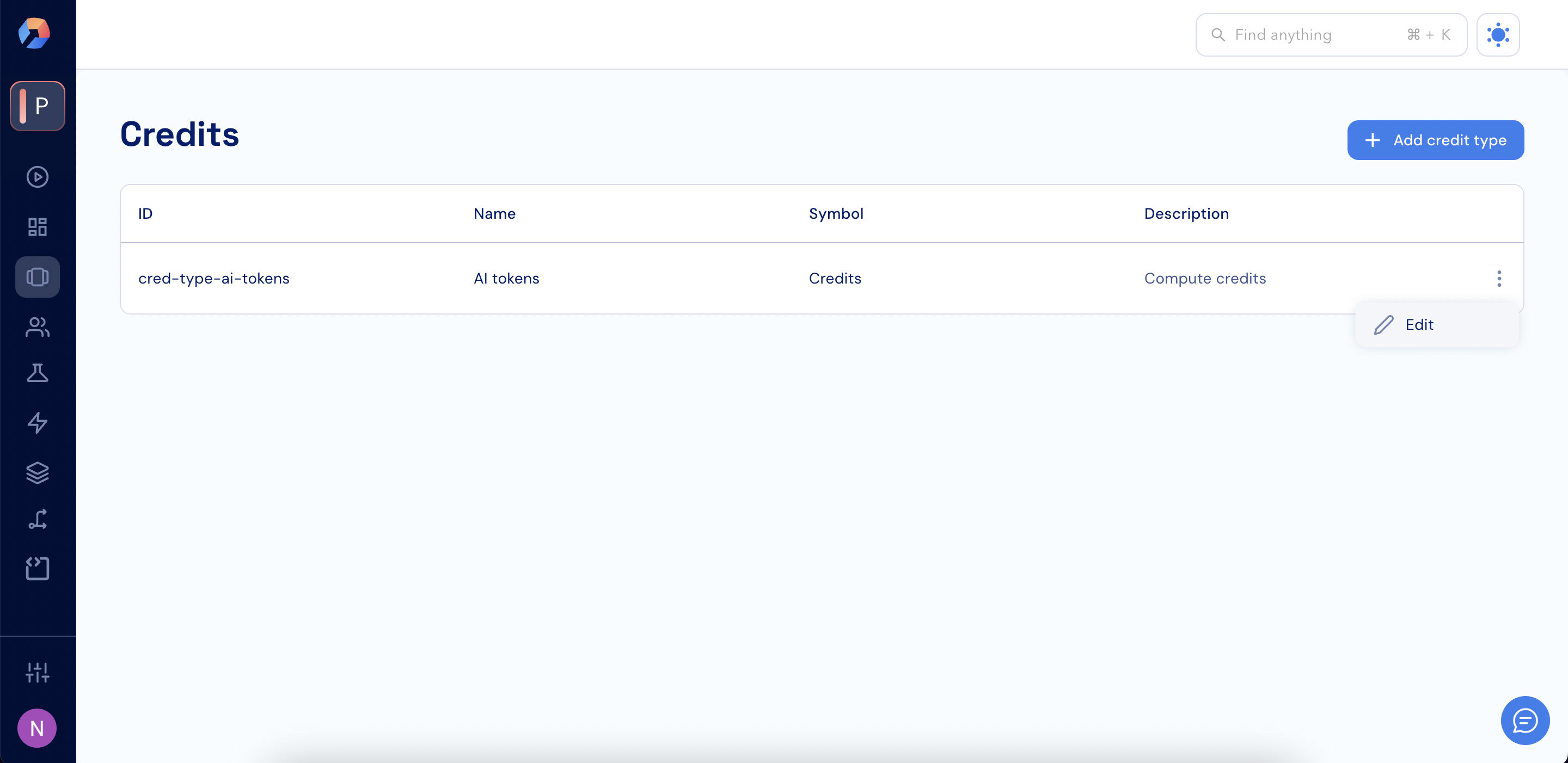
1. Go to **Product Catalog > Credits**.
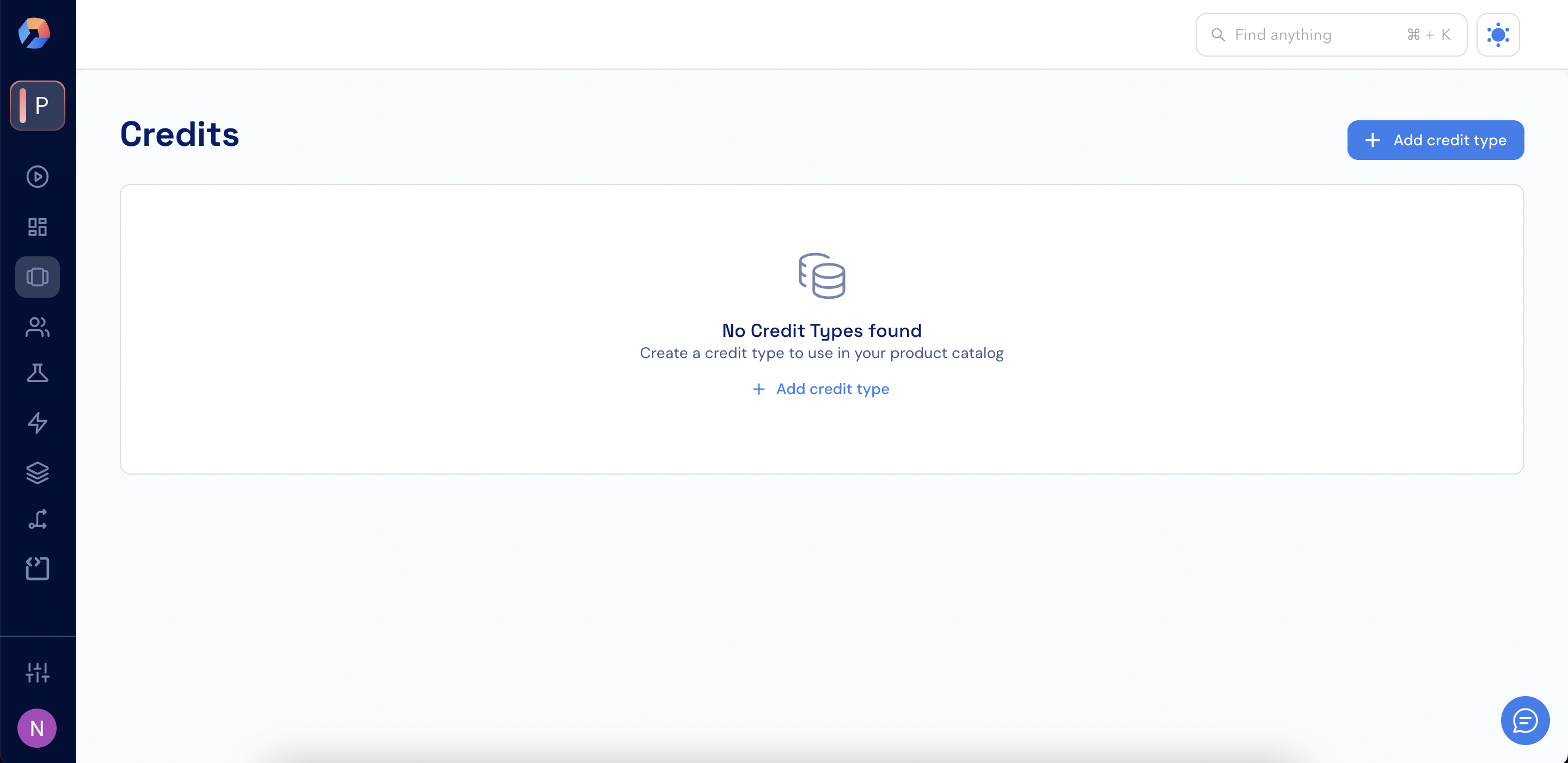 2. Click **+ Add credit type**.
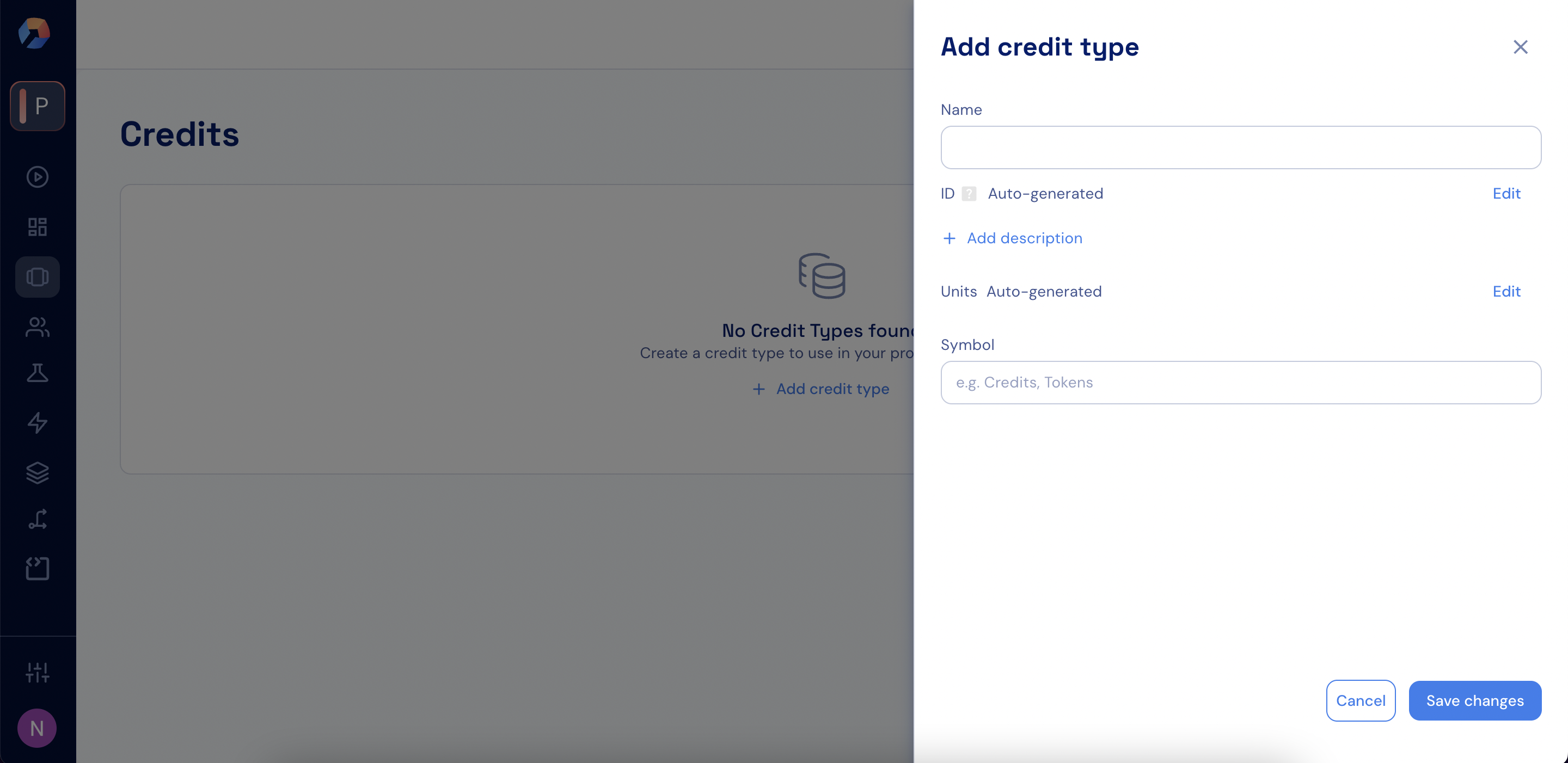 3. Enter the name of the credit type in the **Name** field.
4. Provide a description in the **Description** field.
5. An **ID** will be generated automatically and cannot be edited.
6. To define how singular and plural units are displayed, click **Edit** in the **Units** field and enter:
* **One**: the singular name (e.g., `credit`).
* **Many**: the plural name (e.g., `credits`).
3. Enter the name of the credit type in the **Name** field.
4. Provide a description in the **Description** field.
5. An **ID** will be generated automatically and cannot be edited.
6. To define how singular and plural units are displayed, click **Edit** in the **Units** field and enter:
* **One**: the singular name (e.g., `credit`).
* **Many**: the plural name (e.g., `credits`).
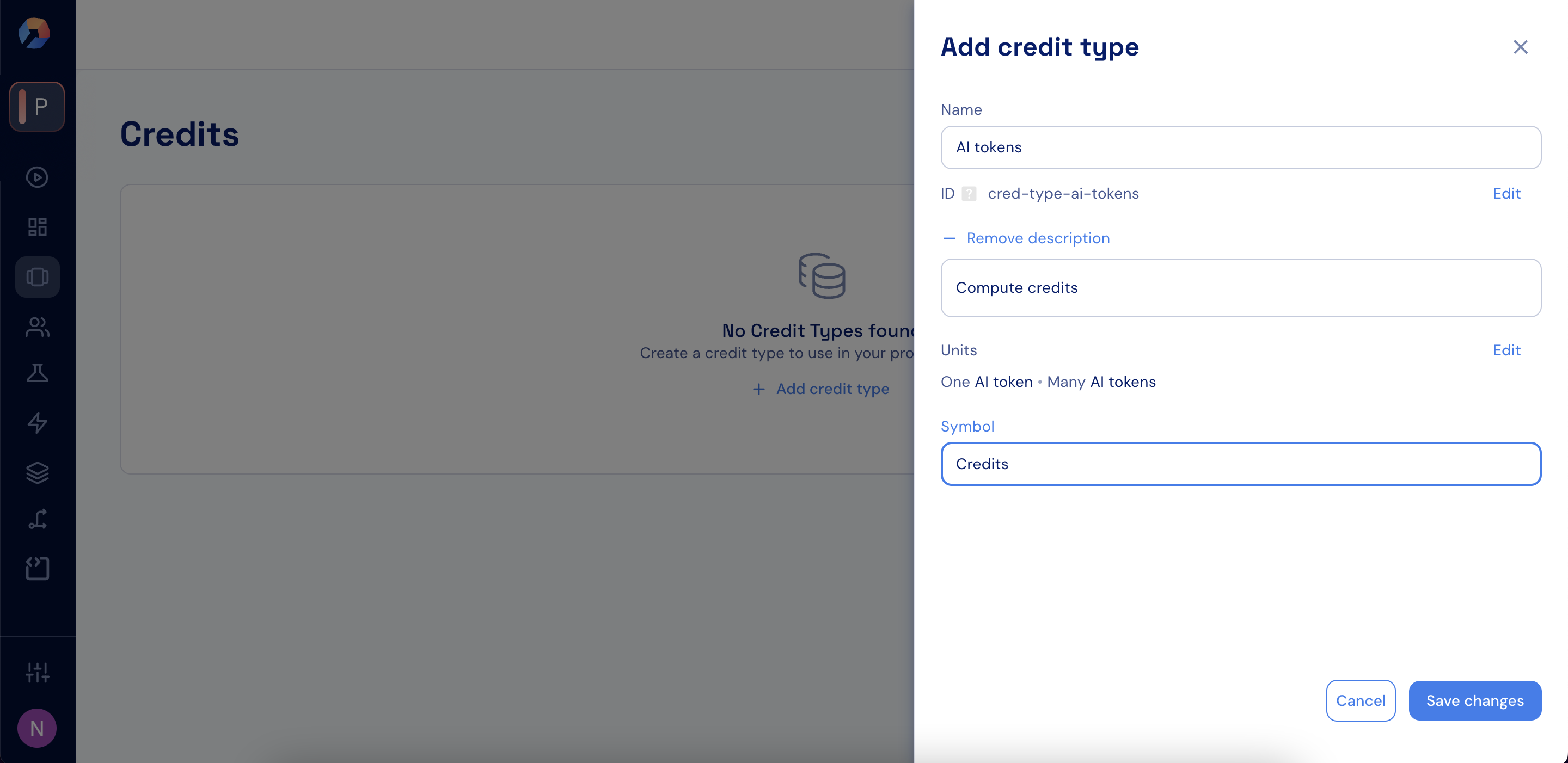 7. Click **Save changes**.
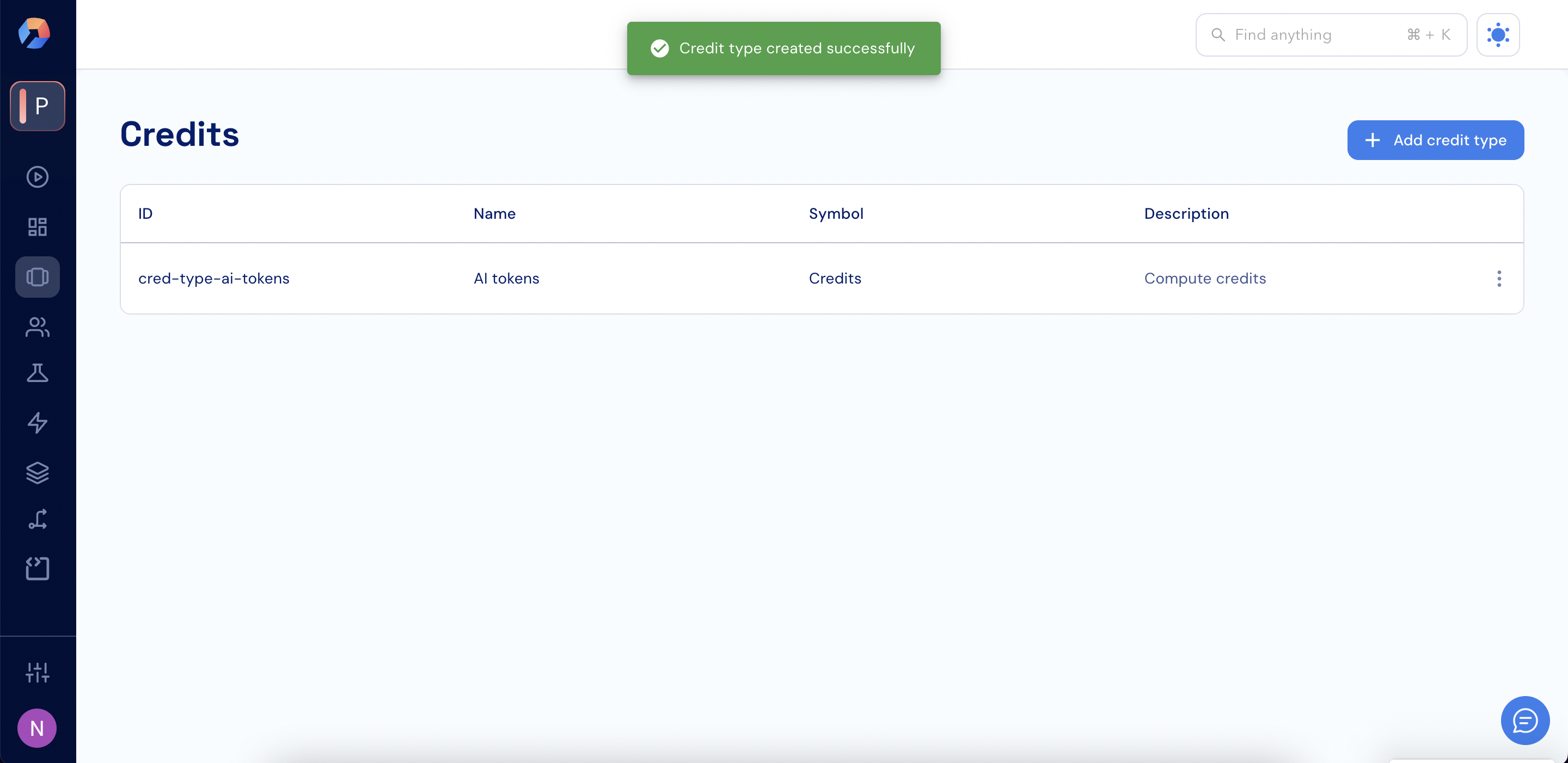 8. If you need to edit an existing credit type, select the three dots next to it and click **Edit**.
 ### Archiving a credit type
When you no longer want to make a credit type available for new credit grants, you can **archive** it.
**Behavior when a credit type is archived:**
* **Customers with an existing credit pool of this type** - the pool remains visible and credits continue to be consumed normally. An indication is shown that the credit pool has been archived. It is not possible to grant additional credits to this pool.
* **Customers without a credit pool of this type** - the credit type is not visible and credits cannot be granted from it.
* The credit type is not available when configuring new plans or add-ons.
* You can view archived credit types in the archived list.
* A credit type can be unarchived to make it available again.
It is not possible to archive a credit type that is in use by a published plan or add-on. The check is against the published version - removing the credit type from a draft plan is sufficient only if the currently published version of that plan does not reference it. To archive, ensure the published version of all plans and add-ons no longer references the credit type.
To archive a credit type:
1. Click the **dotted menu icon** next to the relevant credit type.
2. Select **Archive**.
3. In the confirmation modal, enter the credit type name and click **Archive**.
### Viewing archived credit types
To view archived credit types:
1. Go to **Product Catalog > Credits**.
2. Use the **Status** filter and select **Archived**.
### Unarchiving a credit type
To restore an archived credit type:
1. Go to **Product Catalog > Credits**.
2. Use the **Status** filter and select **Archived** to find the credit type.
3. Click the **dotted menu icon** next to the relevant credit type.
4. Select **Unarchive**.
Once unarchived, the credit type becomes available again for use in plans, add-ons, and new credit grants.
### Using the GraphQL API (legacy)
```graphql theme={null}
mutation UnarchiveCreditType($input: UnarchiveCreditTypeInput!) {
unarchiveCreditType(input: $input) {
id
status
}
}
```
```json theme={null}
{
"input": {
"id": "credit-type-ai-tokens"
}
}
```
### Using the REST API
```
POST /api/v1/custom-currencies/{id}/unarchive
```
### Archiving a credit type
When you no longer want to make a credit type available for new credit grants, you can **archive** it.
**Behavior when a credit type is archived:**
* **Customers with an existing credit pool of this type** - the pool remains visible and credits continue to be consumed normally. An indication is shown that the credit pool has been archived. It is not possible to grant additional credits to this pool.
* **Customers without a credit pool of this type** - the credit type is not visible and credits cannot be granted from it.
* The credit type is not available when configuring new plans or add-ons.
* You can view archived credit types in the archived list.
* A credit type can be unarchived to make it available again.
It is not possible to archive a credit type that is in use by a published plan or add-on. The check is against the published version - removing the credit type from a draft plan is sufficient only if the currently published version of that plan does not reference it. To archive, ensure the published version of all plans and add-ons no longer references the credit type.
To archive a credit type:
1. Click the **dotted menu icon** next to the relevant credit type.
2. Select **Archive**.
3. In the confirmation modal, enter the credit type name and click **Archive**.
### Viewing archived credit types
To view archived credit types:
1. Go to **Product Catalog > Credits**.
2. Use the **Status** filter and select **Archived**.
### Unarchiving a credit type
To restore an archived credit type:
1. Go to **Product Catalog > Credits**.
2. Use the **Status** filter and select **Archived** to find the credit type.
3. Click the **dotted menu icon** next to the relevant credit type.
4. Select **Unarchive**.
Once unarchived, the credit type becomes available again for use in plans, add-ons, and new credit grants.
### Using the GraphQL API (legacy)
```graphql theme={null}
mutation UnarchiveCreditType($input: UnarchiveCreditTypeInput!) {
unarchiveCreditType(input: $input) {
id
status
}
}
```
```json theme={null}
{
"input": {
"id": "credit-type-ai-tokens"
}
}
```
### Using the REST API
```
POST /api/v1/custom-currencies/{id}/unarchive
```