> ## Documentation Index
> Fetch the complete documentation index at: https://docs.stigg.io/llms.txt
> Use this file to discover all available pages before exploring further.
# Creating coupons
To create a new coupon:
1. Open the left navigation pane.
2. Select **Product Catalog**.
3. Choose **Coupons** from the sub-sections.
4. Click **+ New coupon**.
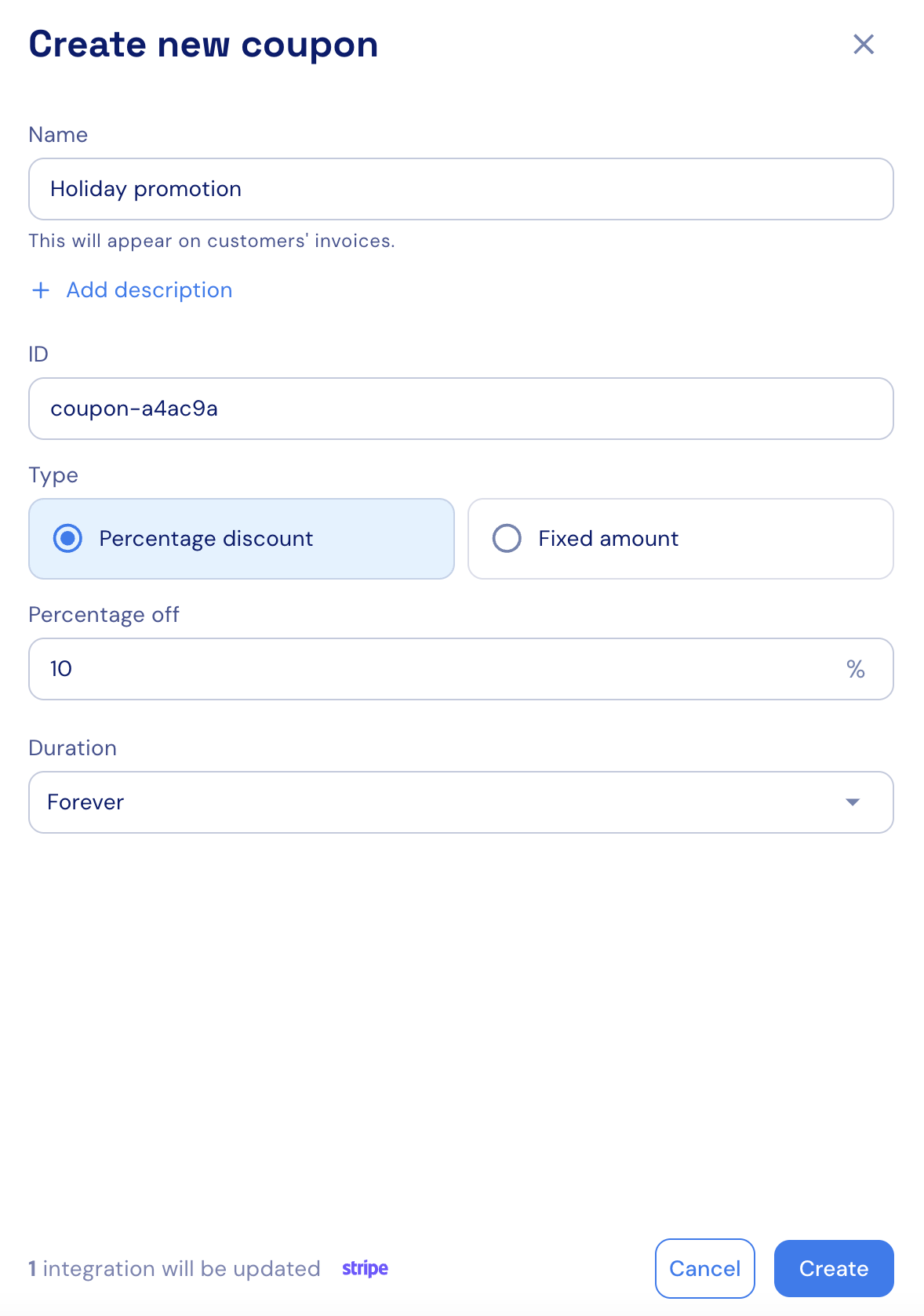
5. Fill in the required details in the side panel:
* **Name**: the name of the coupon.
* **Description (optional)**: used internally, not shown to customers.
* **ID**: auto-generated by Stigg and used to reference the coupon.
* **Discount type**: select percentage (%) or fixed.
* **Discount amount**: define either a percentage (e.g., 20% off) or a fixed amount (e.g., `$10` off).
* If “fixed amount” is selected, you can specify additional currencies.
* **Discount duration**: set to forever or limit to a number of months.
6. Click **Create** to confirm.
When integrated with a billing solution (for example: [Stripe](../../native-integrations/billing/stripe/integration-when-using-stripe-elements-for-checkout)), the coupon name will appear on customers' invoices.