> ## Documentation Index
> Fetch the complete documentation index at: https://docs.stigg.io/llms.txt
> Use this file to discover all available pages before exploring further.
# Editing published add-ons
Stigg allows product managers and growth teams to make frequent, rapid changes to add-ons without requiring additional engineering work.
Changes can be applied to:
* **Existing and new subscriptions** (e.g., when adding or removing an entitlement from an add-on).
* **New subscriptions only** (e.g., when changing an add-on’s price).
Stigg uses a **versioning mechanism** to manage these updates. Each time an add-on is edited, a new version is created. The changes can then be **published** or **discarded**.
To edit an add-on:
1. Click the **dotted menu icon** next to the relevant add-on.
2. Select **Edit** from the dropdown menu.
3. Apply the required changes to the add-on.
4. Publish the new version or discard the changes.
Some properties of an add-on, such as its **ID**, cannot be modified after creation.
## Reviewing changes
To review the changes made to an add-on since its last published version:
1. Click **Review changes** or **Review & publish** in the add-on’s header.
2. In the change review modal, note the following color indicators:
* **Green**: items that were **added** since the last published version.
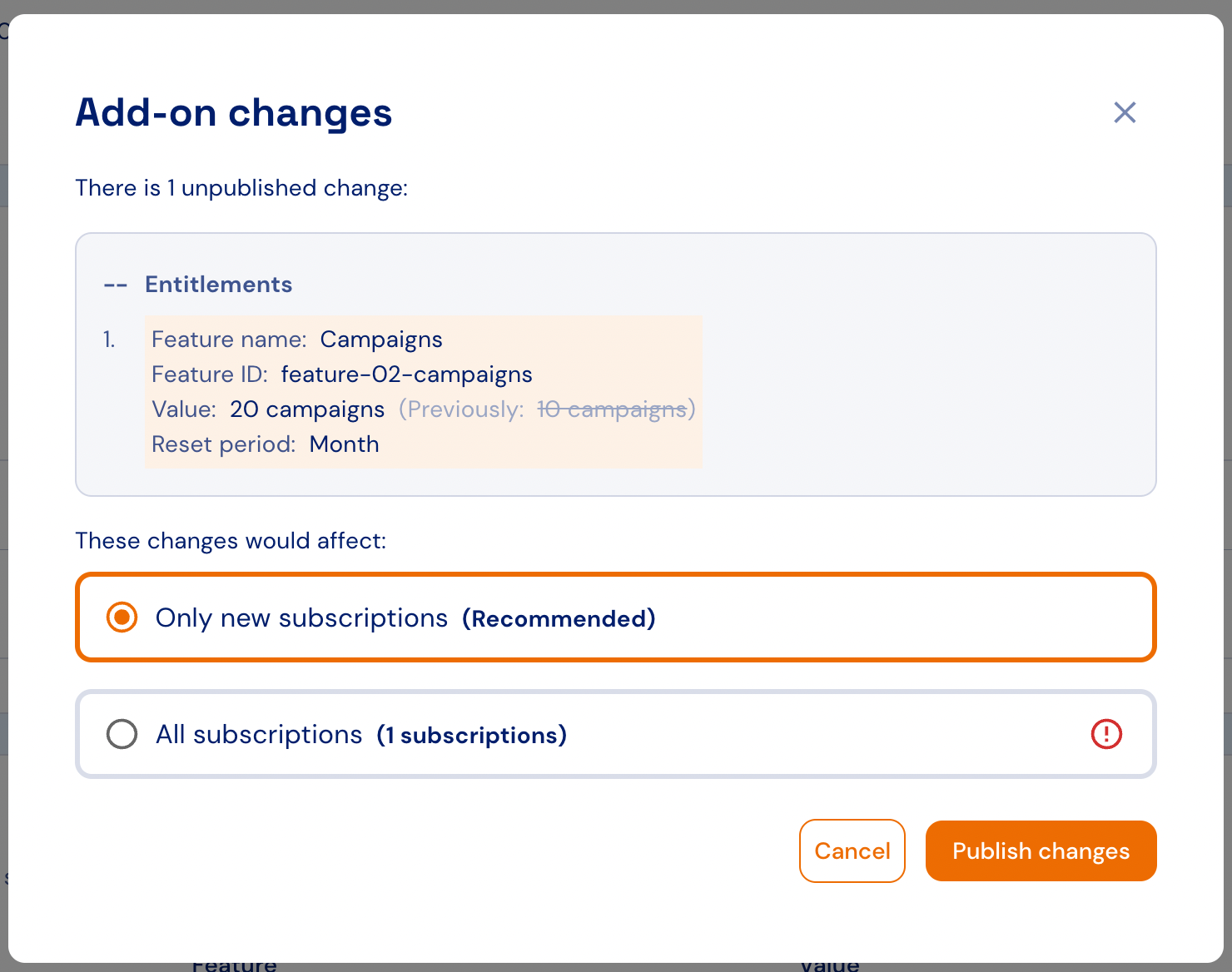
* **Orange**: items that were **updated** since the last published version.
* **Red**: items that were **removed** since the last published version.
## Publishing changes
Changes must first be reviewed before they can be published.
To publish changes to an add-on:
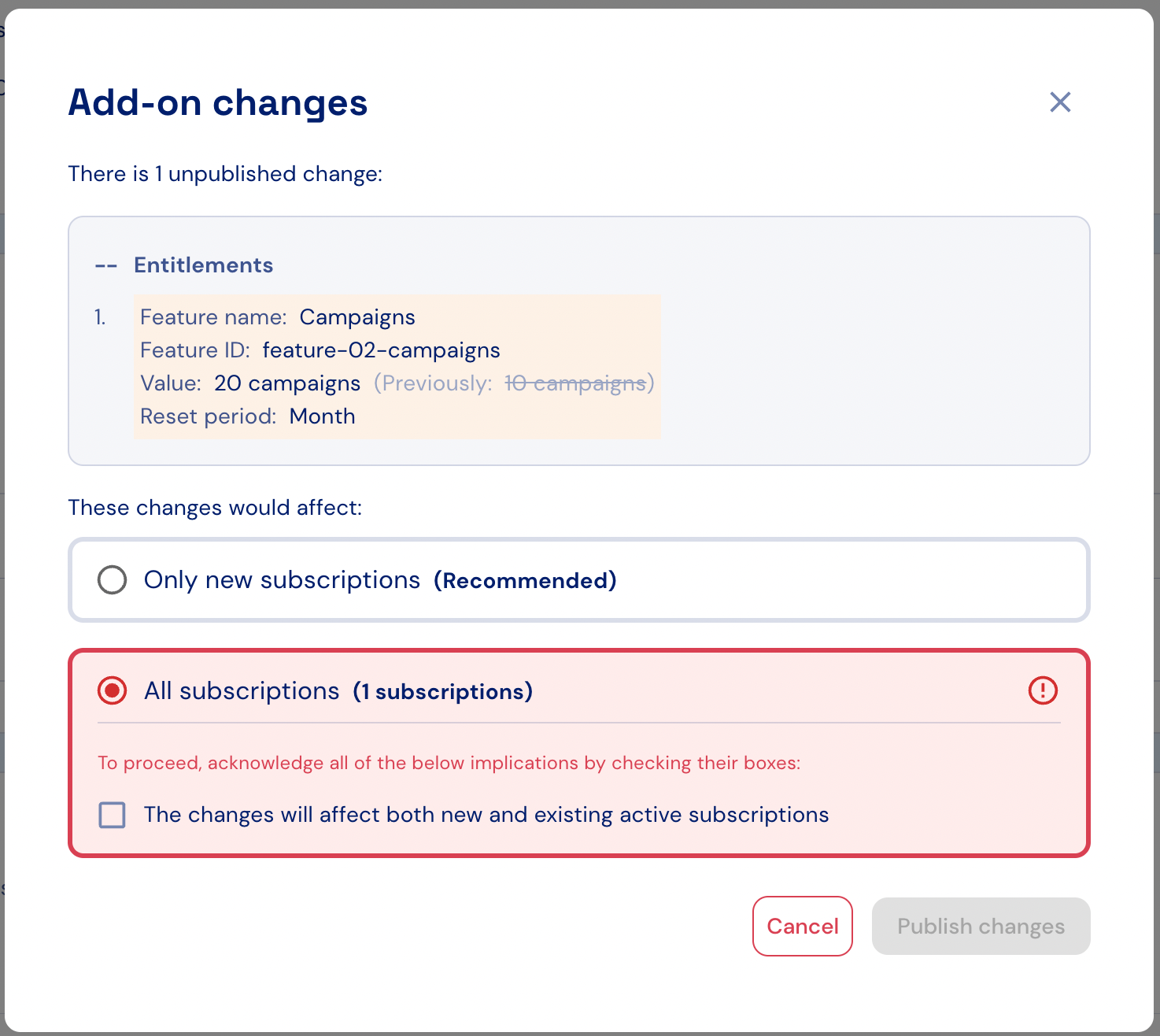
1. In the change review modal, select the **target audience** for the update:
* **New subscriptions**: changes apply only to subscriptions created after the new add-on version is published.
* **Both existing and new subscriptions**: changes also apply to existing active subscriptions, which will be migrated to the new add-on version.
2. If you choose to apply changes to existing subscriptions, acknowledge the required disclaimers before proceeding.
Pricing changes are automatically published only to new subscriptions. Existing subscriptions can be migrated to the latest price [manually using the Stigg UI](../../managing-customers-and-subscriptions/subscriptions/migrating-subscriptions) or [programmatically via the GraphQL API (legacy)](/api-and-sdks/integration/backend/graphql#migrating-subscriptions-to-the-latest-plan-and-add-on-version).
 ## Discarding changes
To discard pending changes from an add-on:
1. Click **Discard changes** in the add-on’s header.
2. In the confirmation dialog that appears, confirm the action to permanently remove all unpublished changes.
## Discarding changes
To discard pending changes from an add-on:
1. Click **Discard changes** in the add-on’s header.
2. In the confirmation dialog that appears, confirm the action to permanently remove all unpublished changes.