> ## Documentation Index
> Fetch the complete documentation index at: https://docs.stigg.io/llms.txt
> Use this file to discover all available pages before exploring further.
# Entitlement behavior
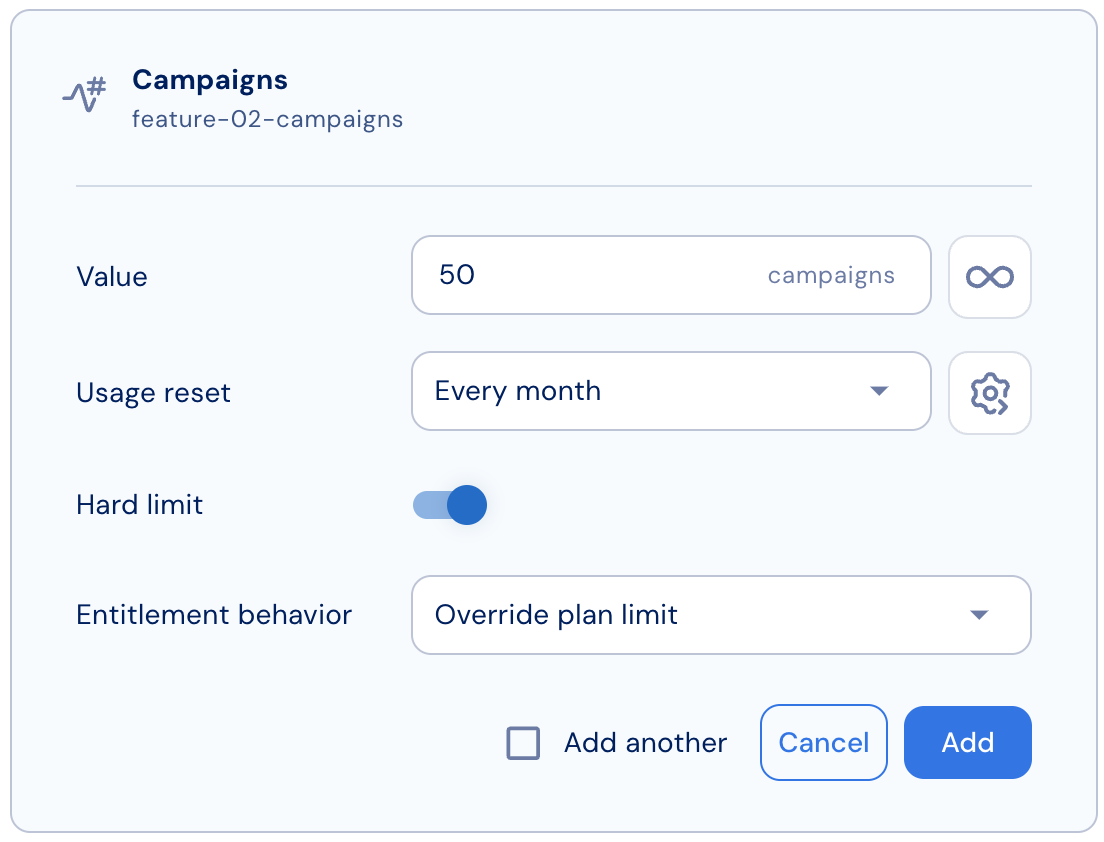
By default, add-on entitlements increase the plan limit. For example, if a plan includes 10 seats and the customer purchases an add-on for 20 seats, the total becomes 10 + 20 = 30 seats. However, in some cases you may want the add-on entitlement to override the plan limit instead of increasing it.
This behavior is supported for all entitlement types, including **credits**. See [Credit entitlements](./credits#entitlement-behavior) for credit-specific examples.
To configure this per entitlement:
1. Open the selected add-on.
2. Add a new entitlement (or edit an existing one) under the Entitlements section.
3. In the entitlement settings, find the “Entitlement behavior” option.
4. Select “Increment plan limit” to add the add-on amount to the plan limit (default).
5. Select “Override plan limit” to replace the plan limit with the add-on amount.
6. Save the entitlement configuration.
7. Publish the add-on (if it’s still a draft) so changes take effect for customers.
[Click here](/faq/entitlements-and-usage/entitlement-calculation-in-stigg) to learn more how customer entitlements are calculated