> ## Documentation Index
> Fetch the complete documentation index at: https://docs.stigg.io/llms.txt
> Use this file to discover all available pages before exploring further.
# Scheduled updates
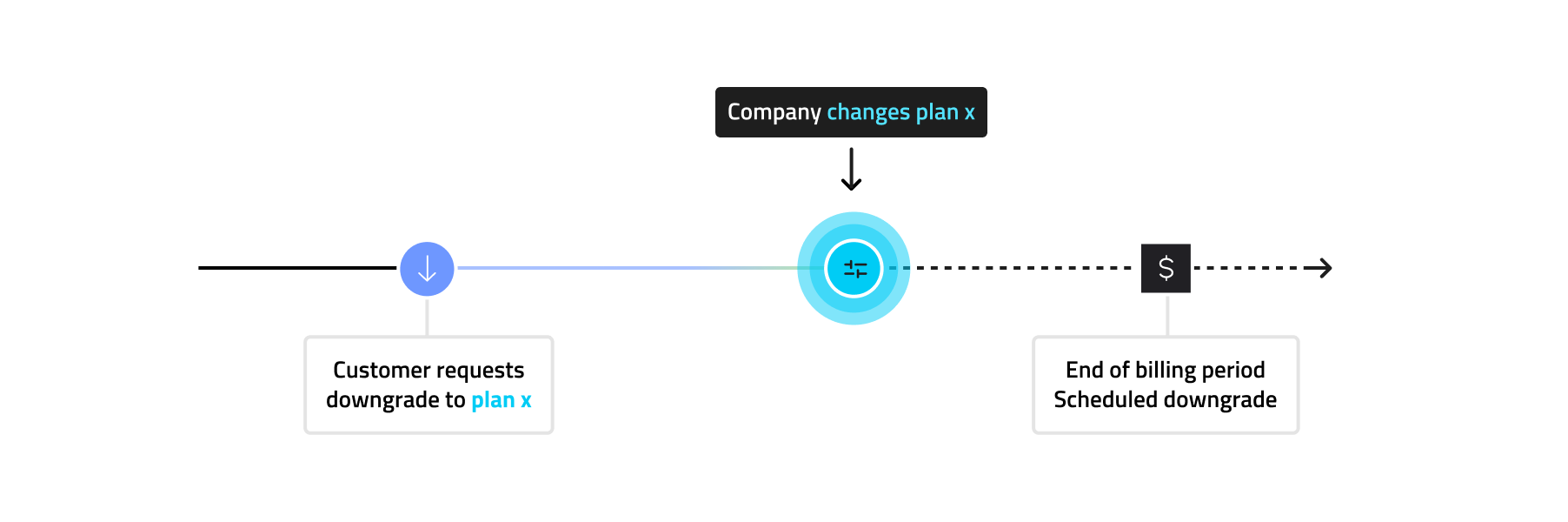
Subscription updates in Stigg can be **scheduled** to take effect at a future date rather than being applied immediately. This applies to both:
* **Scheduled downgrades**: switching to a lower-priced option at the end of the current billing period (e.g. reducing seats, switching to a lower tier). Learn more in [Scheduled downgrades](./scheduled-downgrades).
* **Scheduled upgrades**: switching to a higher-priced option at the end of the current billing period or billing month (e.g. scheduling an upgrade to a higher tier).
The scheduling behavior is determined by the [Customer Journey configuration](../../modeling-your-pricing-in-stigg/products/defining-customer-journey) of the relevant product.
If a subscription already has scheduled updates and you update it again in the Stigg app, the new updates will **override** any previously scheduled updates. For more details, see [Updating subscriptions](../subscriptions/updating-subscriptions).
## Canceling scheduled updates
Customers can cancel their scheduled updates in a fully self-served manner. This gives them an opportunity to stay on their current plan if they change their mind.
Users with access to the [Stigg app](https://app.stigg.io) can also cancel scheduled updates on the customer's behalf.
For more details, see [Canceling scheduled updates](../subscriptions/canceling-scheduled-updates).
## Scheduled updates and rollout of plan and add-on changes
In order to allow companies to ensure that changes to plan and add-on packaging and pricing are applied, scheduled updates in Stigg are handled in a similar manner to how subscriptions are scheduled to start at a future start date. That is, when the scheduled update takes place, customers will be moved to **the latest plan and add-on version** that exists at the time.
 ## Visibility of scheduled updates in the Stigg Customer Portal
Stigg provides a [fully customizable snap-in Customer Portal widget](/documentation/snap-in-widgets/customer-portal), that customers can use to update their subscription in a self-served manner.
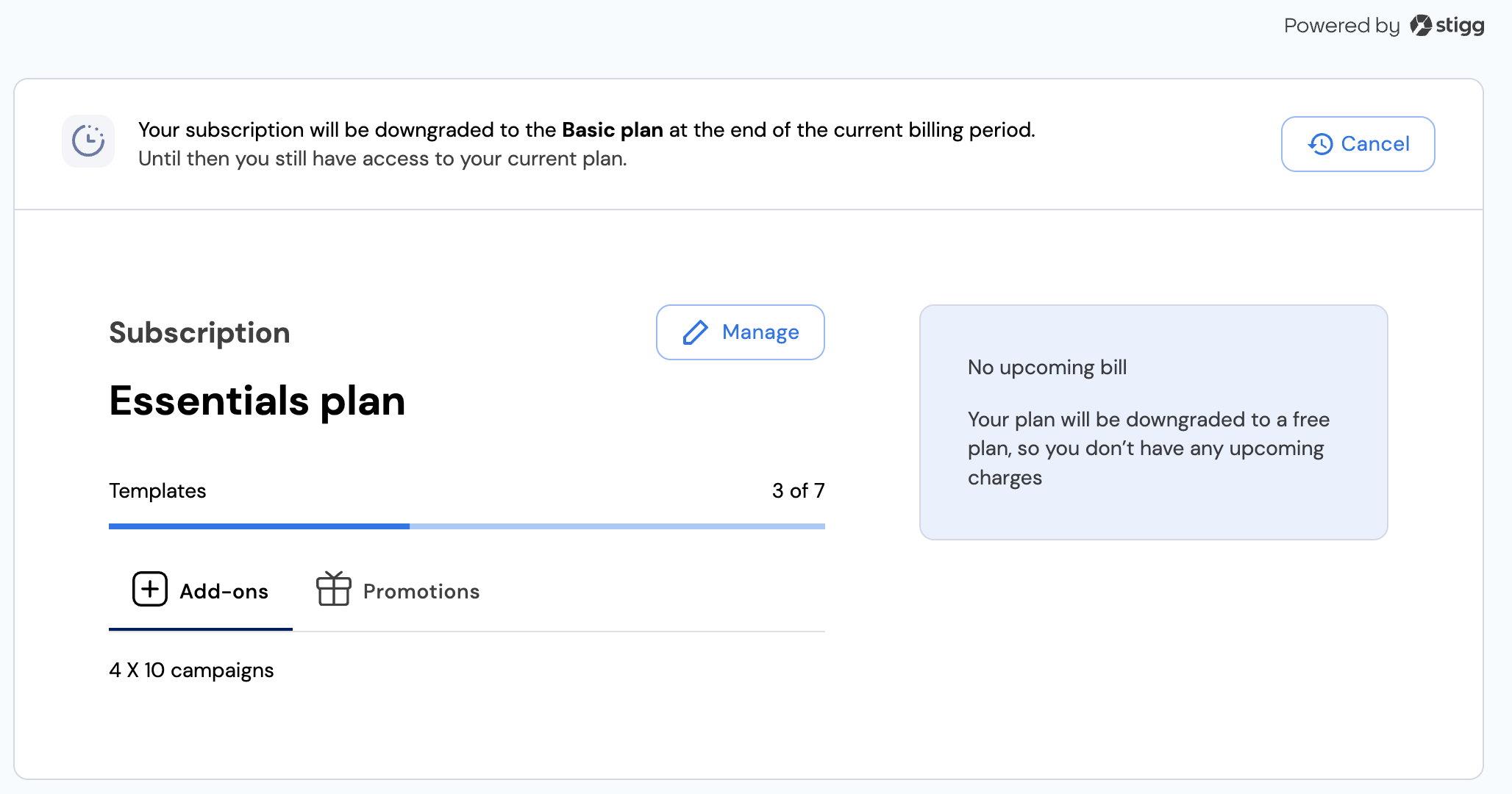
When a subscription has scheduled updates, this is automatically reflected in the Stigg Customer Portal. No additional code changes are required to communicate this to customers.
## Visibility of scheduled updates in the Stigg Customer Portal
Stigg provides a [fully customizable snap-in Customer Portal widget](/documentation/snap-in-widgets/customer-portal), that customers can use to update their subscription in a self-served manner.
When a subscription has scheduled updates, this is automatically reflected in the Stigg Customer Portal. No additional code changes are required to communicate this to customers.
 ## Visibility of scheduled updates in the Stigg app
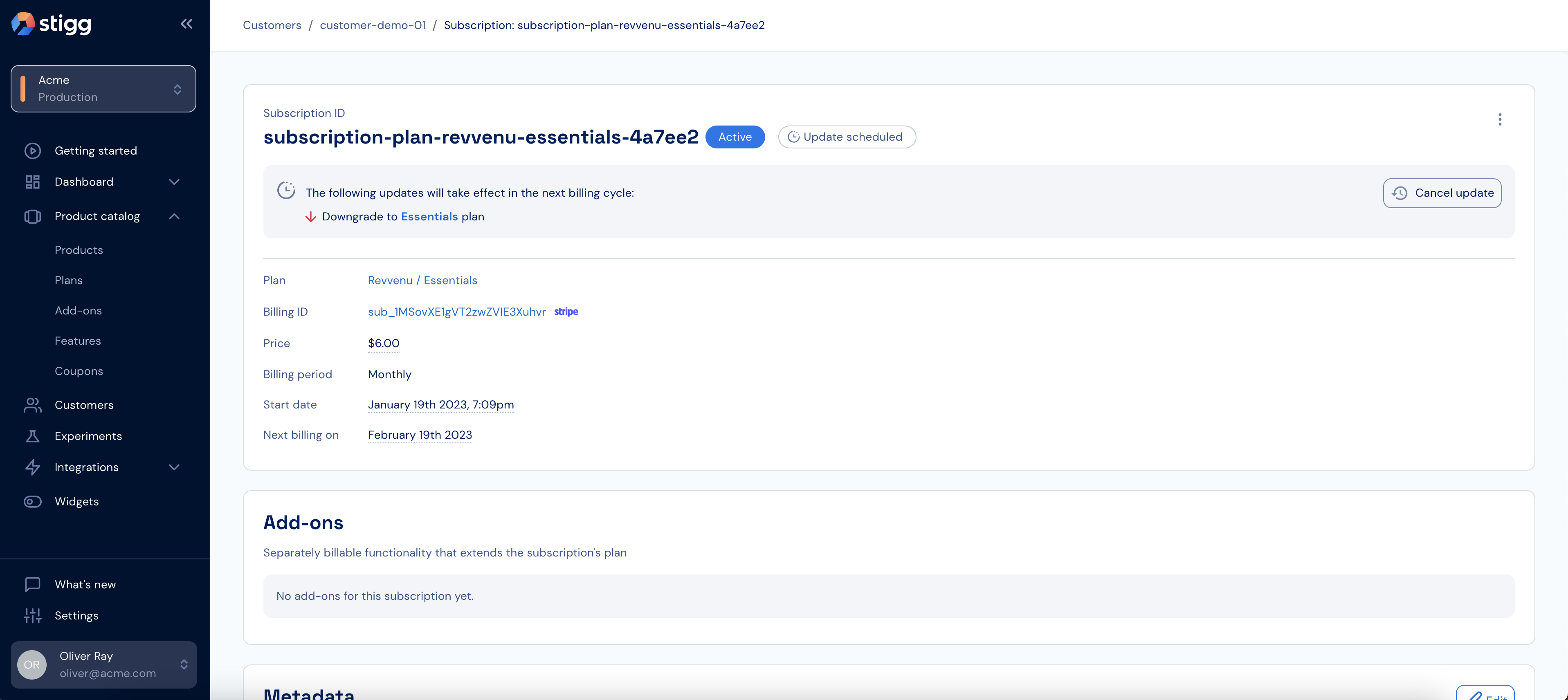
Subscriptions that have a scheduled update will have a proper indication under the Customer details > Subscriptions section and Subscription details screens:
## Visibility of scheduled updates in the Stigg app
Subscriptions that have a scheduled update will have a proper indication under the Customer details > Subscriptions section and Subscription details screens:
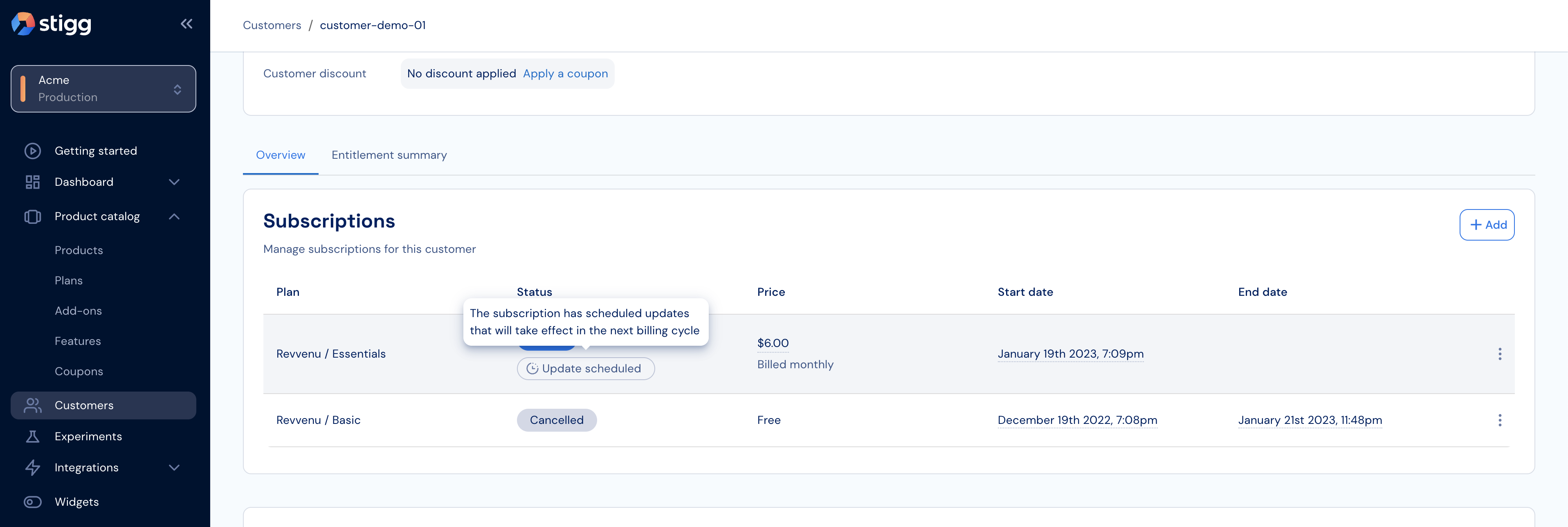 Details about the scheduled updates is available under the Subscription details screen: