> ## Documentation Index
> Fetch the complete documentation index at: https://docs.stigg.io/llms.txt
> Use this file to discover all available pages before exploring further.
# Scheduled downgrades
## Canceling scheduled downgrades
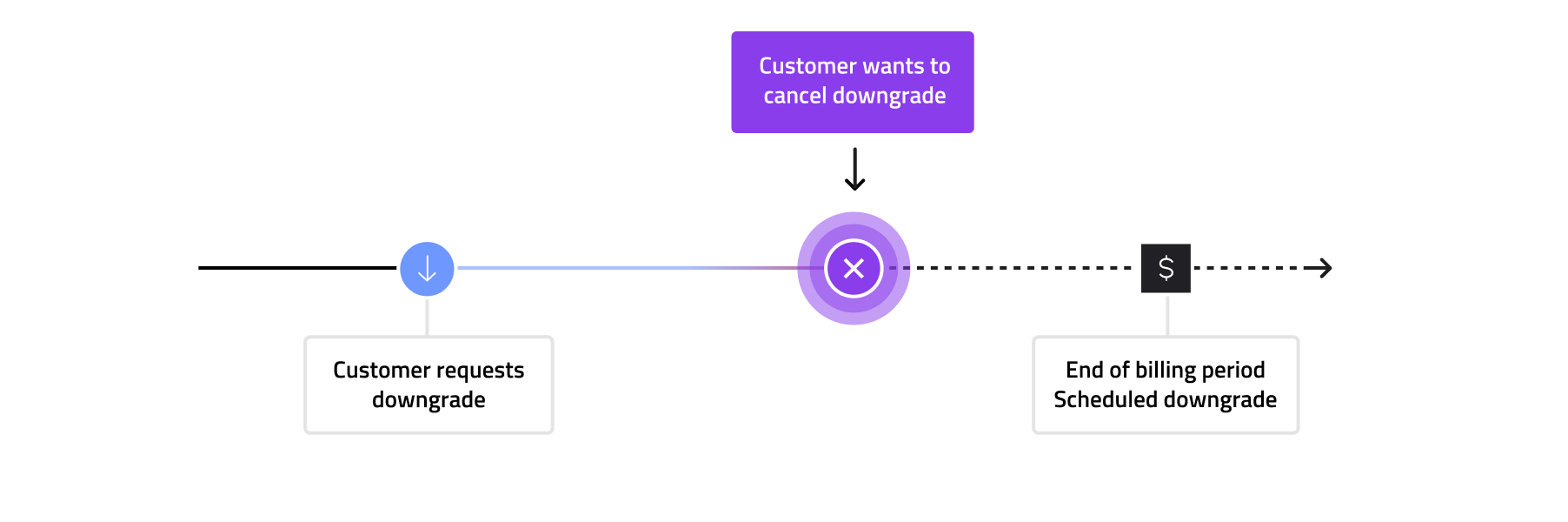
Customers can cancel their scheduled downgrades in a fully self-served manner. This gives them an opportunity to stay on their current (higher-priced) plan if they change their mind.
Users with access to the [Stigg app](https://app.stigg.io) can also cancel scheduled downgrades on the customer's behalf.
 ## Purchasing additional seats when a downgrade is scheduled
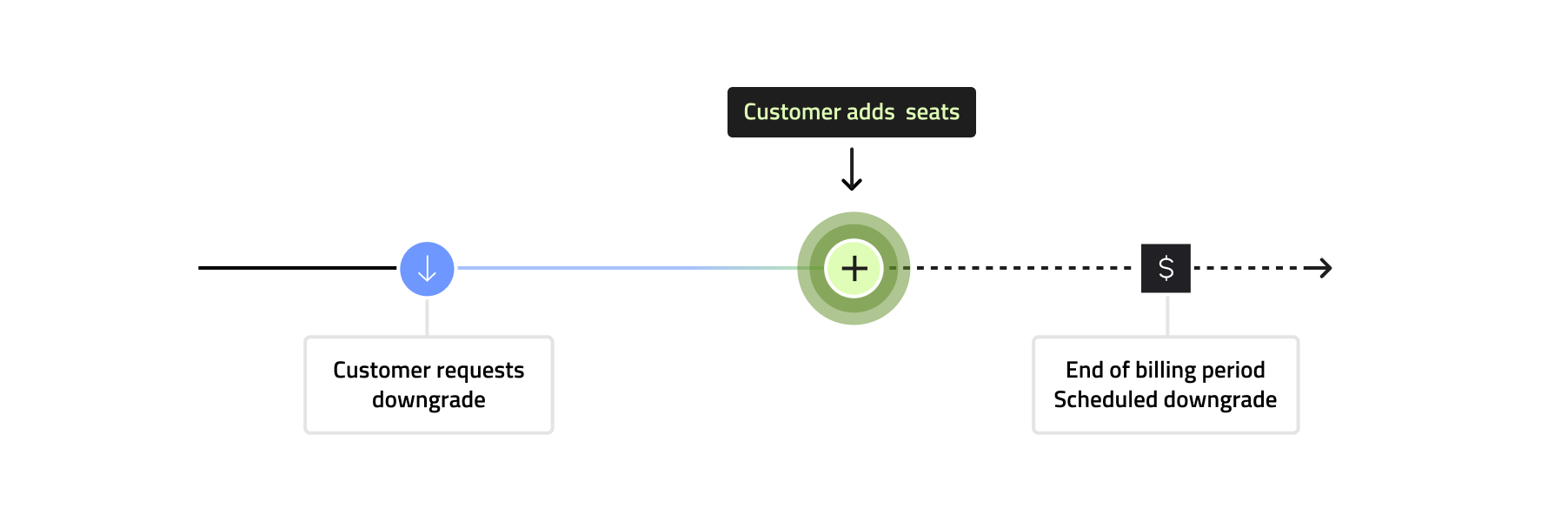
If a customer who has a scheduled downgrade purchases additional seats **before** the downgrade takes effect:
1. They are **immediately charged** the **prorated** amount for the additional seats using their *current* plan’s pricing.
2. The scheduled downgrade is automatically updated to reflect the new seat quantity.
## Purchasing additional seats when a downgrade is scheduled
If a customer who has a scheduled downgrade purchases additional seats **before** the downgrade takes effect:
1. They are **immediately charged** the **prorated** amount for the additional seats using their *current* plan’s pricing.
2. The scheduled downgrade is automatically updated to reflect the new seat quantity.
 ## Updating the unit quantity when another quantity update is already scheduled
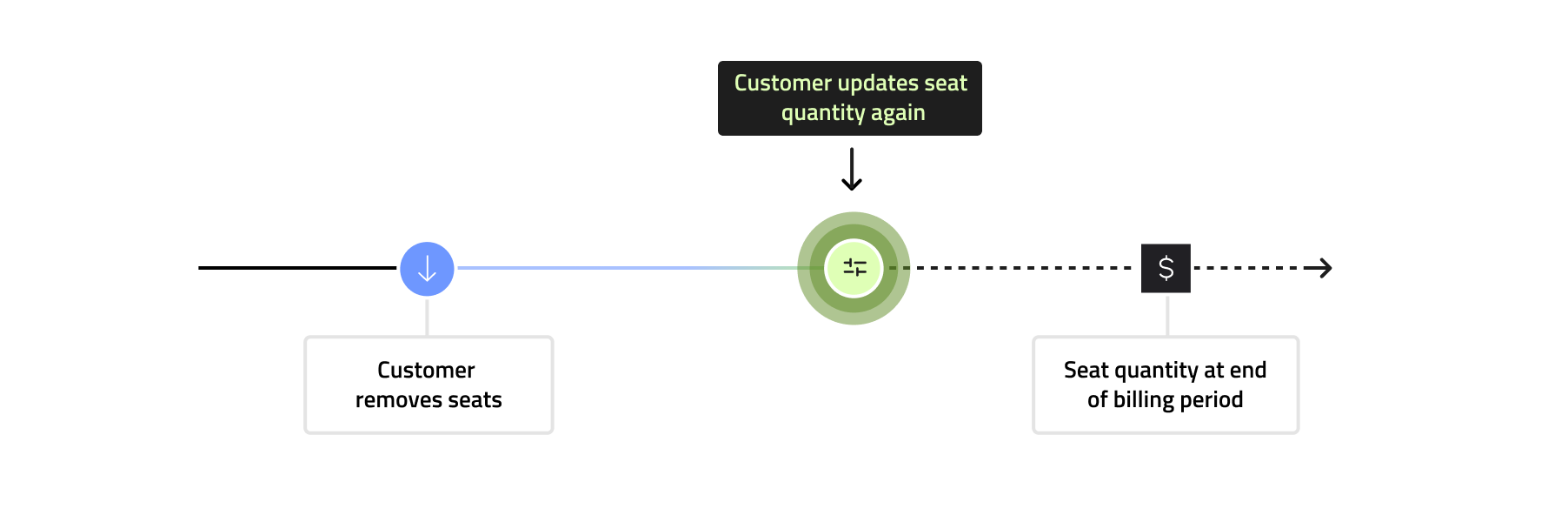 When scheduled downgrades are enabled and:
* The customer has an original quantity **Q0**
* They request a reduction to **Q1** → a downgrade is scheduled
* They later request another quantity change to **Q2**
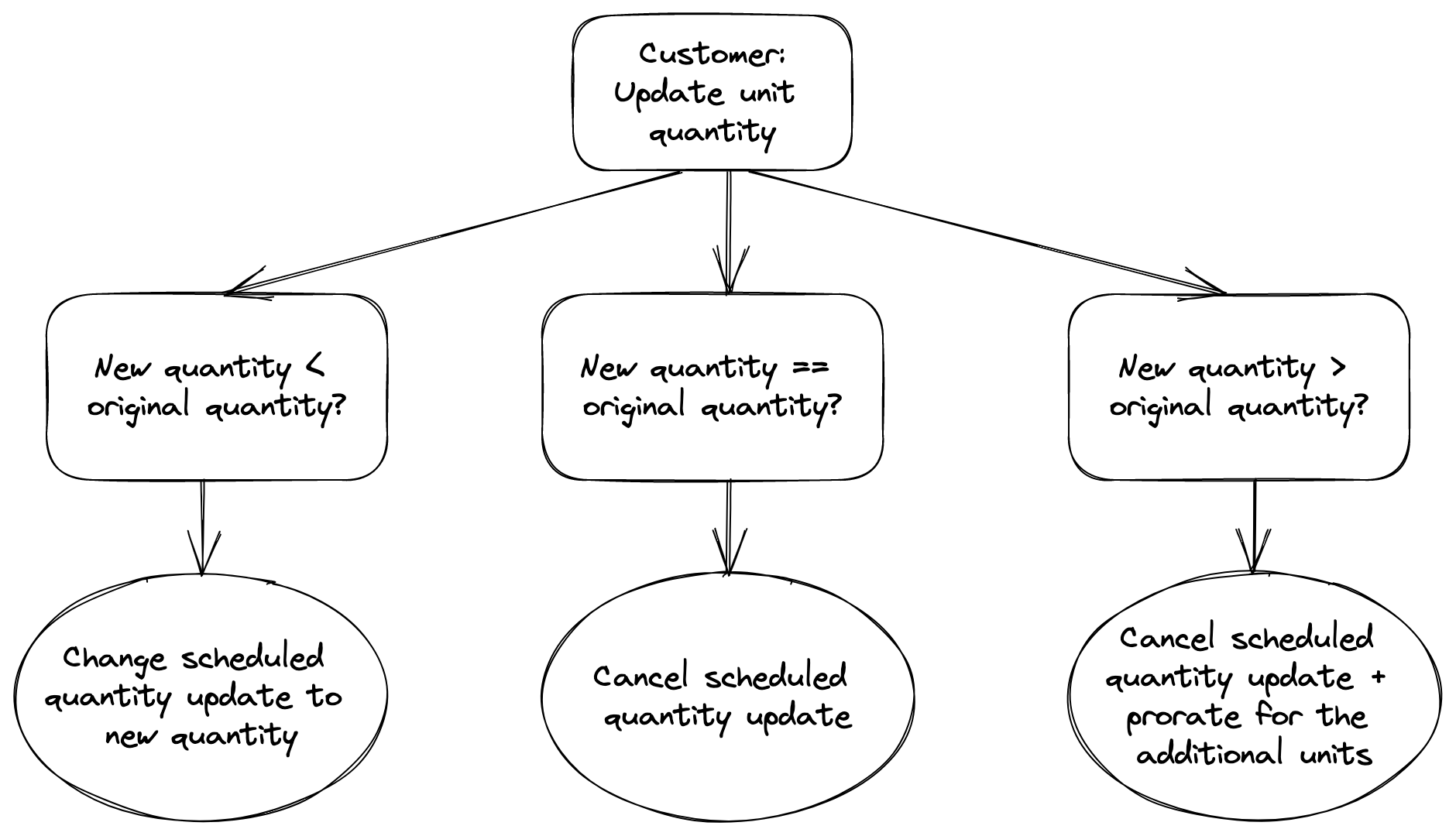
Stigg compares **Q2** to the **original** quantity **Q0**:
1. **If Q2 \< Q0**\
→ The scheduled update is modified from Q1 to Q2.
2. **If Q2 = Q0**\
→ The scheduled update is canceled.
3. **If Q2 > Q0**\
→ This is treated as an **upgrade**:
* The scheduled downgrade is canceled.
* The quantity is updated **immediately**.
* The customer is **immediately charged** the prorated difference.
When scheduled downgrades are enabled and:
* The customer has an original quantity **Q0**
* They request a reduction to **Q1** → a downgrade is scheduled
* They later request another quantity change to **Q2**
Stigg compares **Q2** to the **original** quantity **Q0**:
1. **If Q2 \< Q0**\
→ The scheduled update is modified from Q1 to Q2.
2. **If Q2 = Q0**\
→ The scheduled update is canceled.
3. **If Q2 > Q0**\
→ This is treated as an **upgrade**:
* The scheduled downgrade is canceled.
* The quantity is updated **immediately**.
* The customer is **immediately charged** the prorated difference.
 ## Example code snippet
```javascript JavaScript theme={null}
// users.length == 5
// update seat count to 4
users.remove(userA);
stiggClient.reportUsage(customerId, 'feature-seats', -1);
stiggClient.updateSubscription(subscriptionId, users.length);
// update seat count to 3
users.remove(userB);
stiggClient.reportUsage(customerId, 'feature-seats', -1);
stiggClient.updateSubscription(subscriptionId, users.length);
// usageLimit == 5, currentUsage == 3
const entitlement = await stiggClient.getMeteredEntitlement({
customerId: customerId,
featureId: 'feature-seats'
});
// update seat count to 4
users.Add(userC);
stiggClient.updateSubscription(subscriptionId, users.length);
stiggClient.reportUsage(customerId, 'feature-seats', 1);
// end result:
// 1. the customer will be subscribed to 4 seats at the end of the current billing cycle
// 2. since they still didn't go over the original limit of the current billing cycle (= 5 seats), they will *not* pay for any new seat
```
For information about how scheduled updates interact with plan/add-on changes and their visibility in the Stigg app and Customer Portal, see [Scheduled updates](./scheduled-updates).
## Example code snippet
```javascript JavaScript theme={null}
// users.length == 5
// update seat count to 4
users.remove(userA);
stiggClient.reportUsage(customerId, 'feature-seats', -1);
stiggClient.updateSubscription(subscriptionId, users.length);
// update seat count to 3
users.remove(userB);
stiggClient.reportUsage(customerId, 'feature-seats', -1);
stiggClient.updateSubscription(subscriptionId, users.length);
// usageLimit == 5, currentUsage == 3
const entitlement = await stiggClient.getMeteredEntitlement({
customerId: customerId,
featureId: 'feature-seats'
});
// update seat count to 4
users.Add(userC);
stiggClient.updateSubscription(subscriptionId, users.length);
stiggClient.reportUsage(customerId, 'feature-seats', 1);
// end result:
// 1. the customer will be subscribed to 4 seats at the end of the current billing cycle
// 2. since they still didn't go over the original limit of the current billing cycle (= 5 seats), they will *not* pay for any new seat
```
For information about how scheduled updates interact with plan/add-on changes and their visibility in the Stigg app and Customer Portal, see [Scheduled updates](./scheduled-updates).