> ## Documentation Index
> Fetch the complete documentation index at: https://docs.stigg.io/llms.txt
> Use this file to discover all available pages before exploring further.
# Viewing customers entitlement usage
To view a customer's metered entitlement usage:
1. Open the **Entitlement usage** tab in the customer details screen to see current usage and historical usage over time.
2. Use this section to identify customers nearing their quota, exceeding it, or surpassing their allocated usage.
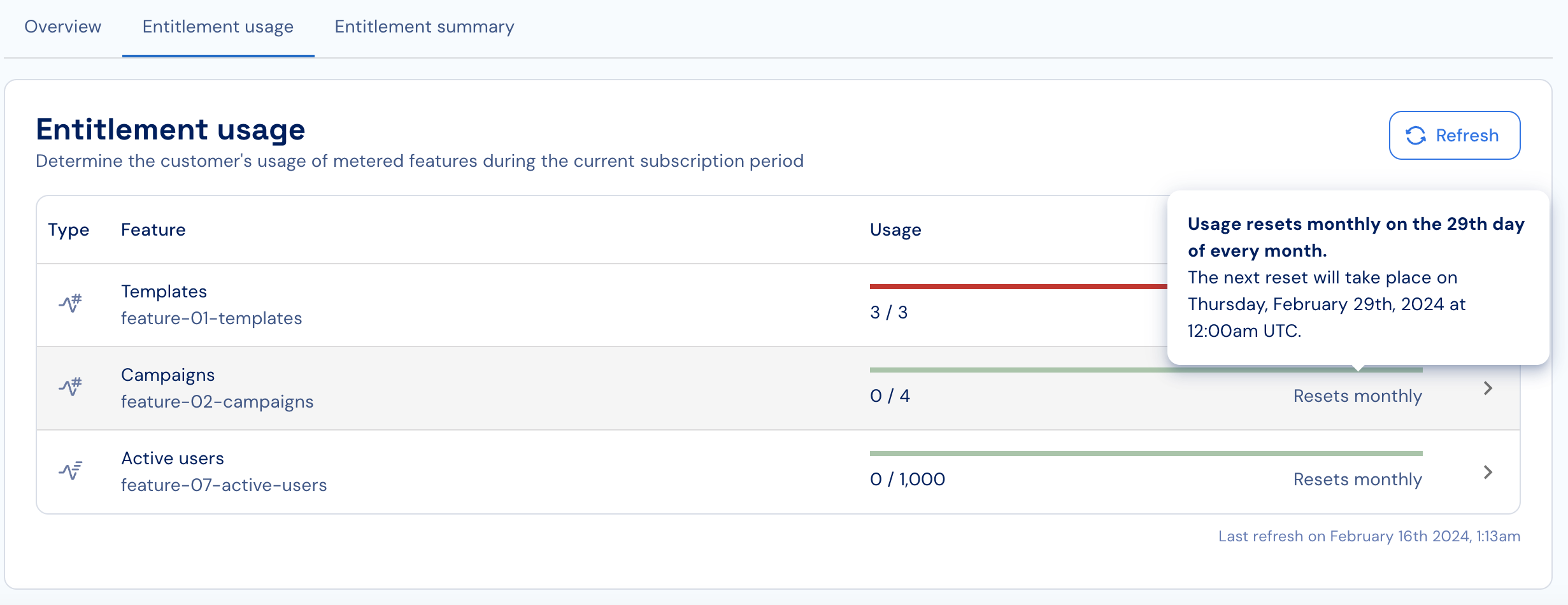
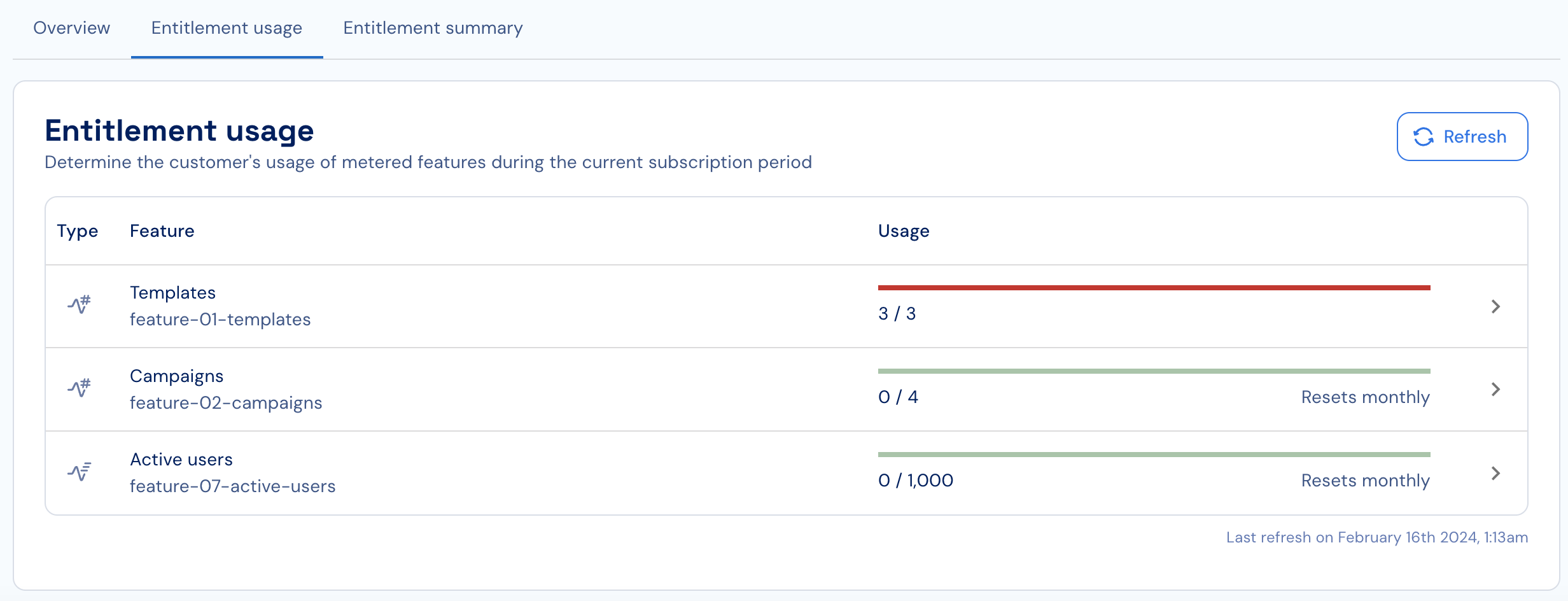 3. If automatic usage resets are enabled, review the visible reset period (monthly, weekly, etc.) and the upcoming reset date.
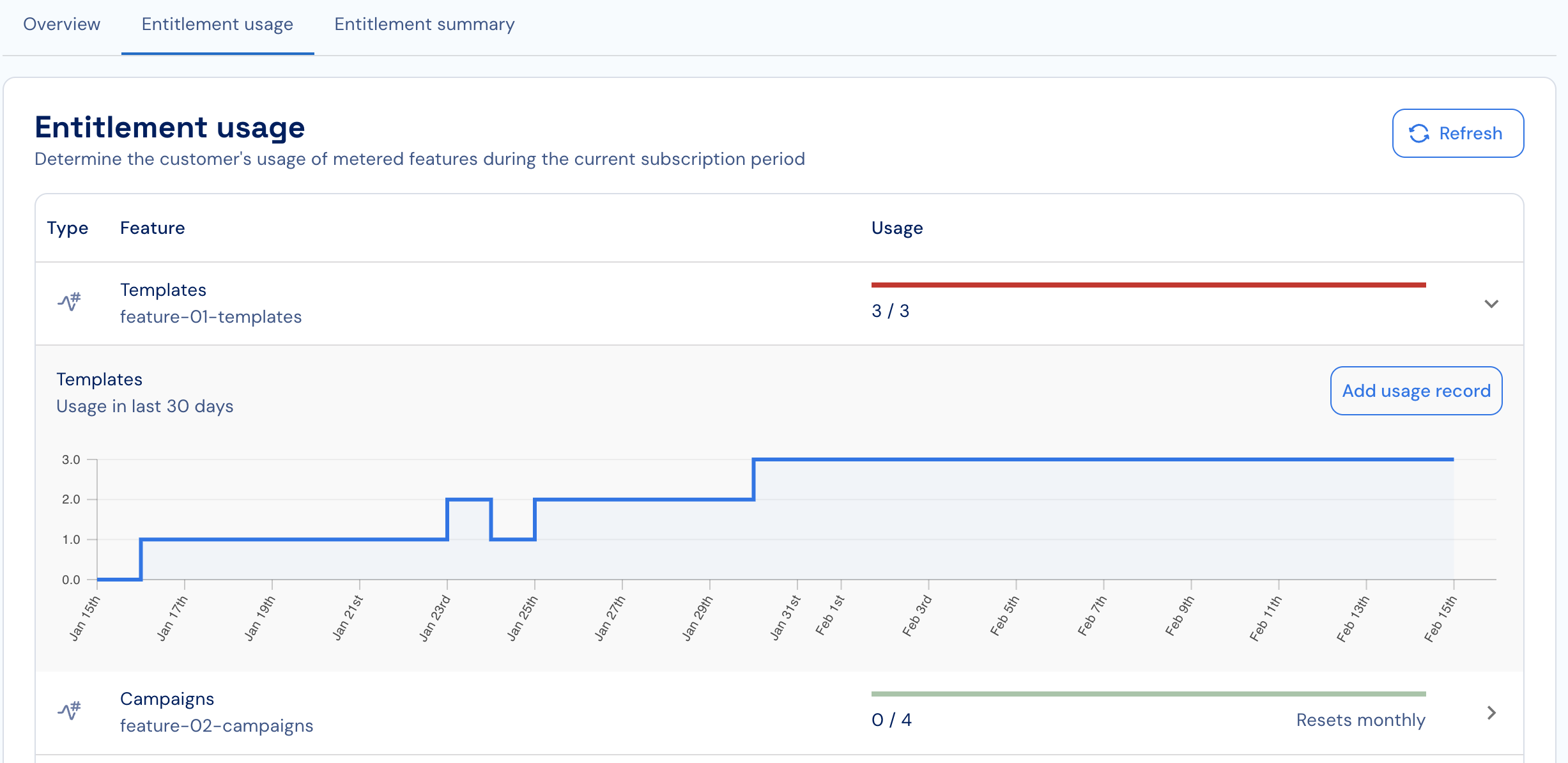
 4. Review the usage-over-time chart to identify usage patterns.
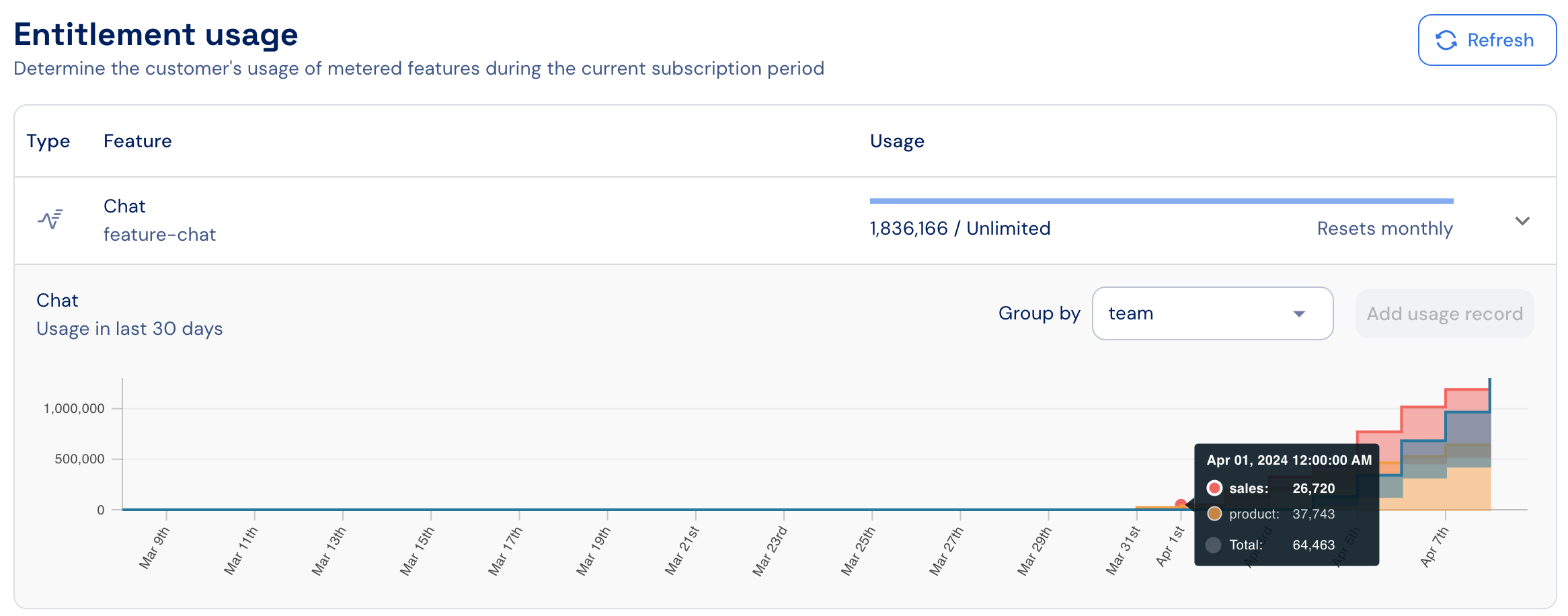
 5. Use the **Group by** dropdown to break down the chart by any dimension attached to your reported usage events (e.g., `user`, `region`, `model`). The dropdown includes a built-in search bar — type to quickly find the right dimension when your events carry many metadata keys.
 6. When multiple active subscriptions exist, use the dropdown menu (top-left) to choose the relevant subscription.
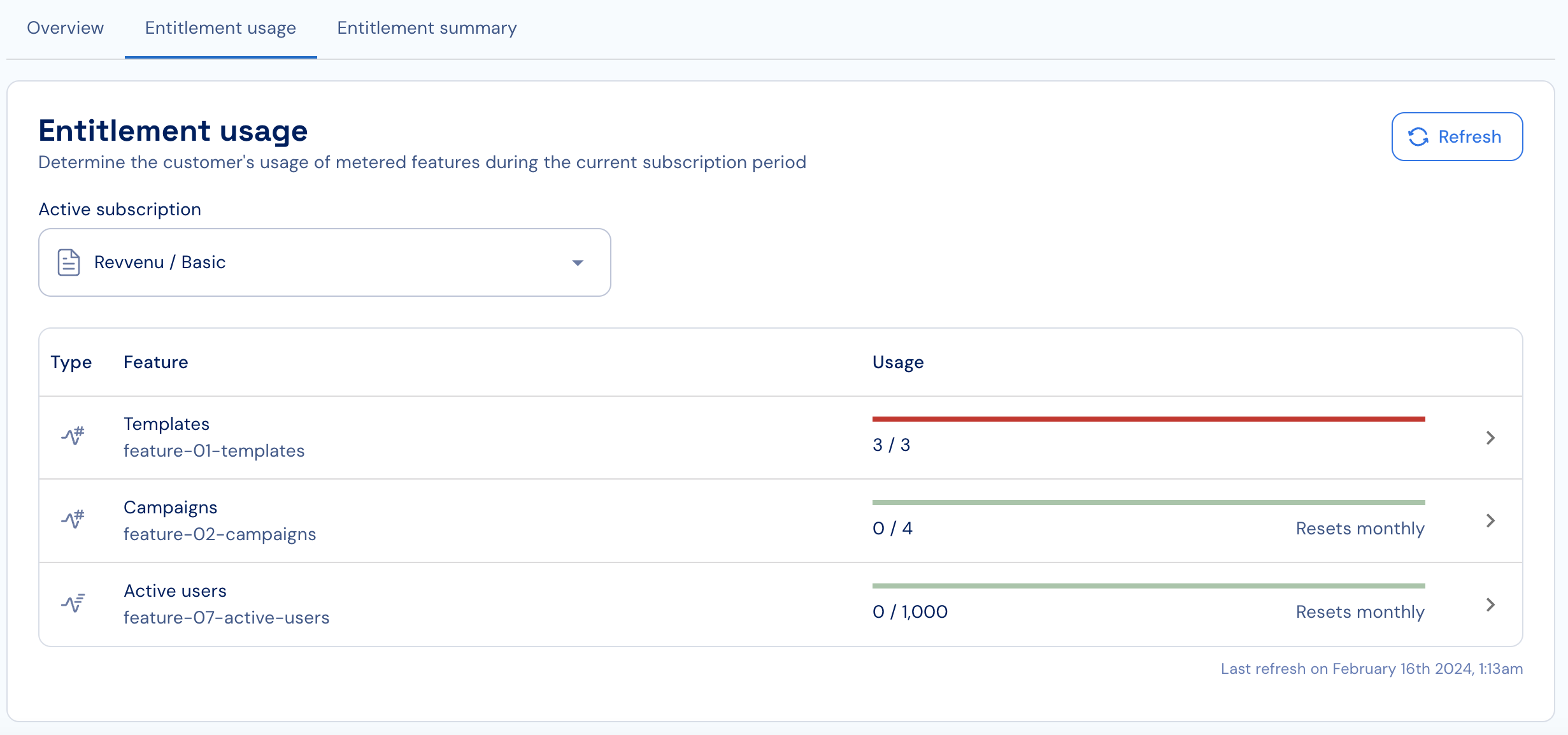 7. When reporting usage programmatically, click **Refresh** to load the most up-to-date usage.
### Updating usage
To update a customer’s current usage:
1. In the **Entitlement usage** section, click the feature you want to update to open its usage graph.
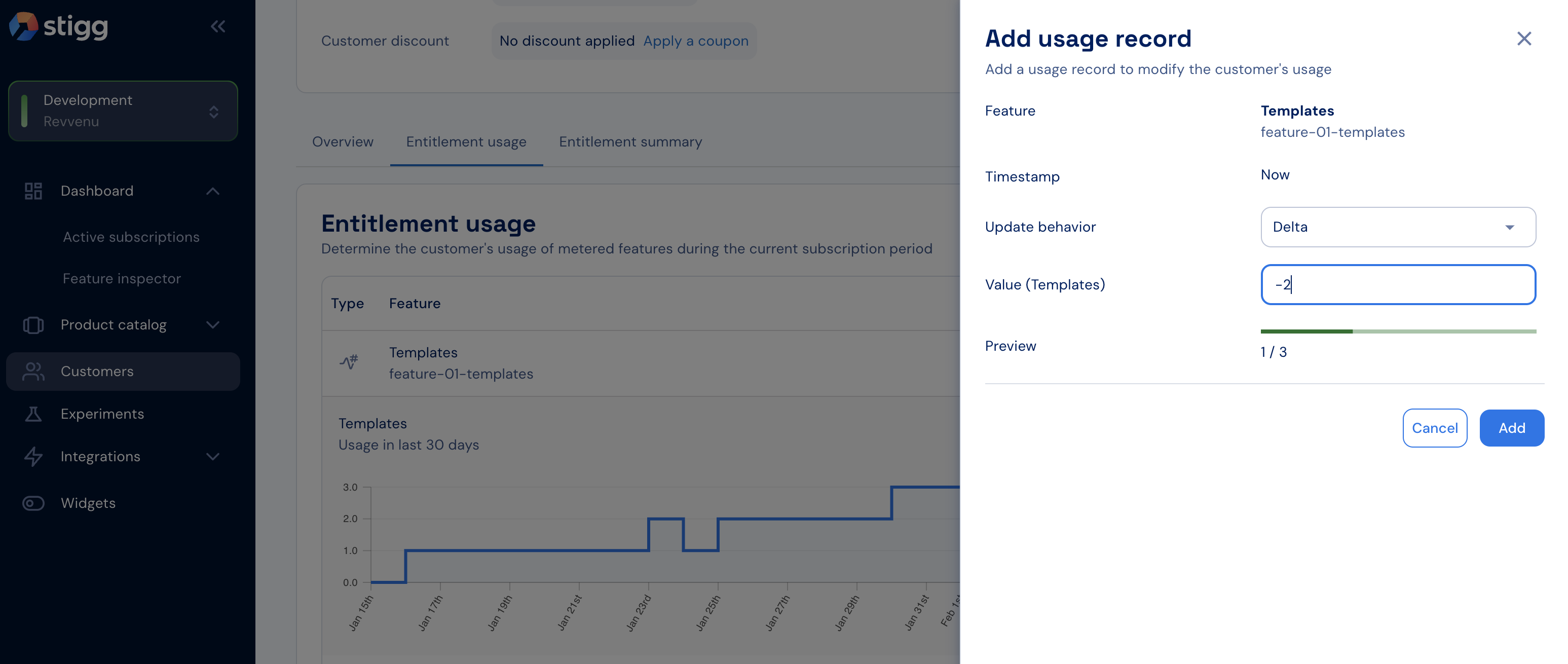
2. Click **Add usage record**.
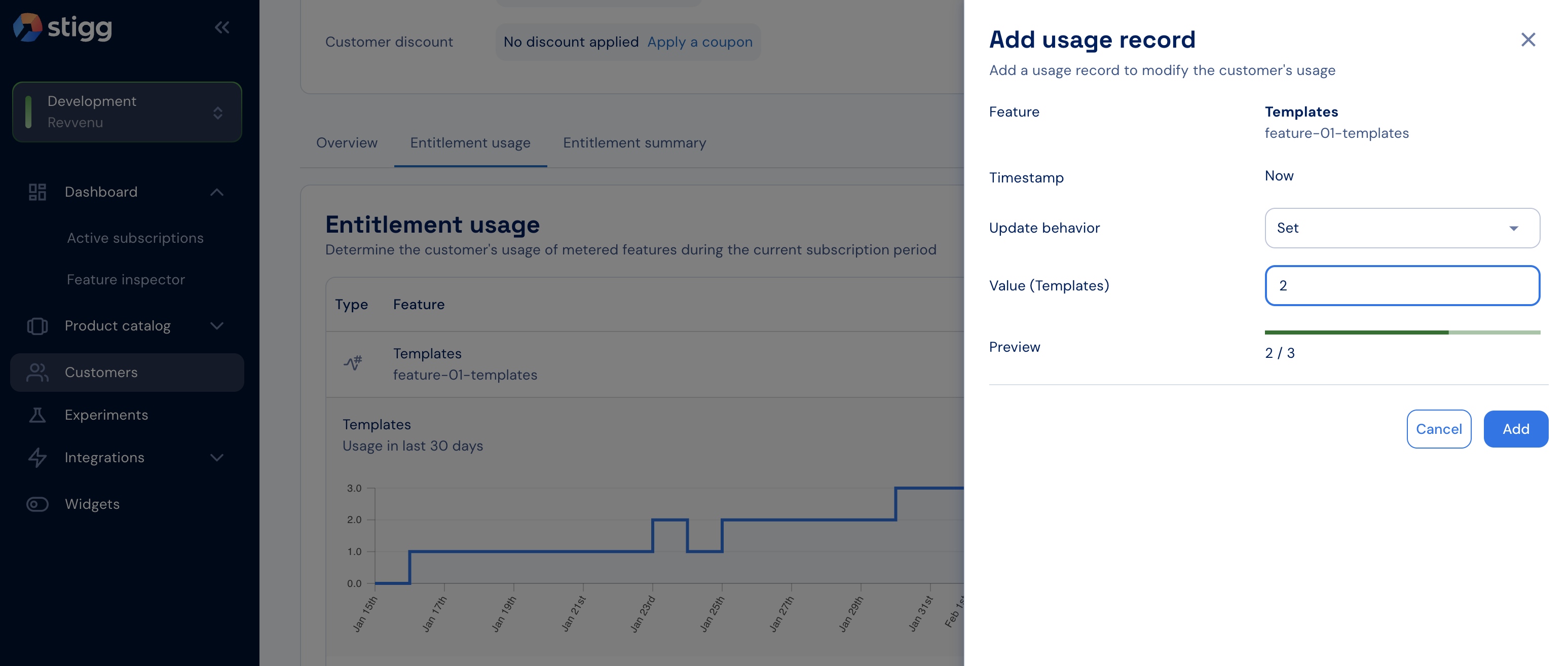
3. In the side panel, provide the following:
* **Update behavior**
* **Delta**: increment or decrement usage from the current value.
* **Set**: define the new absolute usage value.
* **Value**: the amount to apply.
4. Review the **Preview** section to see the effect on current usage.
5. Confirm the update.
7. When reporting usage programmatically, click **Refresh** to load the most up-to-date usage.
### Updating usage
To update a customer’s current usage:
1. In the **Entitlement usage** section, click the feature you want to update to open its usage graph.
2. Click **Add usage record**.
3. In the side panel, provide the following:
* **Update behavior**
* **Delta**: increment or decrement usage from the current value.
* **Set**: define the new absolute usage value.
* **Value**: the amount to apply.
4. Review the **Preview** section to see the effect on current usage.
5. Confirm the update.
 To avoid discrepancies, update usage in Stigg **only after** relevant resources have been provisioned or de-provisioned in your application.
1. Updating usage is currently supported only for **calculated usage**-based metered features. Support for event-based metering is planned.
2. Usage records are added using the current timestamp. Support for back-dated usage is on the roadmap.
To avoid discrepancies, update usage in Stigg **only after** relevant resources have been provisioned or de-provisioned in your application.
1. Updating usage is currently supported only for **calculated usage**-based metered features. Support for event-based metering is planned.
2. Usage records are added using the current timestamp. Support for back-dated usage is on the roadmap.