> ## Documentation Index
> Fetch the complete documentation index at: https://docs.stigg.io/llms.txt
> Use this file to discover all available pages before exploring further.
# Initiating the flow in the Stigg app
To add a subscription using AI:
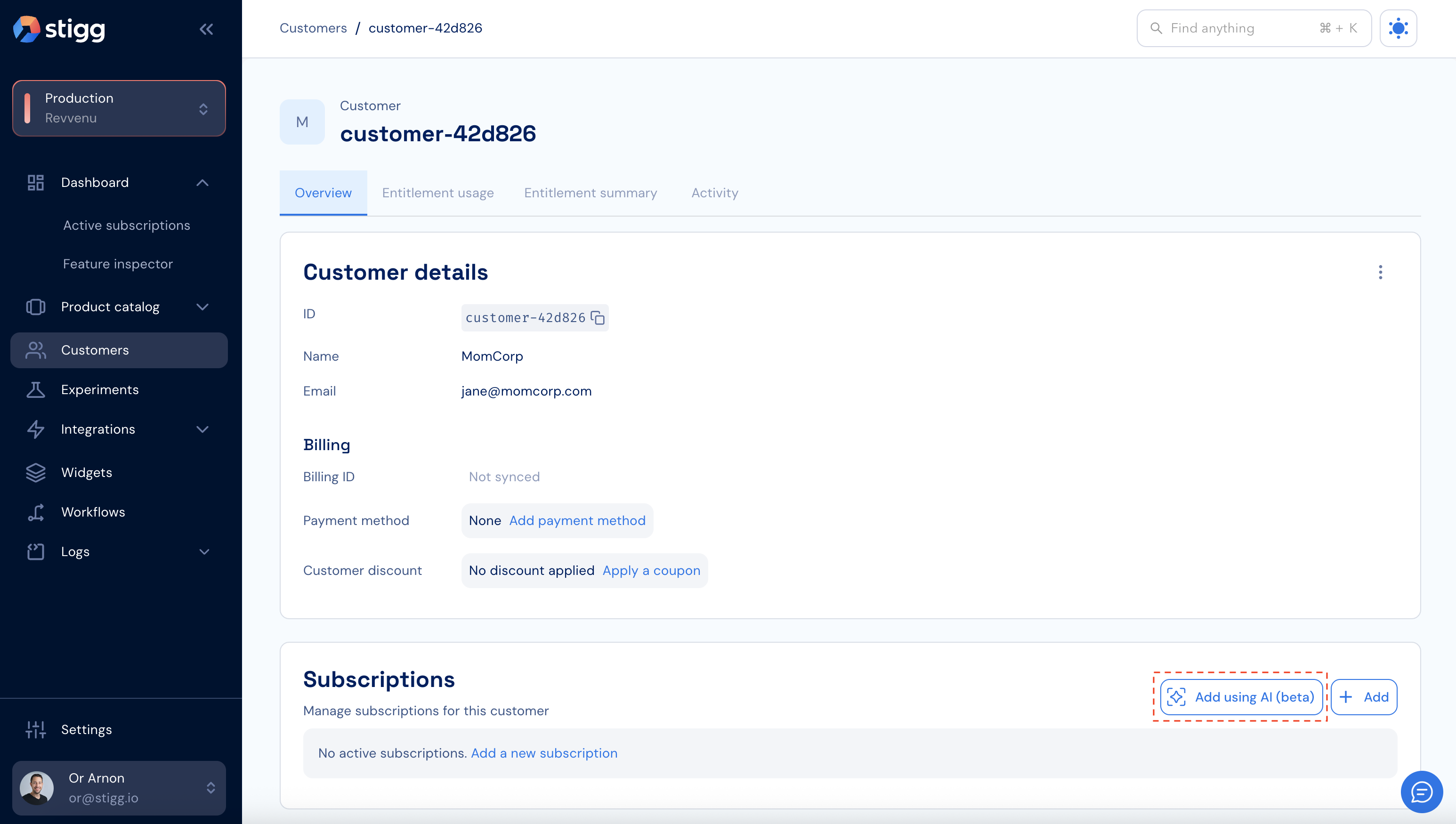
1. In the [Stigg app](https://app.stigg.io/), navigate to the **Customers** tab and select the desired customer.
2. In the **Subscriptions** section, click **Add using AI (beta)**.
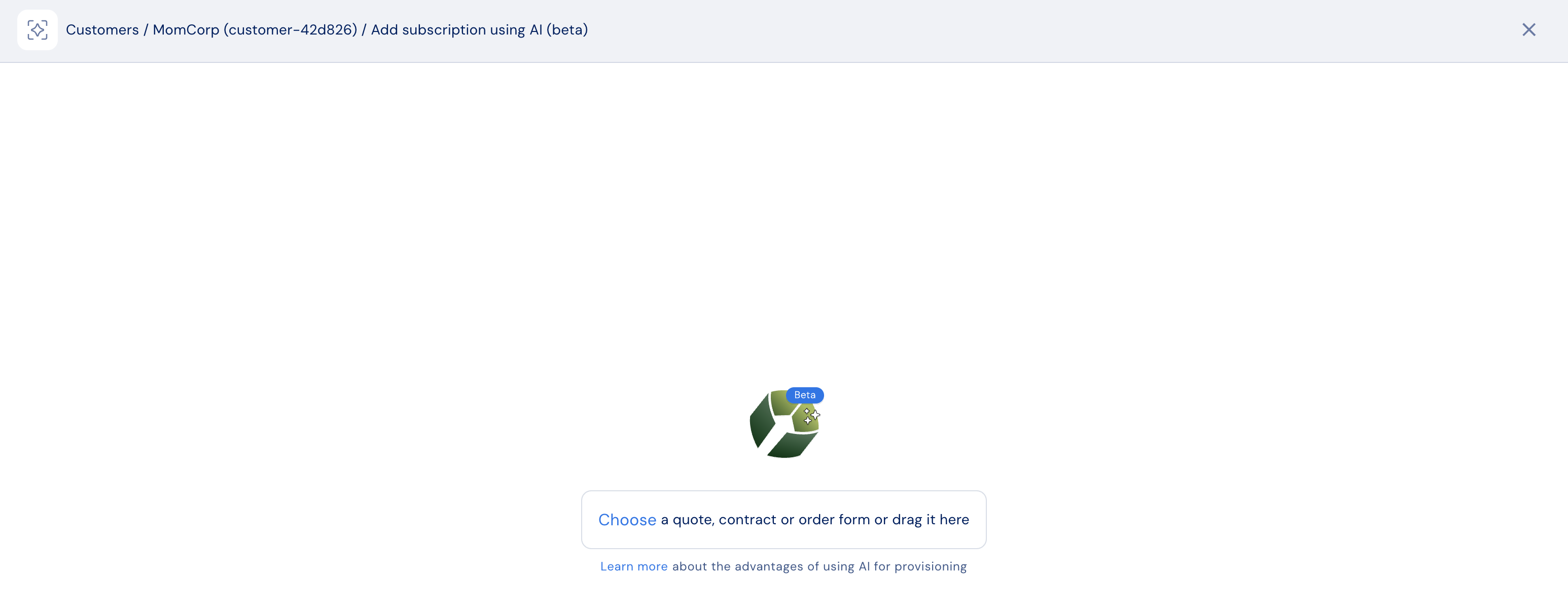
 3. Upload a quote, contract, or order form by clicking **Choose** or by dragging and dropping the file into the upload area.
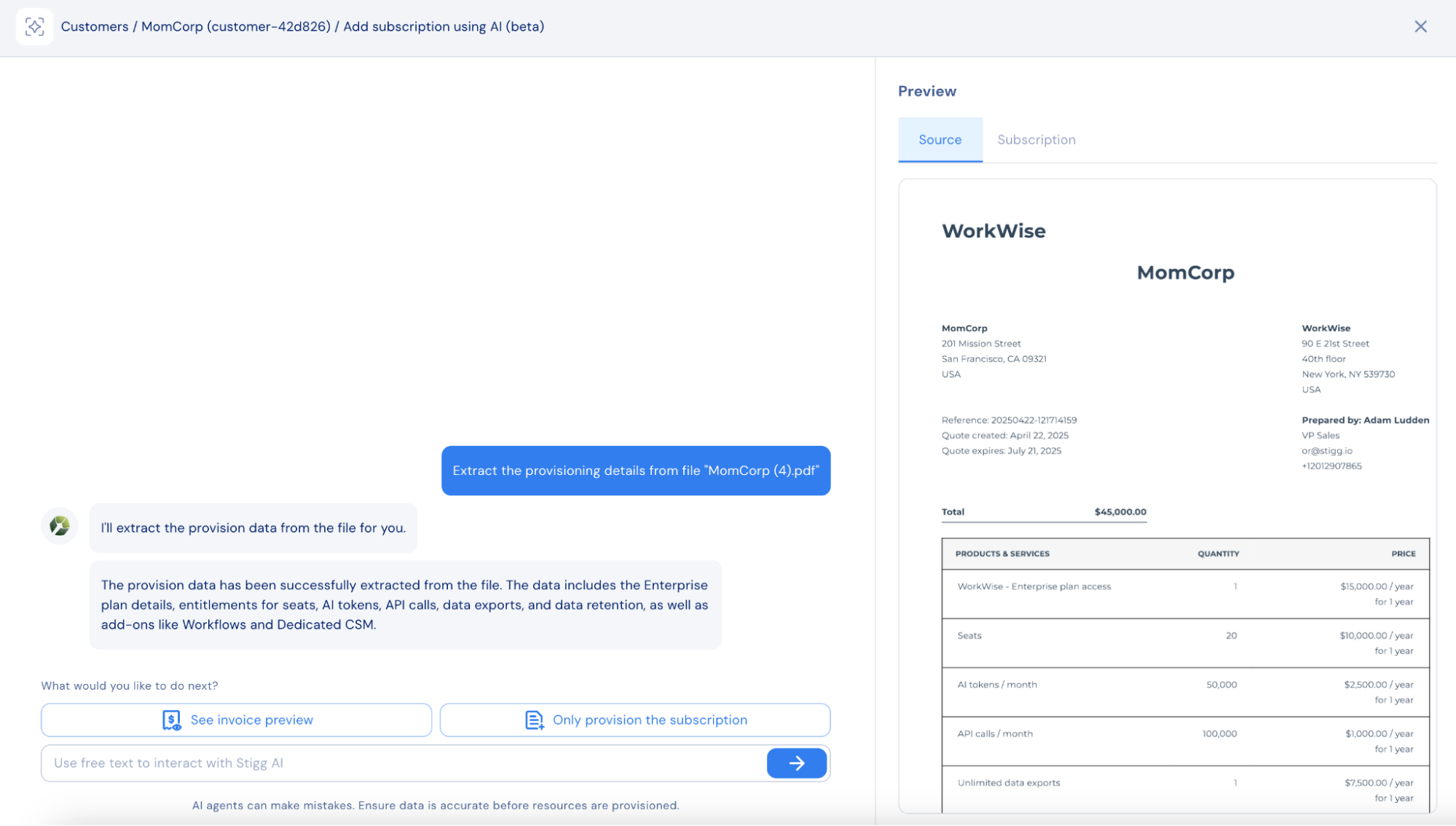
 4. After uploading, review the file preview under the **Source** tab. Stigg will extract provisioning information automatically.
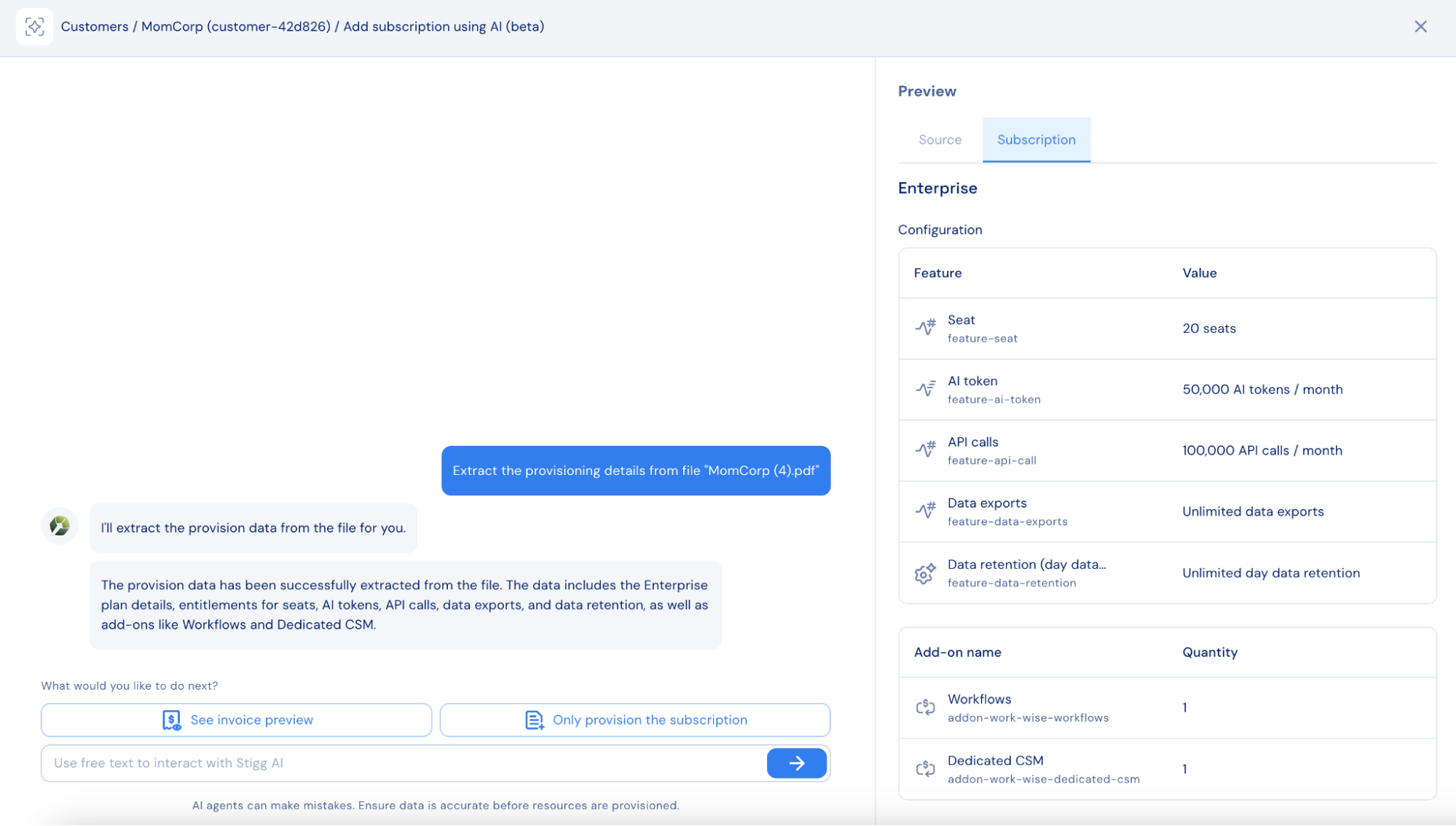
 5. View the extracted subscription details under the **Subscription** tab.
* Compare extracted details with the original file using the **Source** and **Subscription** tabs.
* If needed, modify the extracted information using the chat prompt.
6. Choose one of the following:
* **See invoice preview**: to also generate an invoice from the file.
* **Only provision the subscription**: to create only the subscription and entitlements.
5. View the extracted subscription details under the **Subscription** tab.
* Compare extracted details with the original file using the **Source** and **Subscription** tabs.
* If needed, modify the extracted information using the chat prompt.
6. Choose one of the following:
* **See invoice preview**: to also generate an invoice from the file.
* **Only provision the subscription**: to create only the subscription and entitlements.
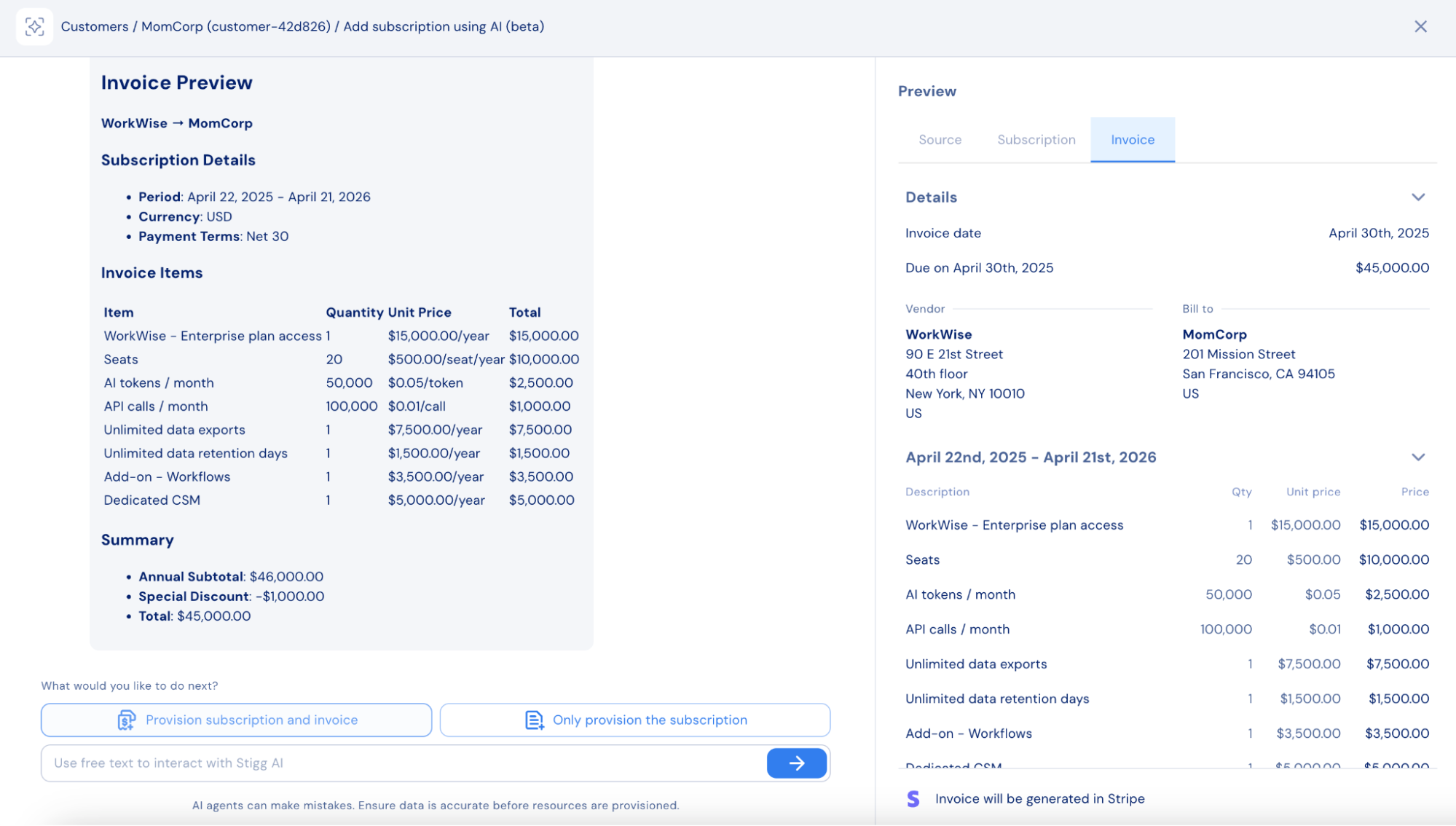
 7. If invoice generation is selected, review the extracted invoice details under the **Invoices** tab.
* Compare extracted information using **Source** and **Invoice** tabs.
* Modify details using the chat prompt if needed.
8. Click **Provision invoice and subscription** to confirm.
* The invoice will be created in the integrated billing solution.
7. If invoice generation is selected, review the extracted invoice details under the **Invoices** tab.
* Compare extracted information using **Source** and **Invoice** tabs.
* Modify details using the chat prompt if needed.
8. Click **Provision invoice and subscription** to confirm.
* The invoice will be created in the integrated billing solution.
 9. After the subscription and invoice are created, you can:
* Open the newly created subscription in Stigg,
* View the invoice in the billing system,
* Add another subscription using a new file,
* Or close the chat.
9. After the subscription and invoice are created, you can:
* Open the newly created subscription in Stigg,
* View the invoice in the billing system,
* Add another subscription using a new file,
* Or close the chat.
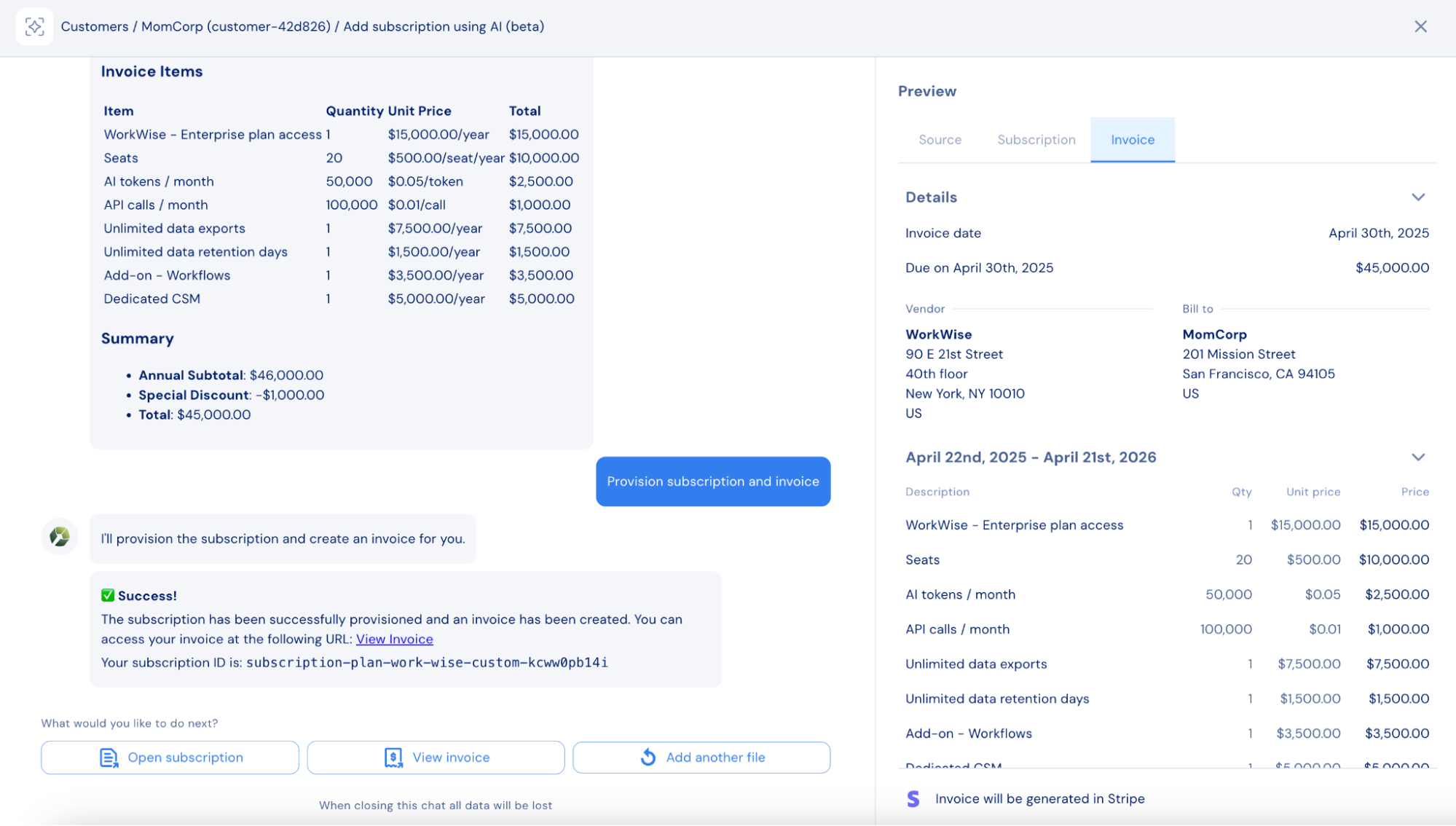 Currently, once the chat is closed, its log cannot be accessed. Access to chat history is planned for a future release.